Discover personalized fashion, receive expert advice, and enjoy convenient shopping with free shipping and returns.
6.8M visits/mo+15.2%#5 Lifestyle & Education

Mac dictation tool that converts spoken prompts into structured text or code instructions
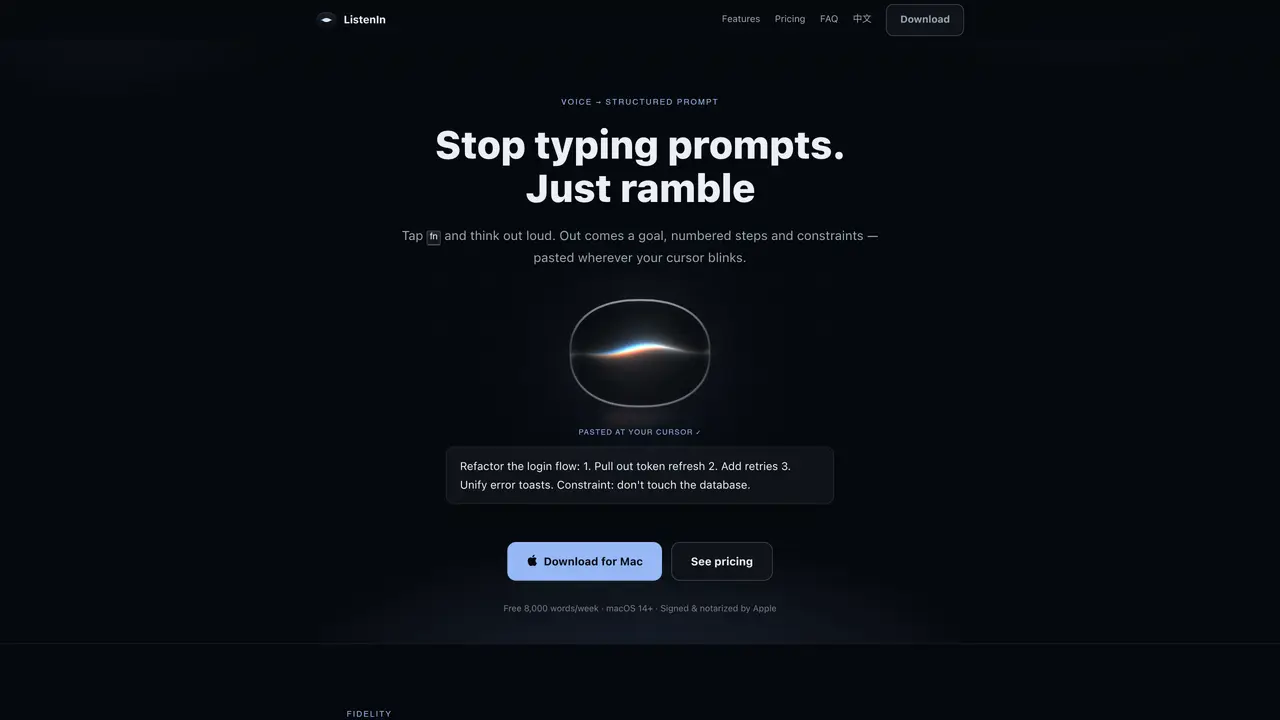
ListenIn is a macOS dictation application that converts spoken prompts into structured text or code instructions. It listens while the user holds a trigger key and outputs formatted text at the cursor position. The tool supports bilingual dictation, handling mid-sentence switches between languages without requiring mode changes. Users can dictate prompts for AI coding assistants like Cursor or Claude Code, which are then pasted directly into the active editor. The application offers multiple cleanup modes for refining transcripts, including verbatim, standard, refined, and translate options. It prioritizes reliability by ensuring transcripts remain intact even during interruptions like Wi-Fi loss or app crashes. Privacy is emphasized, with audio processed locally using Apple’s speech engine and cleanup performed either in the cloud with user-provided keys or entirely on-device with local models like Ollama.
ListenIn is a macOS dictation tool that converts spoken prompts into structured text or code instructions. Users hold a trigger key to dictate, and the tool outputs formatted text at the cursor position. It supports bilingual dictation, handles mid-sentence language switches, and offers cleanup modes like verbatim, standard, refined, and translate.
ListenIn is designed for developers, writers, and professionals who want to dictate prompts, instructions, or text directly into their workflow. It is particularly useful for users who work with AI coding assistants like Cursor or Claude Code.
ListenIn can work entirely offline if users opt for on-device cleanup with local models like Ollama. Otherwise, it requires an internet connection for cloud-based cleanup, though audio is processed locally using Apple’s speech engine.
ListenIn prioritizes privacy by processing audio locally with Apple’s speech engine and ensuring audio never reaches their servers. Cleanup can be performed in the cloud with user-provided keys or entirely on-device, with no transcript database maintained.
Yes, ListenIn can dictate prompts directly into AI coding assistants such as Cursor or Claude Code. A separate trigger key sends the prompt to the assistant, which then pastes the formatted text into the active editor.
ListenIn ensures transcripts remain intact even during interruptions like Wi-Fi loss or app crashes. If an interruption occurs, a temporary local recovery copy protects the dictation, allowing users to resume where they left off.
We use essential cookies to run aitoolnavio™, and optional cookies to analyze traffic and measure our marketing. You choose what we use — optional cookies stay off unless you turn them on. See our Privacy Policy.
One short email a week: fresh tools worth trying, honest takes and the updates that actually matter. No spam, unsubscribe any time.
Discover personalized fashion, receive expert advice, and enjoy convenient shopping with free shipping and returns.
Personal assistant that coordinates tasks across apps and devices via text or call
Quickly narrow searches by category, control results by country or language, and find relevant, accurate results with ease.
Optimizes schedules by auto-organizing tasks and meetings.
AI assistant that drafts, reviews, and researches legal documents for lawyers and law firms.
Real-time task tracking, project management, collaboration, and task assignment.
An AI voice assistant that delivers emotionally intelligent, context-aware conversations with natural timing and personal engagement.
Identify technologies, analyze data, and refine search criteria with AI-powered tools for patent research and trend analysis.
Automate audio and video transcription, timestamps, speaker labels, diarization, and export with customizations.
An AI chat platform for immersive, personalized interactions with virtual companions, including image generation.
Customer relations assistant in Gmail
AI-driven app personalizing adaptive workouts for continuous improvement.
Matched on what this tool does — grouped by the job you would be replacing.
matches Structured prompt generation from spoken input · Bilingual dictation with native language mix handling · Multiple cleanup modes (verbatim, standard, refined, translate)
AI voice dictation app for macOS that converts speech to clean text
Turns spoken words into refined text with context-aware adjustments
Mac voice dictation that writes directly at the cursor with optional cleanup
Mac voice dictation that types directly at the cursor without switching windows
matches Integration with Cursor, Claude Code, Xcode, and terminal
Desktop AI coding agent for Mac and Windows that writes files from natural language instructions
Run multiple AI coding agents for free via 50 providers using a local proxy that supports automatic fallback and token reduction.