Discover personalized fashion, receive expert advice, and enjoy convenient shopping with free shipping and returns.
6.8M visits/mo+15.2%#5 Lifestyle & Education

Local AI assistant that captures work context on a Mac and automates routine tasks across integrated tools
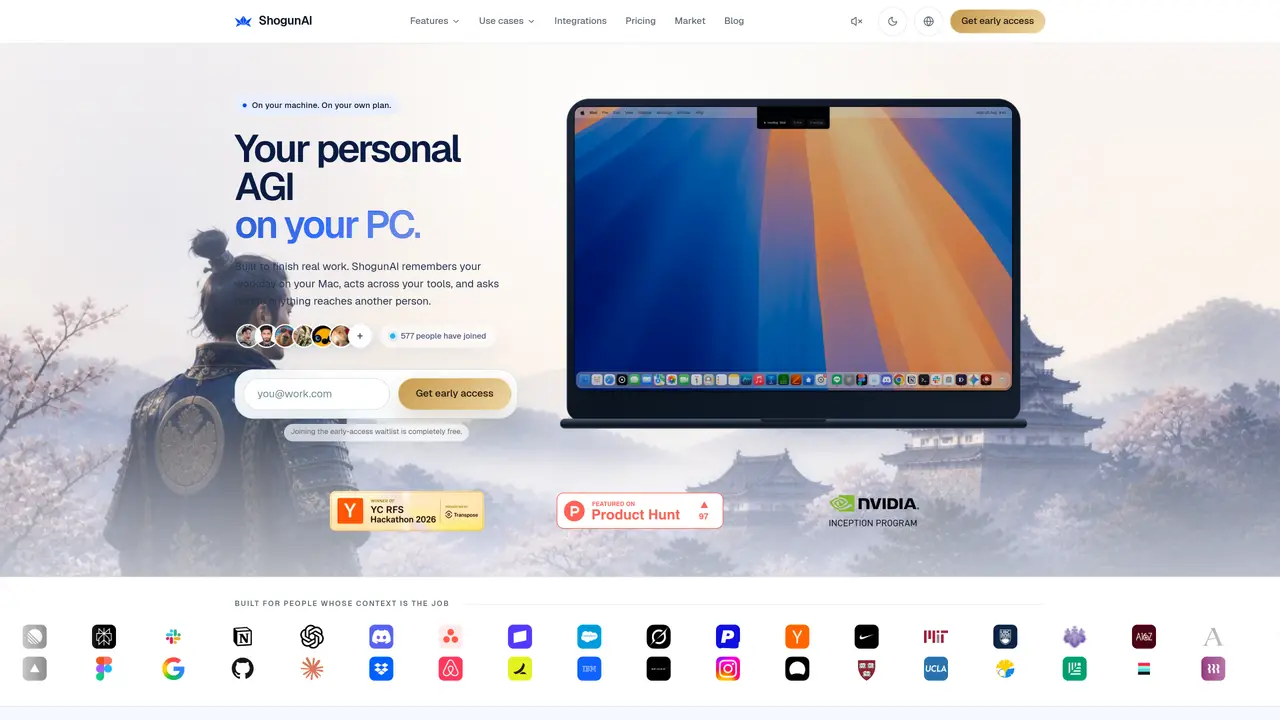
ShogunAI is a local AI assistant designed to operate entirely on a user’s Mac, capturing work context from integrated tools such as email, calendar, documents, and chat applications. It builds a private memory of the user’s workday, including decisions, commitments, and open tasks, which can be queried in plain language with sources and timestamps attached. The tool supports three levels of autonomy: reversible actions that run automatically, drafts that require user review, and actions that leave the device only after explicit approval. Execution occurs within the user’s existing tools, such as drafting emails, updating documents, or filing meeting minutes, without sending data to external servers by default. ShogunAI also provides features like inline drafting, live translation, and daily briefs summarizing overnight activity and pending tasks. It is built for professionals who rely on contextual knowledge to complete their work efficiently.
ShogunAI operates as a local AI assistant on a Mac, capturing work context from integrated tools like email, calendar, documents, and chat applications. It builds a private memory of the user’s workday, including decisions, commitments, and open tasks, which can be queried in plain language with sources and timestamps attached.
ShogunAI is built for professionals who rely on contextual knowledge to complete their work efficiently, such as founders, product and engineering teams, and consultants. It is designed for people whose work context is critical to their daily tasks.
ShogunAI captures, indexes, and stores all data encrypted on-device by default, ensuring that the user’s workday never leaves their Mac unless explicitly approved. Users can control what is remembered and revoke tool connections at any time.
ShogunAI supports three levels of autonomy: reversible actions that run automatically, drafts that require user review, and actions that leave the device only after explicit approval. This ensures that nothing is sent externally without the user’s consent.
ShogunAI connects to tools where the user’s work already lives, such as mail, calendar, chat, documents, and issues. Users authorize each connection themselves, and the connections remain under their control to revoke if needed.
Users can join the early-access waitlist for free to get started with ShogunAI. Once access is granted, they can connect their tools, build their private memory, and begin using the AI assistant to finish real work locally on their Mac.
We use essential cookies to run aitoolnavio™, and optional cookies to analyze traffic and measure our marketing. You choose what we use — optional cookies stay off unless you turn them on. See our Privacy Policy.
One short email a week: fresh tools worth trying, honest takes and the updates that actually matter. No spam, unsubscribe any time.
Discover personalized fashion, receive expert advice, and enjoy convenient shopping with free shipping and returns.
Personal assistant that coordinates tasks across apps and devices via text or call
Quickly narrow searches by category, control results by country or language, and find relevant, accurate results with ease.
Optimizes schedules by auto-organizing tasks and meetings.
AI assistant that drafts, reviews, and researches legal documents for lawyers and law firms.
Real-time task tracking, project management, collaboration, and task assignment.
An AI voice assistant that delivers emotionally intelligent, context-aware conversations with natural timing and personal engagement.
Identify technologies, analyze data, and refine search criteria with AI-powered tools for patent research and trend analysis.
Automate audio and video transcription, timestamps, speaker labels, diarization, and export with customizations.
An AI chat platform for immersive, personalized interactions with virtual companions, including image generation.
Customer relations assistant in Gmail
AI-driven app personalizing adaptive workouts for continuous improvement.
Matched on what this tool does — grouped by the job you would be replacing.
matches Inline drafting within active applications · Plain-language recall across integrated tools · Daily brief summarizing overnight activity and pending tasks
Mac-based AI assistant that watches your screen to provide context-aware help without manual copy-pasting.
Pieces auto-captures your workflow context across tools and surfaces it via a privacy-first AI assistant for faster recall and reuse.
Mac-native AI assistant that centralizes email, calendar, and work apps, executes multi-step tasks with approval, and delivers summaries and meeting notes to reduce context switching.
Local-first AI assistant for Mac that captures notes, transcribes meetings, and provides context-aware chat
matches Automated meeting minutes with decisions and next actions
matches Three autonomy levels for task execution
matches Live two-way translation between languages
AI meeting recorder that transcribes, summarizes, and extracts actionable items from calls and lectures in real time.
A desktop AI assistant that captures meeting notes, summarizes context across apps, supports AI writing with memory, and tracks tasks.
AI assistant that automates routine work across email, calendar, Slack, files and other tools with human oversight.
AI task manager that captures work from email and chat, auto-plans time blocks, and replans instantly when priorities change.
No-code AI workflow automation platform that builds, deploys, and manages AI agents to automate repetitive knowledge work across apps like Gmail, Calendar, Slack, and Notion.
AI agents automate routine tasks across 1,500+ apps using plain English instructions, no code required.
Instant text translation, shortening, fixing and dictation right in any app
Mac voice dictation that types directly at the cursor without switching windows