Scales efficient language processing with open-source accessibility.
357M visits/mo+1%#2 Coding & Development

Hosted Model Context Protocol server for agent-native operations on live revenue data
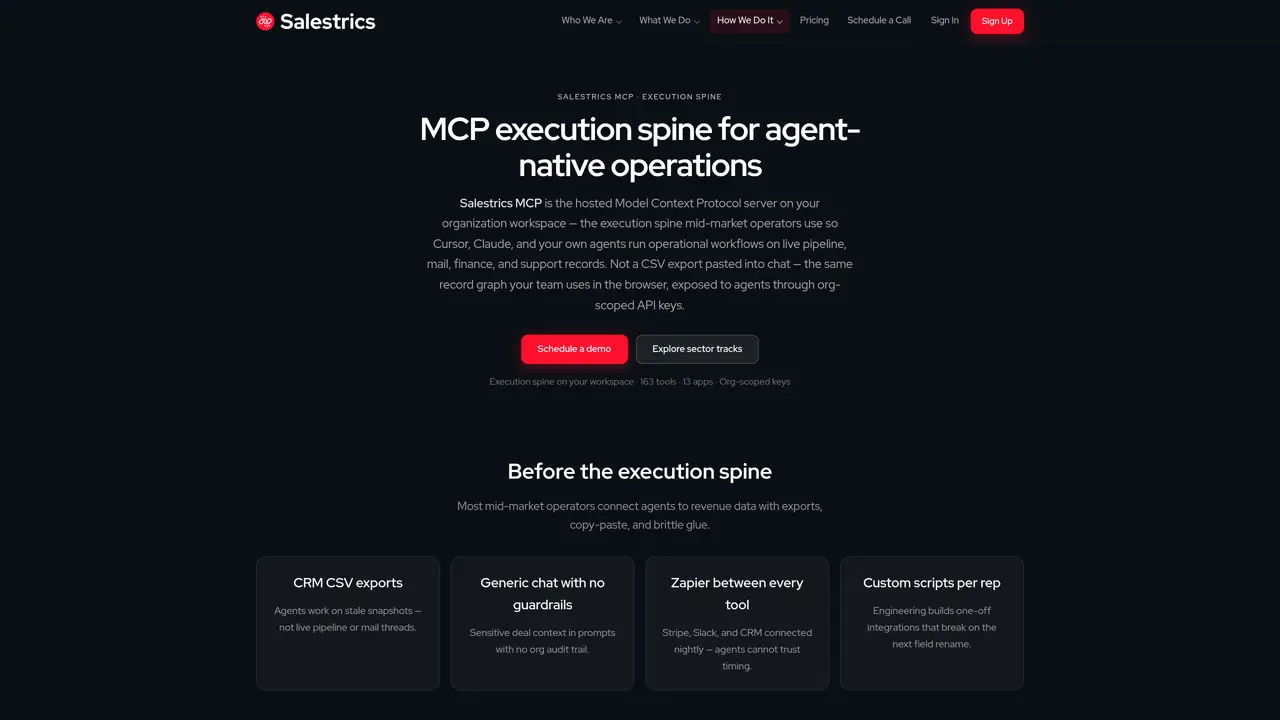
Salestrics MCP is a hosted Model Context Protocol server deployed within an organization’s workspace. It exposes the same record graph used by teams in the browser—CRM, mail, finance, and support records—to agents such as Cursor, Claude Desktop, VS Code, and custom agents via org-scoped API keys. The system replaces manual CSV exports and brittle glue scripts by providing a single protocol surface for discovery, tools, resources, and workflow prompts. It supports 163 tools across 13 apps including CRM, mail, workspace, support, and finance, enabling operational workflows like pipeline review, lead qualification, case resolution, and multi-app revenue processes. The server runs as a streamable HTTP endpoint at /api/mcp with standard discovery, health, and OpenAPI 3.1 documentation. Admin controls include hashed, rate-limited API keys, audit logs, user management, and integration connector status. Client detection tracks connections from Cursor, Claude Desktop, VS Code, Windsurf, and others for administrative review.
Salestrics MCP is a hosted Model Context Protocol server deployed within an organization’s workspace. It exposes the same record graph used by teams in the browser—CRM, mail, finance, and support records—to agents such as Cursor, Claude Desktop, VS Code, and custom agents via org-scoped API keys.
It is designed for mid-market operators who need to run operational workflows on live pipeline, mail, finance, and support records through agents like Cursor, Claude, and VS Code. Teams seeking to replace manual exports and brittle glue scripts with a single protocol surface will benefit.
It provides a streamable HTTP endpoint at /api/mcp with standard discovery, health, and OpenAPI 3.1 documentation. Agents connect using org-scoped API keys, which are hashed at rest, rate-limited, and revocable. The system supports 163 tools across 13 apps for operational workflows.
It supports integrations with CRM, mail, workspace, support, and finance apps such as Momentum CRM, Salestrics Mail, Workspace, Resolve, Ledger, Connect, Flow, Orbit!, Insight, Automation, Support, Assistant, and Admin. External apps like Stripe, Slack, and Notion can also be proxied through the hosted server.
Sign in to your organization workspace at app.salestrics.com, open Admin, and create an MCP API key. Choose your client for a ready-made snippet, paste it into Cursor, Claude Desktop, VS Code, or your MCP client config, and run an operational workflow on live data.
Yes, it includes hashed, rate-limited API keys, audit logs, user management, and integration connector status. Client detection tracks connections from Cursor, Claude Desktop, VS Code, Windsurf, and others for administrative review.
We use essential cookies to run aitoolnavio™, and optional cookies to analyze traffic and measure our marketing. You choose what we use — optional cookies stay off unless you turn them on. See our Privacy Policy.
One short email a week: fresh tools worth trying, honest takes and the updates that actually matter. No spam, unsubscribe any time.
Scales efficient language processing with open-source accessibility.
Collaboration and version control platform for software development and AI model hosting.
Tesla’s AI stack powers Full Self-Driving, Optimus humanoid robots, and real-world autonomy with neural networks, custom hardware, and Dojo-scale training.
Integrates AI into Airtable to analyze data, summarize insights, draft content, and automate workflows without prior AI experience.
AI-powered website builder that generates a professional site in under a minute and includes tools for content, SEO, and analytics.
Unified platform to access and switch between hundreds of AI models like ChatGPT, Claude, and Gemini via a single API.
xAI builds Grok frontier AI models for reasoning, coding, voice, images, video, enterprise workflows, and developer APIs.
Meta AI enhances machine learning, NLP, and computer vision capabilities.
Crowdsourced platform for blind, side-by-side AI model comparisons with a public leaderboard.
Customize, deploy, and control AI models securely.
Independent benchmarks comparing AI models on quality, speed, and cost across multiple capabilities.
Chat, build, and explore with open AI models.
Matched on what this tool does — grouped by the job you would be replacing.
matches Hosted Model Context Protocol server on workspace · Org-scoped API keys with rate limiting · 163 tools across 13 apps
A data marketplace and connectivity layer that lets AI agents access multiple external data sources through a single API key and MCP installation.
Hosted MCP layer for cross-channel ad operations on Meta, Google Ads and TikTok
Provides scoped data access for AI agents and apps via a permission boundary
matches Static and dynamic resource access · External integrations via proxy · OpenAPI 3.1 documentation
Self-hosted agent gateway that connects AI assistants to personal data sources without sharing passwords
Connect local files and directories to Cursor, Claude Desktop and Windsurf via the Filesystem MCP server.
MCP server that exposes Windows desktop search via Everything to Cursor, Claude Desktop and Windsurf.
Connect Chroma Mcp to Cursor, Claude Desktop and Windsurf via an MCP server.