
AI-powered website builder that generates a professional site in under a minute and includes tools for content, SEO, and analytics.
52M visits/mo+0.7%#4 Coding & Development
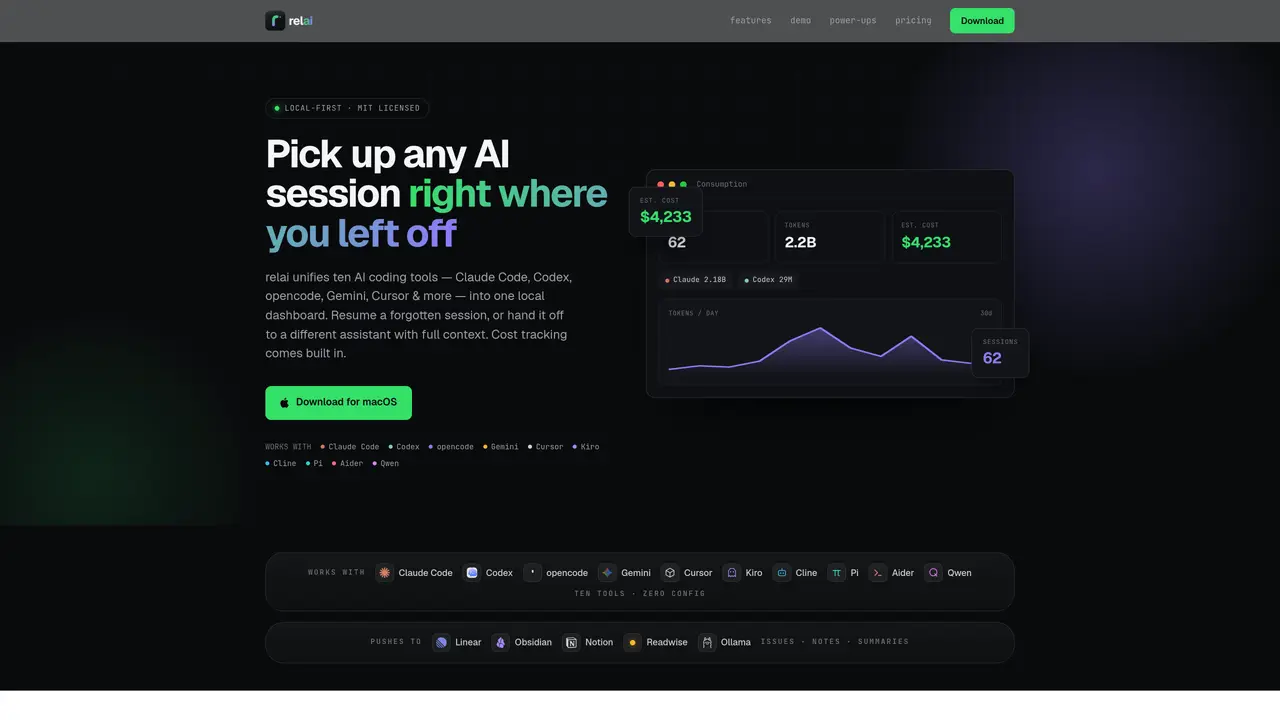
relai consolidates AI coding sessions from ten different tools—Claude Code, Codex, opencode, Gemini, Cursor, Kiro, Cline, Pi, Aider, and Qwen—into a single local dashboard. It parses the session files generated by these CLI-based assistants and transforms them into structured data, enabling users to resume or hand off sessions with full context. The tool tracks token usage and cost per session, providing real-time telemetry and historical reports. Users can search sessions by title, preview, or project path, and export data to platforms like Obsidian, Notion, Readwise, or Linear. relai also offers local processing for summaries and study plans via Ollama, with cloud fallback if needed. A live monitor shows active and idle terminals, while encrypted cross-device sync ensures sessions follow users between machines. The app operates locally-first, with no agents to install and no data leaving the user’s machine by default.
relai reads the local session files written by ten AI coding tools: Claude Code, Codex, opencode, Gemini CLI, Cursor, Kiro, Cline, Pi, Aider, and Qwen. No plugins or agents are required to install; it parses the transcripts your CLIs already generate and unifies them in one dashboard.
No. relai operates local-first, meaning session transcripts, token counts, cost data, and exports remain on your machine by default. Cross-device sync is end-to-end encrypted and opt-in, and session summaries can run on a local Ollama model to avoid cloud processing entirely.
Open relai, locate the session by searching titles, previews, or project paths, then choose Resume to reopen it in its original CLI or Hand off to fork it into a different assistant. relai generates a context primer from the transcript, CLAUDE.md, and memory to ensure the new tool continues with full context.
relai parses real session data to provide per-tool token and cost breakdowns, reflecting actual work. Users can exclude side projects from reports with a single checkbox to maintain accurate telemetry.
Yes. relai allows exporting sessions as CSV or JSON and pushing session notes and reports to platforms like Obsidian, Notion, Readwise, or Linear. Findings can be filed as Linear issues that close automatically when marked resolved.
Yes. Users can enable local processing for session summaries, handoff primers, and study reports using Ollama at no cost. If the local model fails, relai automatically falls back to the cloud CLI to ensure continuity.
We use essential cookies to run aitoolnavio™, and optional cookies to analyze traffic and measure our marketing. You choose what we use — optional cookies stay off unless you turn them on. See our Privacy Policy.
One short email a week: fresh tools worth trying, honest takes and the updates that actually matter. No spam, unsubscribe any time.
AI-powered website builder that generates a professional site in under a minute and includes tools for content, SEO, and analytics.
AI-powered coding platform that uses agents to plan, write, and test software with real-time feedback and verifiable artifacts.
Automate code, research, and documents using agents.
AI-powered code assistant that generates, reviews, optimizes, and debugs code with natural language prompts and editor integrations.
AI assistant for safe, reliable productivity with code, collaboration, and integrations.
AI-powered IDE for autonomous coding tasks and agentic development workflows
Privacy-focused AI chatbot that generates uncensored text, code, images, and translations without storing conversations or requiring an account.
A free web-based AI chatbot and agent for writing, coding, research, and content creation with multilingual support.
Write & run code in 50+ languages, auto-complete with AI, and code faster with an intuitive interface.
An IDE that automates legacy-to-modern code migration using autonomous coding agents.
AI models that return typed decisions with calibrated confidence for software automation
Practice coding challenges, improve technical skills, get detailed explanations, compare performance with peers.
Matched on what this tool does — grouped by the job you would be replacing.
matches Resume or hand off sessions between different AI tools · Context primer generation for seamless tool handoffs · Encrypted cross-machine session synchronization
Run and manage remote AI coding agents from any device with real-time sync and a clean UI.
Local desktop app that consolidates multiple coding agents into one window
Desktop library to search and resume coding agent sessions locally
Native macOS application for managing and coordinating coding agents
matches Live monitoring of active and idle terminal sessions · Per-tool token and cost breakdowns with side-project exclusion · Full-text search across session titles, previews, and project paths
matches Export sessions to CSV, JSON, Obsidian, Notion, Readwise, or Linear
Tracks AI coding costs and token usage for local AI coding sessions
Local dashboard to discover, monitor and steer multiple AI coding agents from one screen
Native macOS dashboard for monitoring and managing multiple coding agents locally
Tracks and aggregates AI usage across browsers and IDEs locally
Local-first tool that turns AI coding sessions into inspectable, reusable workflows
Shared AI memory layer that syncs context across multiple AI tools automatically
Structured project memory for AI coding agents