

Collaboration and version control platform for software development and AI model hosting.
645M visits/mo-0.6%#1 Coding & Development
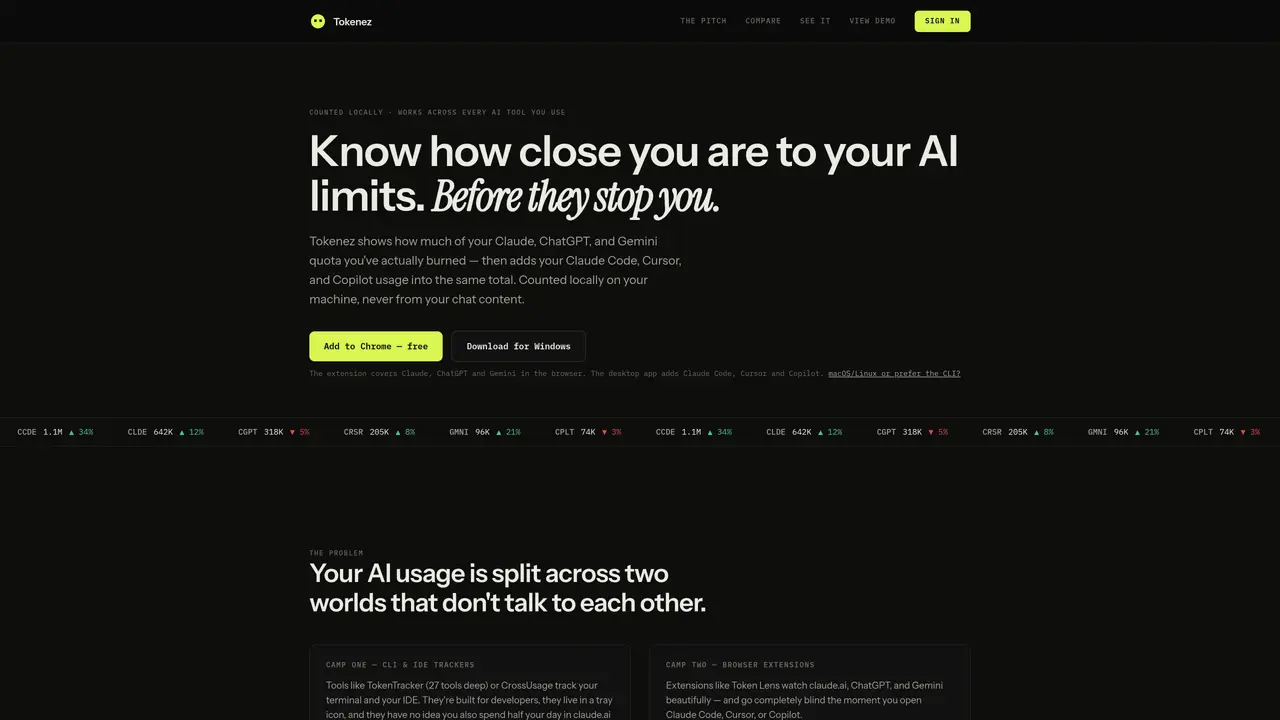
Tokenez provides a unified view of AI usage by combining data from browser-based AI tools such as Claude, ChatGPT, and Gemini with desktop and IDE-based tools like Claude Code, Cursor, and Copilot. The tool operates locally on the user’s machine, ensuring that chat content is not accessed or stored, and only usage metrics are tracked. It offers a single dashboard that displays token consumption across both environments, distinguishing between exact counts from platforms that expose API data and estimates from those that do not. The dashboard includes visual indicators such as quota-percentage gauges and session summaries, allowing users to monitor their AI usage in real time. Tokenez supports multiple platforms, including Windows, macOS, and Linux, and is available as a desktop application, browser extension, or command-line interface. Installation requires minimal setup, with no password needed for account creation, and usage data syncs across devices via a free account.
Tokenez provides a unified view of AI usage by combining data from browser-based AI tools such as Claude, ChatGPT, and Gemini with desktop and IDE-based tools like Claude Code, Cursor, and Copilot. It tracks token consumption across both environments in a single local dashboard.
Tokenez is designed for users who frequently switch between browser-based AI tools and desktop or IDE-based tools, such as developers, researchers, or professionals who rely on multiple AI platforms for their work.
Tokenez operates locally on the user’s machine, ensuring that chat content is never accessed or stored. Only usage metrics are tracked, and data syncs to the user’s account across devices without requiring a password.
Tokenez supports Windows, macOS, and Linux, and is available as a desktop application, browser extension, or command-line interface. It covers a wide range of AI tools, including browser-based platforms and IDEs.
Tokenez provides exact token counts for platforms that expose API data, while estimating usage for others using a real tokenizer. Each event is labeled to distinguish between exact and estimated counts, ensuring transparency.
Users can get started with Tokenez by downloading the desktop application for Windows or using the command-line interface for macOS, Linux, or other platforms. A free account is required for syncing usage data across devices.
We use essential cookies to run aitoolnavio™, and optional cookies to analyze traffic and measure our marketing. You choose what we use — optional cookies stay off unless you turn them on. See our Privacy Policy.
One short email a week: fresh tools worth trying, honest takes and the updates that actually matter. No spam, unsubscribe any time.
Collaboration and version control platform for software development and AI model hosting.
A cloud platform for deploying, scaling, and managing web apps and AI workloads with Git-based CI/CD and edge functions.
Unified platform to access and switch between hundreds of AI models like ChatGPT, Claude, and Gemini via a single API.
xAI builds Grok frontier AI models for reasoning, coding, voice, images, video, enterprise workflows, and developer APIs.
Meta AI enhances machine learning, NLP, and computer vision capabilities.
AI-powered coding platform that uses agents to plan, write, and test software with real-time feedback and verifiable artifacts.
Open-source backend platform providing Postgres, authentication, APIs, and real-time features to build scalable apps quickly.
Chat, build, and explore with open AI models.
Standardize application packaging and execution with portable containers for consistent local and cloud workflows.
Cloud communications platform that lets developers embed SMS, voice, WhatsApp, email, video, verification, and conversational AI via APIs.
Revolutionize AI application development, monitoring, and deployment with LangChain.
Run open-source chatbots locally on your PC without internet, keeping conversations private and offline.
Matched on what this tool does — grouped by the job you would be replacing.
matches Local token tracking without accessing chat content · Unified dashboard for browser and IDE AI usage · Exact token counts for platforms with API access
Tracks AI coding costs and token usage for local AI coding sessions
Desktop workspace and usage tracker for AI coding agents
Local AI coding agent manager that turns tickets into isolated worktrees and pull requests
Local analytics for AI coding agent sessions on macOS