AI-powered website builder that generates a professional site in under a minute and includes tools for content, SEO, and analytics.
52M visits/mo+0.7%#4 Coding & Development
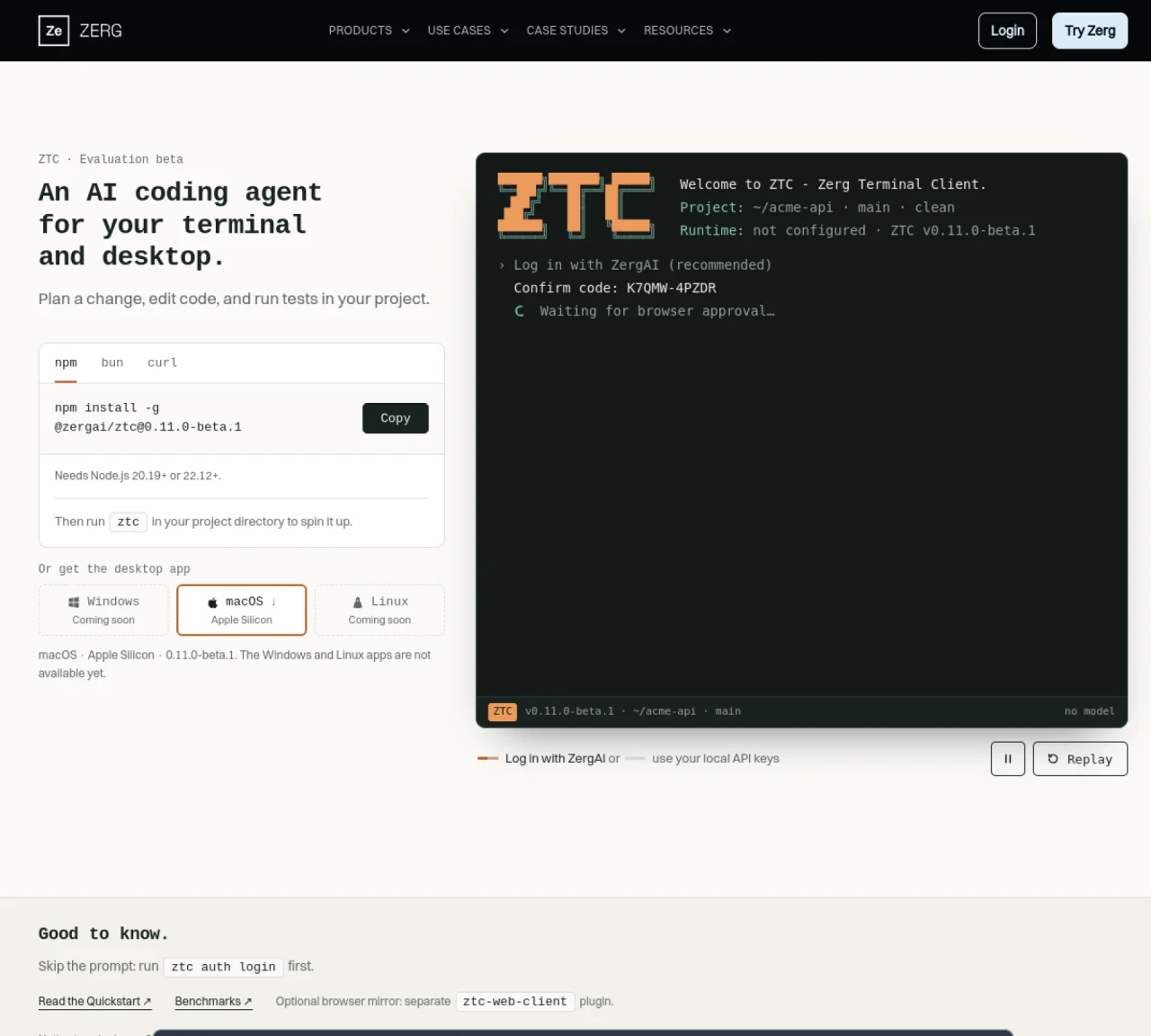
ZTC is an AI coding agent designed to operate within a terminal or desktop environment. It allows users to plan changes, edit code, and run tests directly within a project directory. The tool integrates with a model provider through ZergAI login or local API keys, enabling flexible model selection. Usage history and billing controls are managed via Zerg Router, which tracks daily budgets and monthly caps. ZTC supports headless operation on macOS, Linux, and Windows, with native terminal support for macOS on Apple Silicon. A desktop app is available for macOS on Apple Silicon, while Windows and Linux desktop apps are listed as coming soon. The agent can replay actions for review and supports switching models dynamically during sessions.
Zerg Client (ZTC) is an AI coding agent that operates within a terminal or desktop environment. It allows users to plan changes, edit code, and run tests directly within a project directory while integrating with a model provider through ZergAI login or local API keys.
Zerg Client is designed for developers and teams looking to automate coding tasks, verify software behavior through repeated runs, and manage workflows within their existing development environments.
Usage history and billing controls are managed via Zerg Router, which tracks daily budgets and monthly caps to help users monitor and control their AI agent usage and costs.
ZTC supports headless operation on macOS, Linux, and Windows, with native terminal support for macOS on Apple Silicon. A desktop app is available for macOS on Apple Silicon, while Windows and Linux desktop apps are listed as coming soon.
Yes, Zerg Client can replay actions for review, allowing users to track and understand the steps taken by the AI agent during a session.
Yes, Zerg Client supports dynamically switching models during sessions, providing flexibility in model selection based on the task requirements.
We use essential cookies to run aitoolnavio™, and optional cookies to analyze traffic and measure our marketing. You choose what we use — optional cookies stay off unless you turn them on. See our Privacy Policy.
One short email a week: fresh tools worth trying, honest takes and the updates that actually matter. No spam, unsubscribe any time.
AI-powered website builder that generates a professional site in under a minute and includes tools for content, SEO, and analytics.
AI-powered coding platform that uses agents to plan, write, and test software with real-time feedback and verifiable artifacts.
Automate code, research, and documents using agents.
AI-powered code assistant that generates, reviews, optimizes, and debugs code with natural language prompts and editor integrations.
AI assistant for safe, reliable productivity with code, collaboration, and integrations.
AI-powered IDE for autonomous coding tasks and agentic development workflows
Privacy-focused AI chatbot that generates uncensored text, code, images, and translations without storing conversations or requiring an account.
A free web-based AI chatbot and agent for writing, coding, research, and content creation with multilingual support.
Write & run code in 50+ languages, auto-complete with AI, and code faster with an intuitive interface.
An IDE that automates legacy-to-modern code migration using autonomous coding agents.
AI models that return typed decisions with calibrated confidence for software automation
Practice coding challenges, improve technical skills, get detailed explanations, compare performance with peers.
Matched on what this tool does — grouped by the job you would be replacing.
matches Plan and edit code changes · Run tests within project directories · Switch models dynamically with /model command
Terminal-based AI agent for coding, data tasks and workflow automation
Terminal-based coding agent that executes locally or via remote models
Terminal-based AI coding agent that reads, edits and runs code with user-controlled permissions
matches Plan and edit code changes · Run tests within project directories · Isolated work environments in Docker containers
matches Plan and edit code changes · Run tests within project directories · Switch models dynamically
matches Plan and edit code changes · Run tests within project directories · Cross-device session synchronization
Open-source coding agent for macOS that runs tasks in isolated containers
Desktop app for multi-agent coding sessions with AI PR review and CI debugging
Local AI coding agent manager that turns tickets into isolated worktrees and pull requests
Parallel AI coding agent IDE that runs multiple agents side by side in isolated git worktrees for faster, comparative development.
A macOS workspace for running and managing parallel AI coding agents with isolated shells and automatic git worktrees.
Local desktop app that consolidates multiple coding agents into one window
Local coding agent coordination workspace for macOS
Run and manage remote AI coding agents from any device with real-time sync and a clean UI.
Local-first desktop workspace for managing multiple AI models and tools in one interface