Collaboration and version control platform for software development and AI model hosting.
645M visits/mo-0.6%#1 Coding & Development

WordPress plugin exposing 240 tools to MCP-compatible AI clients for site management and data retrieval.
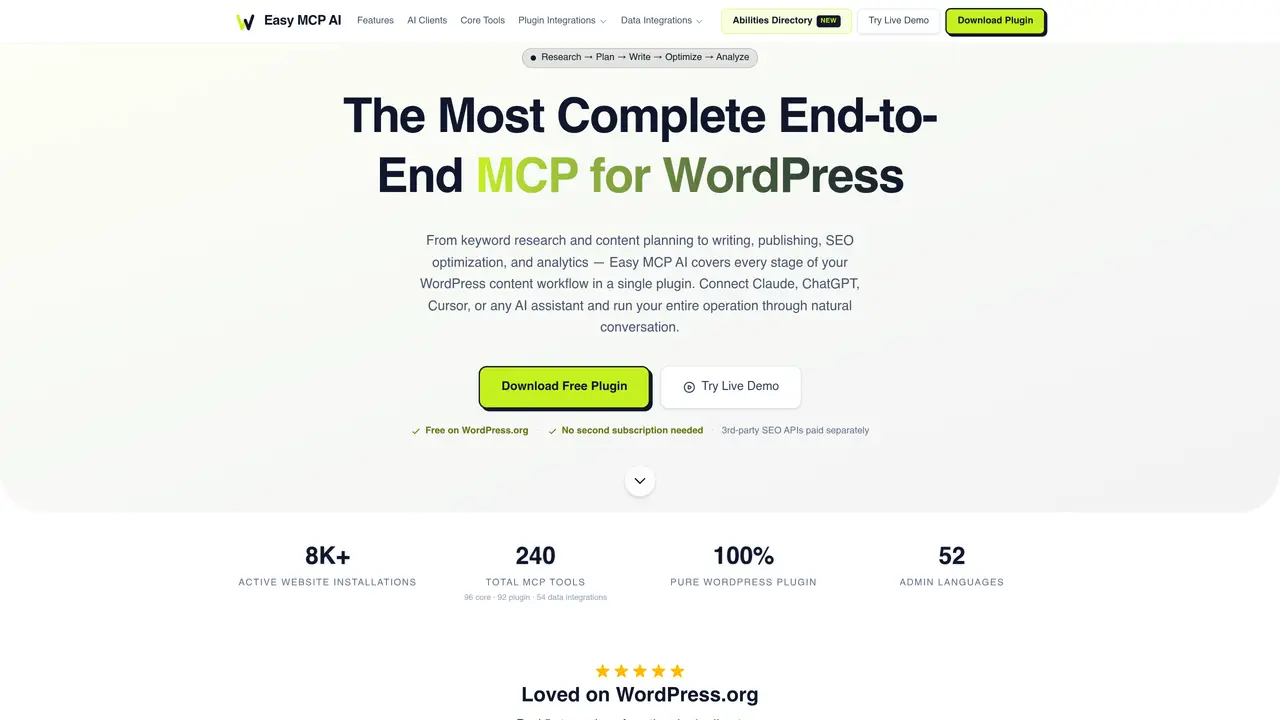
Easy MCP AI is a WordPress plugin that connects MCP-compatible AI clients like Claude, ChatGPT, or Cursor to your site through 240 integrated tools. It allows AI assistants to perform tasks such as researching keywords, drafting and publishing content, managing SEO metadata, and retrieving analytics data from Google Analytics and Search Console—all within a single conversation. The plugin operates entirely in PHP without requiring Node.js, proxy servers, or external services, simplifying deployment and reducing infrastructure complexity. Security is enforced through bearer token authentication, granular tool permissions per token, rate limiting, IP whitelisting, and comprehensive audit logging to track all actions. Designed for WordPress users, developers, and agencies, it streamlines workflows by enabling AI to automate routine site management and data analysis tasks efficiently. The tool is particularly useful for teams looking to integrate AI capabilities directly into their WordPress environments without relying on third-party intermediaries or complex setups.
Easy MCP AI is a WordPress plugin that connects MCP-compatible AI clients like Claude, ChatGPT, or Cursor to your WordPress site through 240 integrated tools. It enables AI assistants to perform tasks such as keyword research, content drafting and publishing, SEO metadata management, and analytics retrieval directly within WordPress.
The tool is designed for WordPress users, developers, and agencies looking to integrate AI capabilities directly into their WordPress environments without relying on third-party intermediaries or complex setups.
No, Easy MCP AI operates entirely in PHP without requiring Node.js, proxy servers, or external services. It runs purely within WordPress on standard hosting.
Security features include bearer token authentication with SHA-256 hashing, granular tool permissions per token, WordPress capability checks, rate limiting, IP whitelisting, and comprehensive audit logging to track all actions.
It supports integrations with major SEO plugins (Yoast SEO, Rank Math, SEOPress, etc.), WooCommerce, Advanced Custom Fields, BuddyPress, The Events Calendar, and data services like Google Analytics, Search Console, Semrush, and Ahrefs.
You can download the free plugin from WordPress.org or the official website, install it on your WordPress site, and connect it to your preferred MCP-compatible AI client to begin automating tasks.
easymcpai.com · third-party estimates from Similarweb
Last 4 months · grows by one month every month
Share of visits by channel
Share of visits · estimated visits
Other countries: 57.6%
How people reach this site from other AI tools
10 a month
Coding & Development · Sep 2026
Traffic figures are third-party estimates, good for scale and trends; they can differ from a company's own numbers. Updated monthly.
We use essential cookies to run aitoolnavio™, and optional cookies to analyze traffic and measure our marketing. You choose what we use — optional cookies stay off unless you turn them on. See our Privacy Policy.
One short email a week: fresh tools worth trying, honest takes and the updates that actually matter. No spam, unsubscribe any time.
Collaboration and version control platform for software development and AI model hosting.
A cloud platform for deploying, scaling, and managing web apps and AI workloads with Git-based CI/CD and edge functions.
Unified platform to access and switch between hundreds of AI models like ChatGPT, Claude, and Gemini via a single API.
xAI builds Grok frontier AI models for reasoning, coding, voice, images, video, enterprise workflows, and developer APIs.
Meta AI enhances machine learning, NLP, and computer vision capabilities.
AI-powered coding platform that uses agents to plan, write, and test software with real-time feedback and verifiable artifacts.
Open-source backend platform providing Postgres, authentication, APIs, and real-time features to build scalable apps quickly.
Chat, build, and explore with open AI models.
Standardize application packaging and execution with portable containers for consistent local and cloud workflows.
Cloud communications platform that lets developers embed SMS, voice, WhatsApp, email, video, verification, and conversational AI via APIs.
Revolutionize AI application development, monitoring, and deployment with LangChain.
Run open-source chatbots locally on your PC without internet, keeping conversations private and offline.
Matched on what this tool does — grouped by the job you would be replacing.
matches 240 integrated tools for posts, WooCommerce, SEO plugins, and analytics · MCP-compatible AI client integration (Claude, ChatGPT, Cursor, etc.) · No Node.js, proxy servers, or external services required
AI-powered WordPress operator that executes site changes from plain language and provides one-click undo
Create engaging content, optimize SEO, and customize with translation, correction, and more.
AI-powered platform automating end-to-end SEO content production, from keyword research to WordPress publishing.
Automates SEO content creation and tracking for websites hosted on WordPress or GitHub
matches SEO metadata push and keyword research capabilities · Direct retrieval of Google Analytics and Search Console data
WordPress SEO plugin that automates keyword optimization, tracks rankings, and provides content analysis to improve search visibility.
An AI-powered SEO automation platform that automates keyword research, daily article publishing, and backlink building for small businesses and agencies.
AI-powered SEO plugin for WordPress that delivers step-by-step guidance, customized to-dos, and all-in-one SEO features to improve rankings and traffic.
SEO content automation platform for research, creation and publishing