Collaboration and version control platform for software development and AI model hosting.
645M visits/mo-0.6%#1 Coding & Development

Convert screenshots into structured UI data so AI agents can identify and interact with interface elements.
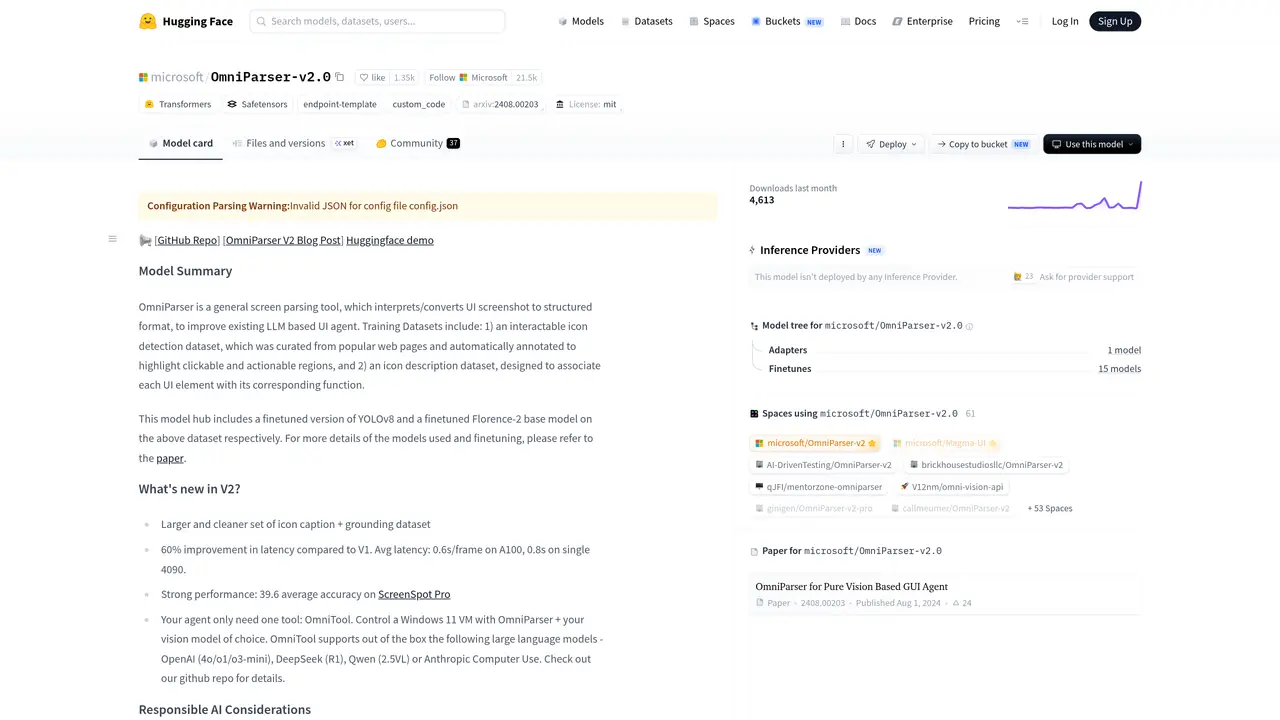
OmniParser converts screenshots into structured data that AI models can use to understand user interfaces. It addresses the challenge of identifying screen elements for automation by parsing interfaces and extracting element attributes. Developers use OmniParser to improve the accuracy and speed of GUI automation workflows, enabling AI agents to recognize buttons, text fields, and other UI components. The tool is designed to work alongside any LLM model, making it versatile for integration into broader AI systems. It supports tasks like automating user interactions, enhancing accessibility, and optimizing screen parsing for testing and research. OmniParser is particularly useful for roles that require precise UI element detection, such as programmers, UI engineers, and AI researchers working on automation or agent-based systems.
OmniParser converts unstructured UI screenshots into structured data, identifying interactable regions, icon captions, and semantic elements to improve LLM-based UI agent performance.
The tool is intended for developers, UI engineers, and AI researchers working on GUI automation, accessibility, or agent-based systems requiring precise UI element detection.
OmniParser provides structured UI data that can be used alongside any LLM, enabling AI agents to better understand and interact with graphical interfaces.
Version 2 includes a larger and cleaner icon caption dataset, 60% faster latency than V1, and strong performance metrics such as 39.6 average accuracy on ScreenSpot Pro.
OmniParser does not detect harmful content in input screenshots and requires human judgment for final output validation. Developers must ensure responsible use and follow safety standards.
Users can load the model via Transformers using the provided code snippet or explore demo implementations on Hugging Face Spaces for practical examples.
We use essential cookies to run aitoolnavio™, and optional cookies to analyze traffic and measure our marketing. You choose what we use — optional cookies stay off unless you turn them on. See our Privacy Policy.
One short email a week: fresh tools worth trying, honest takes and the updates that actually matter. No spam, unsubscribe any time.
Collaboration and version control platform for software development and AI model hosting.
A cloud platform for deploying, scaling, and managing web apps and AI workloads with Git-based CI/CD and edge functions.
Unified platform to access and switch between hundreds of AI models like ChatGPT, Claude, and Gemini via a single API.
xAI builds Grok frontier AI models for reasoning, coding, voice, images, video, enterprise workflows, and developer APIs.
Meta AI enhances machine learning, NLP, and computer vision capabilities.
AI-powered coding platform that uses agents to plan, write, and test software with real-time feedback and verifiable artifacts.
Open-source backend platform providing Postgres, authentication, APIs, and real-time features to build scalable apps quickly.
Chat, build, and explore with open AI models.
Standardize application packaging and execution with portable containers for consistent local and cloud workflows.
Cloud communications platform that lets developers embed SMS, voice, WhatsApp, email, video, verification, and conversational AI via APIs.
Revolutionize AI application development, monitoring, and deployment with LangChain.
Run open-source chatbots locally on your PC without internet, keeping conversations private and offline.
Matched on what this tool does — grouped by the job you would be replacing.
matches Converts screenshots into structured UI data · Identifies and parses interface elements · Works with any LLM model
Open-source AI platform that lets LLMs directly control Android and iOS devices to automate mobile app interactions via structured UI text and self-correcting loops.
Automates browser interactions for AI agents using vision-first detection and typed tool contracts.