
Create accurate 3D floor plans and interior visualizations with drag-and-drop tools, no design expertise required.
554K visits/mo+13.9%#112 Image & Design

Transforms a yard photo into a practical garden concept with AI assistance
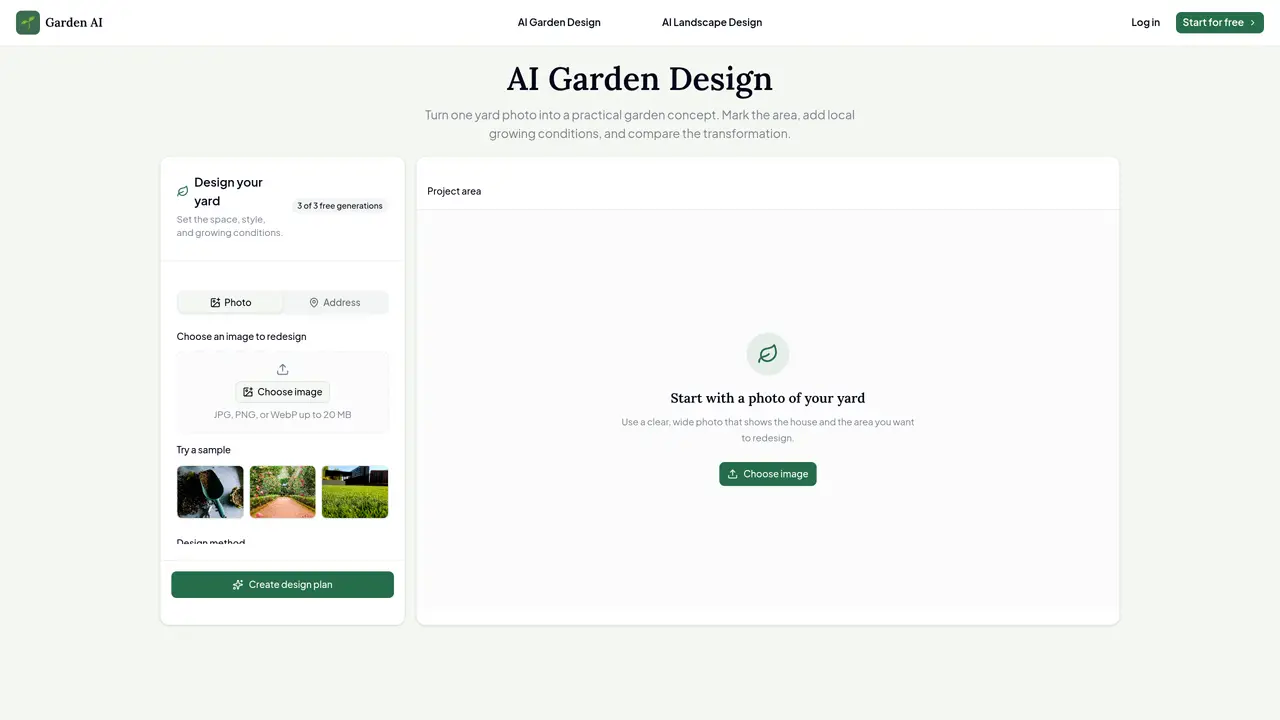
AI Garden Design is an image-guided planning tool that converts a photograph of a yard into a new landscape concept. Users upload a clear photo of their front yard, backyard, patio, side yard, or flower bed and mark the area to redesign. The tool offers smart area selection, allowing users to tap, draw, or outline the region of interest while preserving existing structures and unselected areas. Garden styles such as English, cottage, modern, naturalistic, coastal, desert, tropical, Mediterranean, Japanese, edible, and play-focused options guide the AI’s output. Users also input local growing conditions including USDA hardiness zone, sunlight exposure, and terrain slope to ensure the design suits the climate. The workflow generates a written landscape plan before rendering a realistic image, enabling users to review and adjust the proposal in plain language. The tool supports comparing before-and-after versions without losing the original photograph, facilitating informed decision-making for homeowners, gardeners, landscape professionals, and property teams.
AI Garden Design is an image-guided planning tool that transforms a yard photo into a new landscape concept. It combines visual editing with garden styles and site-condition inputs to generate practical design proposals.
The tool offers a free workflow that allows users to explore designs before generating final images. Anonymous users receive a limited number of free final image generations before signing in.
Yes, users can upload a clear photo of their yard, mark the area to redesign, and generate a new landscape concept while preserving existing structures and unselected areas.
Users can create AI backyard designs by uploading a photo, selecting the area to redesign, choosing a garden style, and inputting local growing conditions such as USDA hardiness zone, sunlight, and terrain slope.
Smart area selection allows users to tap, draw, or outline the region of interest in the photo. The tool preserves existing structures and unselected areas while focusing the AI’s output on the marked region.
Yes, the tool uses local growing conditions such as USDA hardiness zone, sunlight exposure, and terrain slope to favor plants and materials that suit the setting, ensuring the design is climate-appropriate.
We use essential cookies to run aitoolnavio™, and optional cookies to analyze traffic and measure our marketing. You choose what we use — optional cookies stay off unless you turn them on. See our Privacy Policy.
One short email a week: fresh tools worth trying, honest takes and the updates that actually matter. No spam, unsubscribe any time.
Create accurate 3D floor plans and interior visualizations with drag-and-drop tools, no design expertise required.
A powerful AI tool for generating realistic and coherent text-based descriptions of rooms and spaces.
Generate architectural plans, customize floor plans, and create 3D walkthroughs in minutes.
AI-driven reality capture and analytics for construction sites.
Create a moodboard, get a shopping list, and connect with an interior designer for design ideas and expert advice.
Generate personalized furniture recommendations, create detailed visualizations, and streamline room design process.
Generate custom designs, choose colors/textures/furniture/accessories, access pre-designed room plans.
Generates exterior home designs and visualizes paint colors from photos
Floor Plan Maker helps you design and visualize spaces with AI.
A browser-based AI 3D home design tool for architects, interior designers, and DIY planners to create floor plans, visualize rooms, and share designs via URL.
Collaborative browser-based BIM for architects and interior designers.
A platform for architects and designers to create, customize, and share 3D architectural models and materials efficiently.
Matched on what this tool does — grouped by the job you would be replacing.
matches Upload and select yard area for redesign · Choose from 18 garden styles · Set USDA hardiness zone, sunlight, and terrain
Turns yard photos into editable landscape designs with AI-generated concepts and plant suggestions tailored to your location.
An AI landscape design platform that turns real outdoor photos into realistic redesign ideas in seconds.
Converts sketches, CAD, or 3D screenshots into photorealistic architectural renderings in seconds using AI.
Generate 3D models, discover 40+ design styles, and preview realistic renders.