Summarizes, extracts, and rewrites content from files.
89M visits/mo+8.7%#2 Productivity & Office

Browser extension to export AI chat conversations to PDF, DOCX, Markdown and more
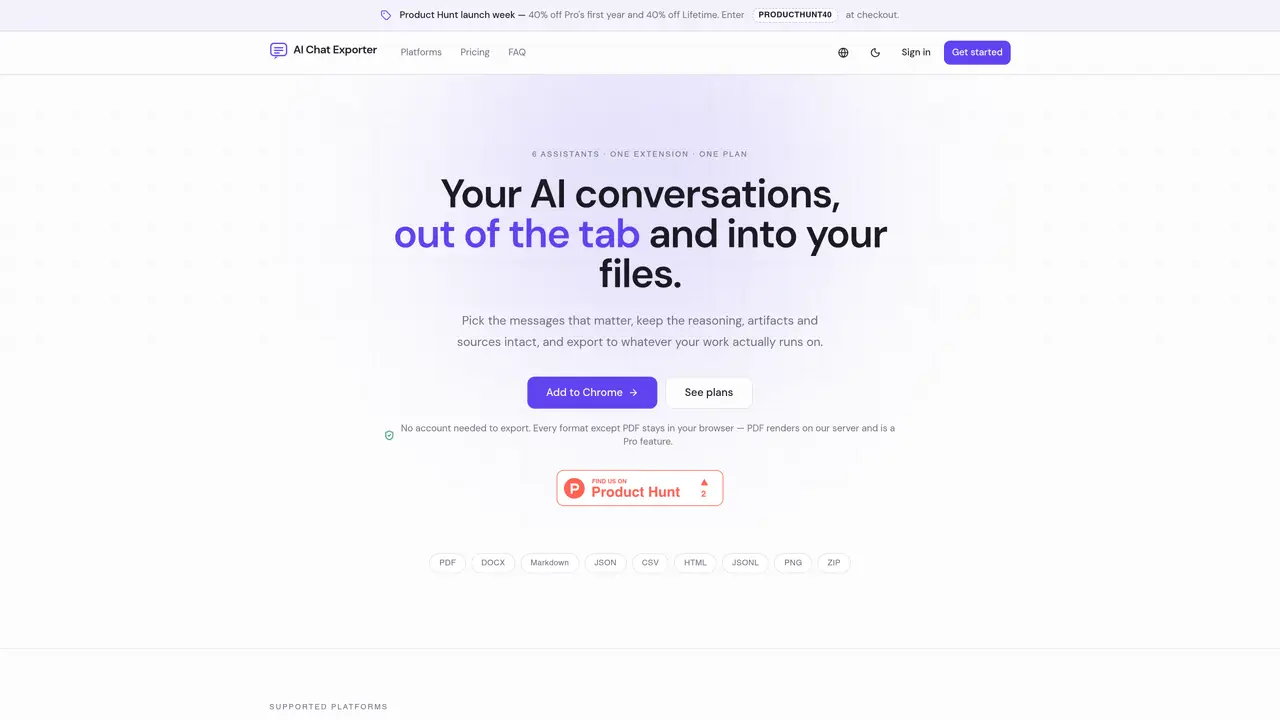
AI Chat Exporter is a browser extension that extracts and formats conversations from multiple AI assistants into standard document formats. Users can select specific messages or entire threads and export them to PDF, DOCX, Markdown, JSON, CSV, HTML, JSONL, PNG or ZIP. The tool preserves reasoning blocks, artifacts, sources and structured outputs while allowing customization of output appearance. Exports are generated locally except for PDF rendering, which occurs on a server without storing content. The extension supports bulk archiving of entire chat histories into searchable local archives and offers shareable read-only links with optional password protection and expiry dates. Redaction of sensitive data such as emails, phone numbers and API keys is available before export. Output formats are designed to integrate with note-taking applications like Obsidian and Notion, and each export includes a SHA-256 fingerprint for verification.
AI Chat Exporter is a browser extension that extracts and formats conversations from multiple AI assistants into standard document formats like PDF, DOCX, Markdown, and more.
No account is required to export conversations. The tool operates locally for most formats, with PDF rendering being the only exception.
Markdown, TXT, JSON, CSV, HTML, JSONL, DOCX, PNG, and ZIP are all generated locally within the browser without any upload step.
For PDF exports, sanitized HTML is temporarily held in memory during rendering, streamed back to the user, and never stored or associated with user identity.
PDF rendering requires server-side processing, which is the only part of the service that incurs a cost, hence it is a paid feature.
PDF export is a Pro feature and not available on the Free plan, which includes all other local formats.
We use essential cookies to run aitoolnavio™, and optional cookies to analyze traffic and measure our marketing. You choose what we use — optional cookies stay off unless you turn them on. See our Privacy Policy.
Summarizes, extracts, and rewrites content from files.
Automate citation and reference management, aid research with text and data mining, and securely store and share documents.
Capture, organize, and share ideas, notes, and documents effortlessly.
Headless CMS that lets developers manage structured content and deliver it anywhere via flexible APIs and real-time collaboration tools.
Efficiently create and manage cases, streamline workflows, securely store and share documents, and collaborate with colleagues.
Access files, collaborate, and secure your data with unbeatable customizable system.
An AI-powered PDF editor and converter for editing, OCR, signing, annotating, merging, and chatting with documents across devices.
Browser-based PDF editor that edits, signs, converts, merges, compresses, and shares files, with AI for form filling, document chat, and PDF creation.
Securely store, access, and search documents from any device with ease.
Create and customize legal documents, consult lawyers, and access legal guides all in one platform.
Centralize brand assets, automate approvals, and collaborate with external partners in a single digital asset management platform.
AI diagramming and documentation tool for engineering teams to create and update cloud architecture, ERDs, and flowcharts from prompts, code, and CI/CD workflows.
Matched on what this tool does — grouped by the job you would be replacing.
matches Browser extension to export AI chat conversations to PDF, DOCX, Markdown and more · Select individual messages or entire threads for export · Export to PDF, DOCX, Markdown, JSON, CSV, HTML, JSONL, PNG, ZIP
Chrome extension that organizes and exports AI chat histories across platforms
A Chrome extension that exports NotebookLM chats, notes, and reports to PDF, Word, or Markdown in one click.
Browser extension to export AI chat histories into PDF, Word, TXT, images, or Markdown
Browser extension to search and organize messages across multiple AI chat platforms locally
matches Redaction of emails, phone numbers, credit cards and API keys · Shareable read-only links with optional password and expiry
Browser extension that automatically redacts sensitive data from AI assistant prompts
Cleans and token-optimizes documents for AI prompts with on-device PII scrubbing
One short email a week: fresh tools worth trying, honest takes and the updates that actually matter. No spam, unsubscribe any time.