Summarizes, extracts, and rewrites content from files.
89M visits/mo+8.7%#2 Productivity & Office

A Chrome extension that exports NotebookLM chats, notes, and reports to PDF, Word, or Markdown in one click.
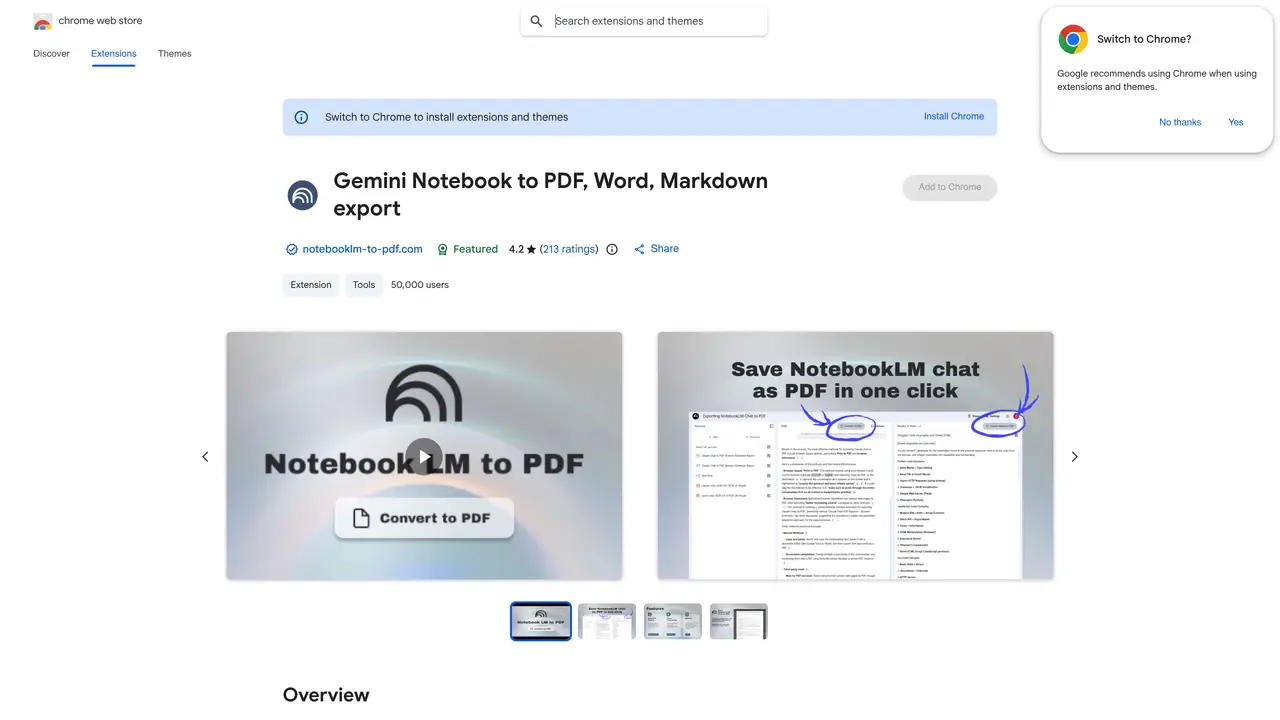
NotebookLM to PDF, Word, Markdown Export is a Chrome browser extension designed as a companion tool for Google’s NotebookLM AI platform. It enables users to export NotebookLM conversations, notes, and reports into PDF, Word, or Markdown formats while preserving clean formatting. The extension supports batch processing of multiple chats, allowing users to handle several exports at once. All data processing occurs locally on the user’s device, ensuring privacy and security. It is primarily aimed at students, researchers, professionals, and writers who need to archive or share AI-generated content. The tool simplifies the process of converting NotebookLM outputs into widely used document formats for further editing or distribution. By integrating directly into the Chrome browser, it provides a seamless workflow for users already working within the NotebookLM ecosystem.
The extension allows users to export NotebookLM conversations, notes, and reports into PDF, Word, or Markdown formats while preserving formatting and structure.
It is ideal for students, researchers, professionals, and writers who need to archive, share, or further edit AI-generated content from NotebookLM.
The extension processes data locally on the user’s device, but an internet connection is required to access NotebookLM and download the extension.
Yes, the extension supports batch processing, allowing users to export several chats simultaneously.
All data processing occurs locally on your device, ensuring privacy and security without transferring data to external servers.
Install the extension from the Chrome Web Store, open your NotebookLM notes or chats, and use the export button to generate your document.
We use essential cookies to run aitoolnavio™, and optional cookies to analyze traffic and measure our marketing. You choose what we use — optional cookies stay off unless you turn them on. See our Privacy Policy.
One short email a week: fresh tools worth trying, honest takes and the updates that actually matter. No spam, unsubscribe any time.
Summarizes, extracts, and rewrites content from files.
Automate citation and reference management, aid research with text and data mining, and securely store and share documents.
Capture, organize, and share ideas, notes, and documents effortlessly.
Headless CMS that lets developers manage structured content and deliver it anywhere via flexible APIs and real-time collaboration tools.
Efficiently create and manage cases, streamline workflows, securely store and share documents, and collaborate with colleagues.
Access files, collaborate, and secure your data with unbeatable customizable system.
An AI-powered PDF editor and converter for editing, OCR, signing, annotating, merging, and chatting with documents across devices.
Browser-based PDF editor that edits, signs, converts, merges, compresses, and shares files, with AI for form filling, document chat, and PDF creation.
Securely store, access, and search documents from any device with ease.
Create and customize legal documents, consult lawyers, and access legal guides all in one platform.
Centralize brand assets, automate approvals, and collaborate with external partners in a single digital asset management platform.
AI diagramming and documentation tool for engineering teams to create and update cloud architecture, ERDs, and flowcharts from prompts, code, and CI/CD workflows.
Matched on what this tool does — grouped by the job you would be replacing.
matches One-click export to PDF, Word, or Markdown formats · Batch processing for multiple NotebookLM chats · Preserves clean formatting in exports
Online AI tool that converts notes or topics into structured PDF-ready reports
Exports ChatGPT conversations to PDF, Markdown, HTML or TXT on iPhone and iPad
Browser extension to export AI chat histories into PDF, Word, TXT, images, or Markdown
Browser extension that captures and organizes online content into searchable AI clusters
matches Convert PDF, Word, PowerPoint, Excel, CSV, and HTML files into clean markdown · Converts PDFs, images, and documents into structured Markdown or JSON for AI workflows · Converts PDF, Word, Excel, PowerPoint and images to Markdown
Open-source AI document parser that converts PDFs, images, and documents into structured Markdown or JSON for AI workflows.
Instantly convert PDF, Word, PowerPoint, Excel, CSV, and HTML files into clean markdown
Converts PDF, Word, Excel and images to AI-ready Markdown in-browser