

Generate content, correct spelling, suggest synonyms to enhance writing.
173M visits/mo+0.1%#1 Productivity & Office
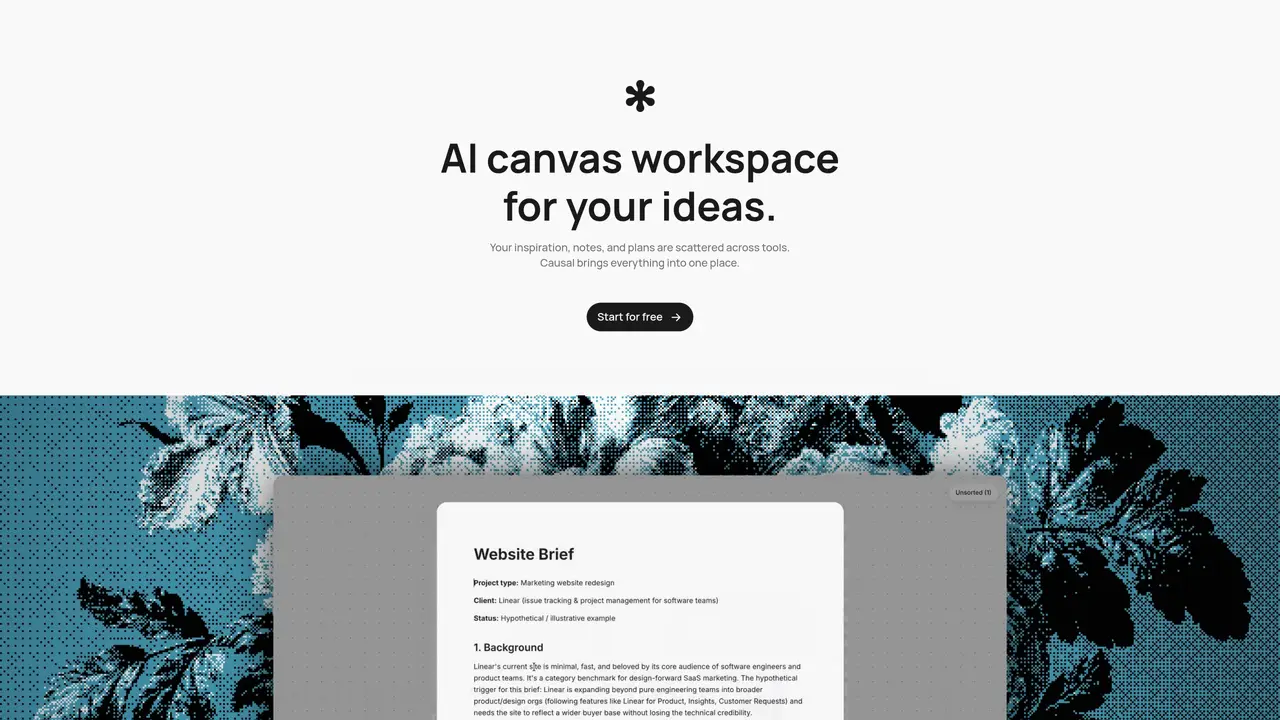
Causal provides an infinite canvas workspace where users can collect notes, images, links and AI-generated content into a single view. The platform includes a built-in text editor for storing information and a clipboard-based system for saving images and videos. An AI agent can transform prompts into canvas content, place ideas contextually, and organize materials based on the user’s existing structure. The workspace supports native output generation from prompts, allowing users to create notes, files or web links directly on the canvas. Features include app flow mapping, brand research boards, competitor analysis tools, and video planning templates. The desktop app is available for macOS, with shareable links for collaboration. The platform emphasizes spaced repetition for long-term retention of information, though the scheduling algorithm has limitations when decks grow too large.
Causal is an AI-powered canvas workspace designed to consolidate notes, images, links, and AI-generated content into a single, infinite canvas. It is built for creative professionals, researchers, product teams, and anyone managing complex projects who need a unified space to organize ideas, conduct research, and plan workflows.
The AI agent transforms prompts into canvas content, places ideas contextually, and organizes materials based on the user’s existing structure. It reads the entire canvas to understand connections between thoughts and uses tools to create or reorganize ideas dynamically.
Yes, Causal allows users to share their workspaces via shareable links, enabling real-time collaboration with team members or stakeholders. This feature is useful for reviewing, brainstorming, or presenting ideas collectively.
Spaced repetition in Causal is a study technique that schedules reviews of information at optimal intervals to improve long-term retention. It prioritizes retrieval over re-reading, helping users retain knowledge more effectively by spacing out reviews as understanding solidifies.
Causal is used for app flow mapping, brand research, competitor analysis, video planning, and organizing creative projects. It also supports onboarding instructions, storyboarding, and website moodboarding, making it versatile for various workflows.
Users can start for free by visiting the Causal website and signing up. The platform offers a desktop app for macOS, and new users can immediately begin creating canvases, adding content, and using AI-powered tools to organize their work.
causal.so · third-party estimates from Similarweb
Last 2 months · grows by one month every month
Share of visits by channel
Share of visits · estimated visits
Productivity & Office · Sep 2026
Traffic figures are third-party estimates, good for scale and trends; they can differ from a company's own numbers. Updated monthly.
We use essential cookies to run aitoolnavio™, and optional cookies to analyze traffic and measure our marketing. You choose what we use — optional cookies stay off unless you turn them on. See our Privacy Policy.
One short email a week: fresh tools worth trying, honest takes and the updates that actually matter. No spam, unsubscribe any time.
Generate content, correct spelling, suggest synonyms to enhance writing.
Markdown-based note-taking and personal knowledge management app that turns notes into a connected system of ideas.
Capture, organize, and share ideas, notes, and documents effortlessly.
Easily create and track training courses, design learning environments, and access from any device with an intuitive interface.
An AI-powered note-taking app for students and professionals to write, sketch, annotate PDFs, record audio, and generate summaries, quizzes, and flashcards.
Handwritten note-taking app with searchable ink, PDF annotation, synced audio, and AI-powered study tools.
AI-powered process documentation tool that captures workflows into visual step-by-step guides with screenshots, editing, and exports.
AI web app that transcribes audio, video, and YouTube links into text in 98 languages with summaries, mind maps, and export formats for students and teams.
A note-taking and spaced-repetition flashcard app for students and learners, with PDF annotation plus AI tools for generating cards, quizzes, and study summaries.
AI-powered research assistant for organizing, analyzing, and synthesizing information from notes and documents.
Capture thoughts, create documents, and access on any device for convenient organization and productivity.
AI-powered PDF editor with built-in agents for summarization, translation, and document analysis.
Matched on what this tool does — grouped by the job you would be replacing.
matches Infinite canvas workspace · Built-in text editor · Image and video capture via clipboard
Centralize knowledge, collaborate in real time, and edit documents with AI-powered tools in one cloud workspace.
A spatial knowledge-management workspace that combines visual organization with AI-powered automation to help users recall information and automate routine tasks.
Collaborative macOS app where multiple AI agents work side by side on an infinite canvas
An AI-powered infinite canvas workspace for visually organizing ideas, researching, and developing concepts with multiple AI models.
matches AI-powered content generation · Spaced repetition system · Context-aware organization
matches Infinite canvas workspace · Context-aware organization · AI-assisted search
A visual workspace for turning PDF highlights into flashcards and organizing them spatially
AI-powered study workspace that turns topics, PDFs or notes into interactive learning hubs
AI-powered study workspace for interactive learning and revision
AI study platform that converts notes into flashcards, quizzes, and video lessons
AI-powered visual workspace for organizing research and creative projects on one canvas
Turns books into interactive mind maps for better retention and study
Personal knowledge graph for organizing documents, notes, and ideas as connected information