Generate content, correct spelling, suggest synonyms to enhance writing.
173M visits/mo+0.1%#1 Productivity & Office

All-in-one collaborative workspace combining docs, tables, automations, and AI for managing projects, meetings, and workflows.
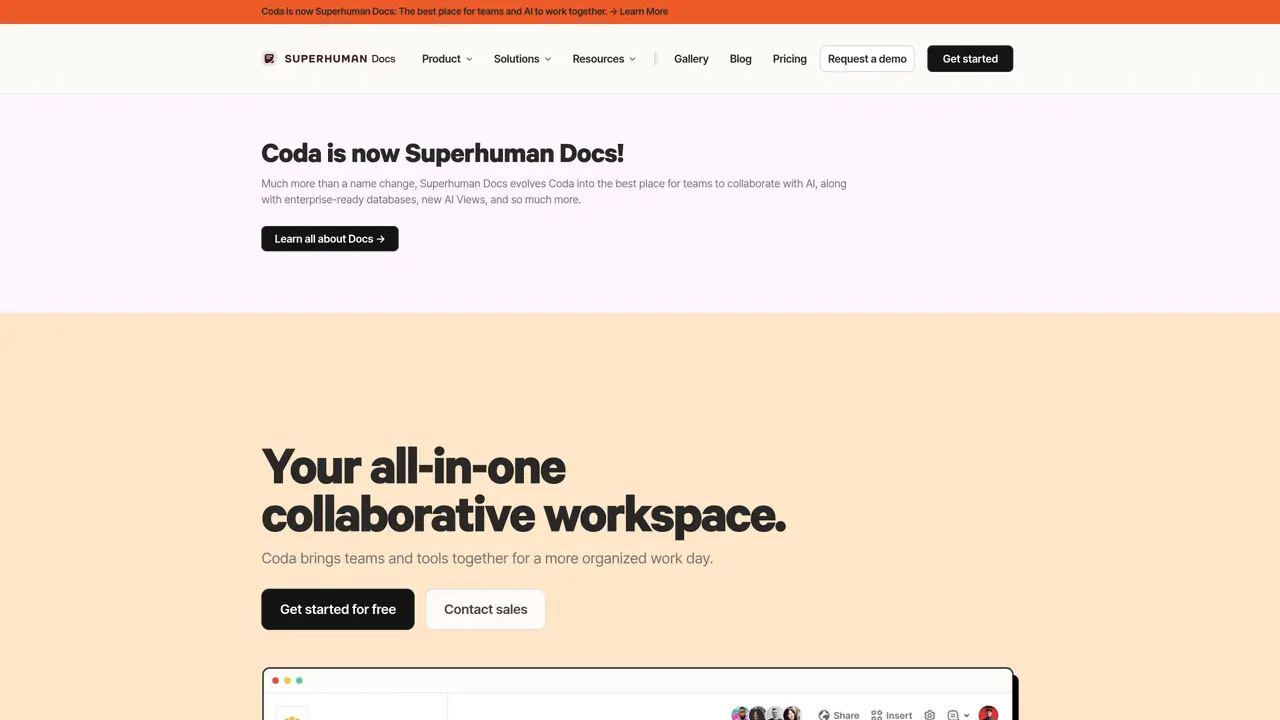
Coda is a unified workspace that combines document editing, spreadsheet-style tables, lightweight app building, and AI assistance into a single platform. It enables teams and enterprises to replace fragmented tools like standalone documents, spreadsheets, and niche trackers with dynamic, interconnected documents that support infinite page depth. Users can create linked tables that sync across different views, allowing for real-time collaboration and data consistency without manual updates. The platform offers interactive components such as buttons for actions like notifications, voting, and form submissions, which help streamline workflows directly within documents. AI features embedded in Coda include a chat assistant for Q&A and brainstorming, an AI helper for drafting content and generating tables, and specialized columns for summarizing or tagging data at scale. Additionally, AI-powered blocks automatically generate summaries and action items, reducing the need for manual documentation. Coda integrates with popular tools like Slack, Google Calendar, Asana, Trello, Dropbox, and Google Drive through its Packs ecosystem, enabling seamless connectivity with existing workflows. The platform also supports imports from Google Docs, Excel, Notion, and Sheets, making it easier to consolidate data and processes into a single workspace. Designed for teams of all sizes, Coda is used to centralize project management, meeting notes, and operational tracking into a shareable, collaborative environment without requiring additional software installations.
Coda is a collaborative workspace designed for teams and enterprises to consolidate documents, spreadsheets, and workflows into a single environment. It suits product, sales, engineering, marketing, and design teams looking to streamline collaboration and replace scattered tools.
Coda AI provides chat for answering questions and brainstorming, an assistant for drafting and generating tables, and a column feature for summarizing or tagging data at scale. It also creates action items and workflows based on team needs.
Coda integrates with over 600 tools, including Slack, Google Calendar, Asana, Trello, Dropbox, Google Drive, Jira, Figma, and others through Packs. It also supports imports from Google Docs, Excel, Notion, and Sheets.
Coda combines document editing, spreadsheet-style tables, lightweight app building, and AI assistance in one platform, often replacing the need for multiple tools like Notion, Airtable, or Confluence.
Getting started with Coda is simple, with customizable solutions and templates available for different teams and use cases. Users can sign up for free and explore templates or request a demo for enterprise needs.
Teams use Coda for project management, meeting notes, operational tracking, decision-making docs, product roadmaps, sales account planning, and engineering workflows. It centralizes strategy, schedules, and collaboration in one place.
coda.io · third-party estimates from Similarweb
Last 4 months · grows by one month every month
Share of visits · estimated visits
Other countries: 57.8%
How people reach this site from other AI tools
2.3K a month · 0.7% of all visits
Productivity & Office · Sep 2026
Traffic figures are third-party estimates, good for scale and trends; they can differ from a company's own numbers. Updated monthly.
We use essential cookies to run aitoolnavio™, and optional cookies to analyze traffic and measure our marketing. You choose what we use — optional cookies stay off unless you turn them on. See our Privacy Policy.
One short email a week: fresh tools worth trying, honest takes and the updates that actually matter. No spam, unsubscribe any time.
Generate content, correct spelling, suggest synonyms to enhance writing.
Markdown-based note-taking and personal knowledge management app that turns notes into a connected system of ideas.
Capture, organize, and share ideas, notes, and documents effortlessly.
Easily create and track training courses, design learning environments, and access from any device with an intuitive interface.
An AI-powered note-taking app for students and professionals to write, sketch, annotate PDFs, record audio, and generate summaries, quizzes, and flashcards.
Handwritten note-taking app with searchable ink, PDF annotation, synced audio, and AI-powered study tools.
AI-powered process documentation tool that captures workflows into visual step-by-step guides with screenshots, editing, and exports.
AI web app that transcribes audio, video, and YouTube links into text in 98 languages with summaries, mind maps, and export formats for students and teams.
A note-taking and spaced-repetition flashcard app for students and learners, with PDF annotation plus AI tools for generating cards, quizzes, and study summaries.
AI-powered research assistant for organizing, analyzing, and synthesizing information from notes and documents.
Capture thoughts, create documents, and access on any device for convenient organization and productivity.
AI-powered PDF editor with built-in agents for summarization, translation, and document analysis.
Matched on what this tool does — grouped by the job you would be replacing.
matches Dynamic docs with infinite page depth and team hubs · Linked tables that stay in sync across different views · Interactive components for tracking work and workflows
An AI-powered work management platform combining projects, tasks, docs, chat, agents, and 50+ integrations in one workspace.
All-in-one workspace combining chat, tasks, projects, docs, and integrations to reduce tool switching for teams.
Unified AI workspace that merges docs, tasks, chat, calls, and spreadsheets into one app with autonomous AI coworkers for seamless collaboration and automation.
matches AI chat for Q&A and brainstorming · AI blocks for summaries and action items
matches Interactive components for tracking work and workflows · Button-based automations for notifications, voting, and form submissions
Streamline meeting notes and action items with AI, ensuring efficiency and data security.
A project management platform that unifies tasks, docs, and AI-powered meeting transcription for teams in one workspace.
Turn meetings into auto-updated tickets, tasks, emails.
Record, transcribe, summarize Zoom calls, sync notes to CRM for efficient follow-up.
Organize and track projects, set deadlines, and gain insights with customizable boards and advanced analytics.
All-in-one project management platform for task management, team collaboration, and workflow visualization with time tracking and reporting.
Work management platform combining tasks, real-time docs, and workflow automation for small to mid-sized teams.
Unified project management with Kanban boards, sprints, docs, and native AI agent integration for teams.