

Generate content, correct spelling, suggest synonyms to enhance writing.
173M visits/mo+0.1%#1 Productivity & Office
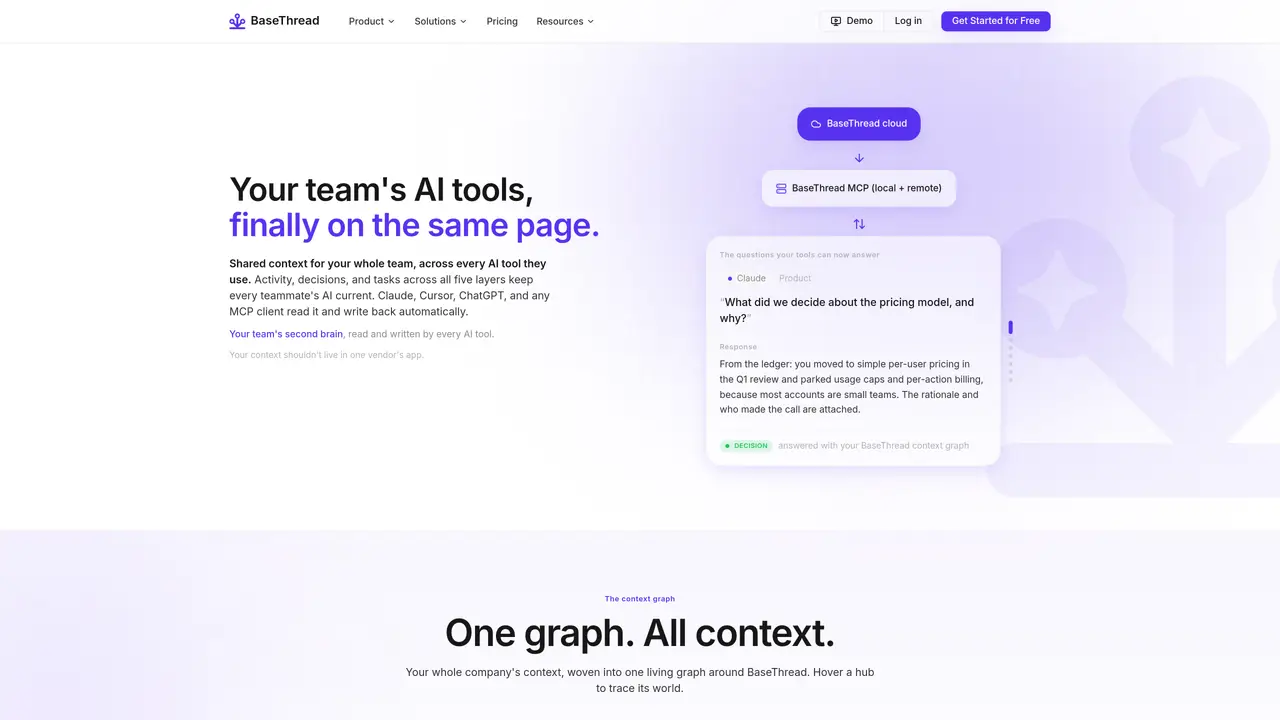
BaseThread provides a shared context graph that synchronizes activity, decisions, and tasks across all AI tools a team uses. It maintains five layers of company context—company, products, teams, projects, and individuals—so every AI assistant (Claude, Cursor, ChatGPT, etc.) has access to the same up-to-date information. The platform automatically logs work as it happens, extracts decisions with rationale, and tracks next steps, eliminating manual status updates. A cloud-based workspace allows teams to manage and maintain the source of truth, while a native Mac app keeps each member’s local AI tools current. Permissions are managed through multi-tier roles, ensuring owners control their layer’s content while others have appropriate access. The system harmonizes contributions from multiple AI agents into a single, searchable ledger of activity, decisions, and tasks.
BaseThread provides a shared context graph that synchronizes activity, decisions, and tasks across all AI tools a team uses. It maintains five layers of company context—company, products, teams, projects, and individuals—so every AI assistant has access to the same up-to-date information.
BaseThread is designed for teams that rely on multiple AI tools and need a unified source of truth to avoid re-explaining context, track decisions, and keep tasks aligned across different tools and team members.
BaseThread integrates with AI tools like Claude, Cursor, ChatGPT, and any MCP client, allowing them to read and write back to the shared context graph automatically. It also connects to tools like Notion, Jira, Slack, and HubSpot.
BaseThread automatically logs work, extracts decisions with rationale, tracks next steps, and harmonizes contributions from multiple AI agents into a single, searchable ledger. It also offers multi-tier permissions and a native Mac app to keep local AI tools current.
BaseThread manages permissions through multi-tier roles, ensuring owners control their layer’s content while others have appropriate access. This keeps the source of truth secure and organized across different levels of the organization.
You can get started with BaseThread by signing up for a free account on their website and exploring their platform or native Mac app to begin managing your team’s shared context graph.
basethread.ai · third-party estimates from Similarweb
Last 2 months · grows by one month every month
Share of visits · estimated visits
Traffic figures are third-party estimates, good for scale and trends; they can differ from a company's own numbers. Updated monthly.
We use essential cookies to run aitoolnavio™, and optional cookies to analyze traffic and measure our marketing. You choose what we use — optional cookies stay off unless you turn them on. See our Privacy Policy.
One short email a week: fresh tools worth trying, honest takes and the updates that actually matter. No spam, unsubscribe any time.
Generate content, correct spelling, suggest synonyms to enhance writing.
Turn messy team ideas into actionable plans with Miro's visual workspace.
Leverage analytics, automate tasks, share documents, and coordinate projects.
Integrates AI into Airtable to analyze data, summarize insights, draft content, and automate workflows without prior AI experience.
Cloud accounting software that automates bookkeeping, invoicing, and financial reporting for small and growing businesses.
Streamline teamwork, manage projects, automate tasks efficiently.
Automate code, research, and documents using agents.
AI assistant for safe, reliable productivity with code, collaboration, and integrations.
Create customizable tables, databases, and spreadsheets, share data securely with team members.
Easy-to-use CRM platform that automates lead capturing, prioritizes tasks, and provides sales pipeline analytics for businesses of all sizes.
Transforms thoughts into actions, enhancing productivity and efficiency.
Write & run code in 50+ languages, auto-complete with AI, and code faster with an intuitive interface.
Matched on what this tool does — grouped by the job you would be replacing.
Paid placement · similar tools from listings that support aitoolnavio™
Instant lead response for home-service pros: your phone rings on every new lead, plus 14 days of follow-up
matches Five context layers: company, products, teams, projects, individuals · Automatic logging of activity, decisions, and tasks · Multi-tier permissions and RBAC
matches Cloud-based workspace for team collaboration · Integration with MCP clients (Claude Code, Cursor, ChatGPT)
Open-source memory layer for AI agents and IDEs with cloud sync
Shared AI memory layer that syncs context across multiple AI tools automatically
Shared memory layer for AI agents to maintain context across sessions
Local memory layer that indexes everything on a Mac for instant search and agent context
Collaborative workspace where teams and AI agents work together in shared rooms
Open-source platform for teams to collaborate with local AI agents in shared Discord-style rooms while keeping data on their own machines.
Centralize team AI chats, models, and spending with Intrascope.
Local-first desktop workspace for managing multiple AI agents with policy controls