

Generate content, correct spelling, suggest synonyms to enhance writing.
173M visits/mo+0.1%#1 Productivity & Office
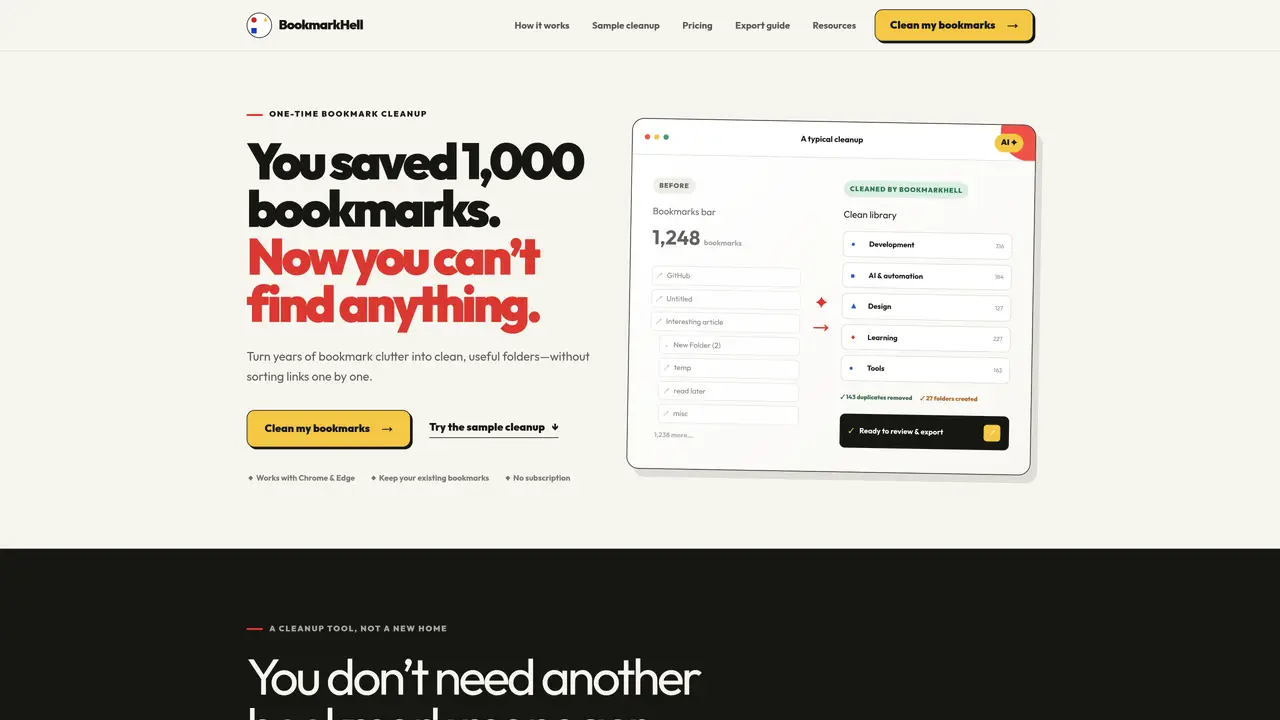
BookmarkHell is a one-time cleanup tool that processes an exported HTML file of browser bookmarks. It uses AI to deduplicate links and automatically categorize them into organized folders based on titles, URLs, and existing folder structure. The tool works with Chrome and Edge and does not require a subscription or account creation. Users export their bookmarks from the browser, upload the file to BookmarkHell, review the AI-generated folder structure, and then import the cleaned file back into the browser. The process leaves the original browser untouched and provides a backup copy of the original bookmarks. The tool is designed for users with large, disorganized bookmark collections who want to restore usability without switching to a new bookmark manager.
BookmarkHell is a one-time cleanup tool that processes an exported HTML file of browser bookmarks. It uses AI to deduplicate links and automatically categorize them into organized folders based on titles, URLs, and existing folder structure.
BookmarkHell works with Chrome and Edge. Users export their bookmarks from the browser, upload the file to BookmarkHell, review the AI-generated folder structure, and then import the cleaned file back into the browser.
No, BookmarkHell does not require a subscription or account creation. The tool is designed for a one-time cleanup process, and users can preview results without uploading personal files.
The pricing is based on the number of bookmarks uploaded, with different tiers for up to 300, 1,000, 3,000, or 10,000 bookmarks. Each purchase is a one-time payment with no subscription or automatic renewal.
Yes, users can preview every folder, move, rename, or remove items before exporting the final file. The original browser remains untouched until the user chooses to import the cleaned bookmarks.
Start by exporting your bookmarks as an HTML file from Chrome or Edge. Upload the file to BookmarkHell, let the AI organize the links, review the results, and then export the cleaned file to import back into your browser.
We use essential cookies to run aitoolnavio™, and optional cookies to analyze traffic and measure our marketing. You choose what we use — optional cookies stay off unless you turn them on. See our Privacy Policy.
One short email a week: fresh tools worth trying, honest takes and the updates that actually matter. No spam, unsubscribe any time.
Generate content, correct spelling, suggest synonyms to enhance writing.
Turn messy team ideas into actionable plans with Miro's visual workspace.
Leverage analytics, automate tasks, share documents, and coordinate projects.
Integrates AI into Airtable to analyze data, summarize insights, draft content, and automate workflows without prior AI experience.
Cloud accounting software that automates bookkeeping, invoicing, and financial reporting for small and growing businesses.
Streamline teamwork, manage projects, automate tasks efficiently.
Automate code, research, and documents using agents.
AI assistant for safe, reliable productivity with code, collaboration, and integrations.
Create customizable tables, databases, and spreadsheets, share data securely with team members.
Easy-to-use CRM platform that automates lead capturing, prioritizes tasks, and provides sales pipeline analytics for businesses of all sizes.
Transforms thoughts into actions, enhancing productivity and efficiency.
Write & run code in 50+ languages, auto-complete with AI, and code faster with an intuitive interface.
Matched on what this tool does — grouped by the job you would be replacing.
Paid placement · similar tools from listings that support aitoolnavio™
Instant lead response for home-service pros: your phone rings on every new lead, plus 14 days of follow-up
matches AI-powered deduplication of bookmarks · Automatic folder creation based on content · Preview and edit before final export
Centralized bookmark manager that captures, tags and retrieves web saves with AI assistance
AI-powered bookmark manager that automatically organizes links into folders
AI-powered bookmark manager that captures and indexes links automatically
Browser extension that organizes bookmarks with AI summaries and keyword tags