Generate content, correct spelling, suggest synonyms to enhance writing.
173M visits/mo+0.1%#1 Productivity & Office
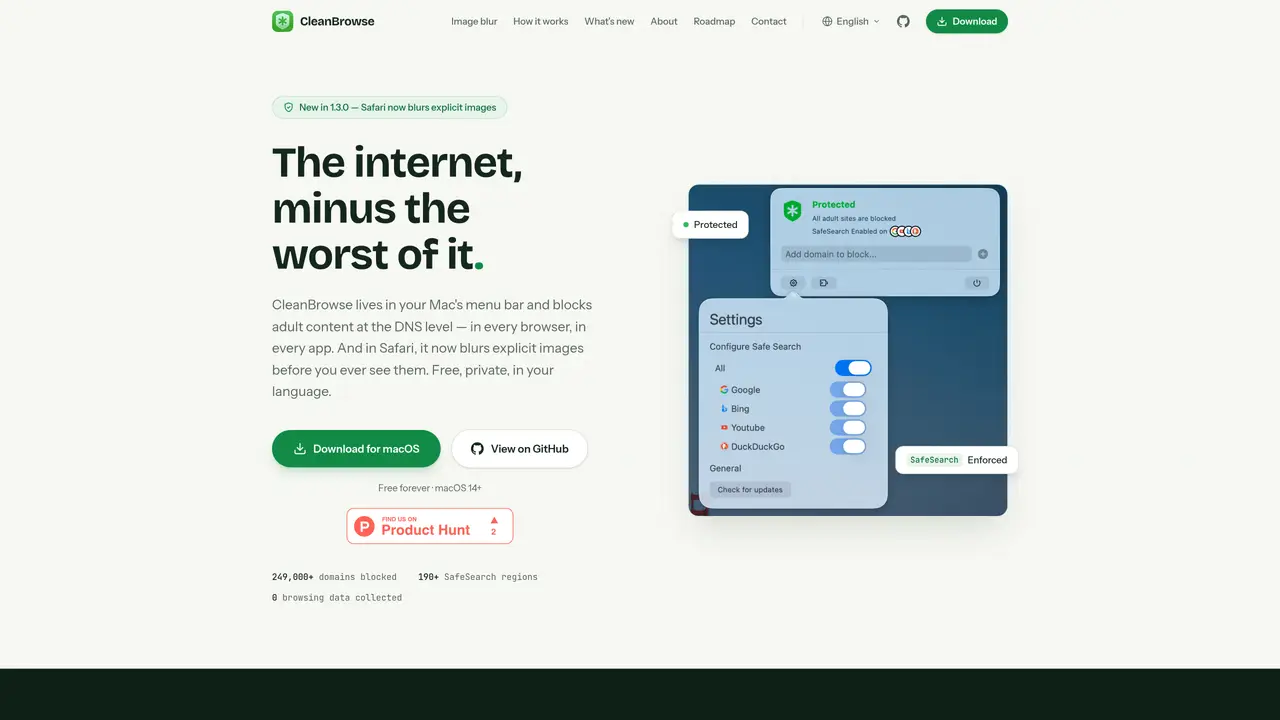
CleanBrowse operates as a system-level tool for macOS that blocks adult content and blurs explicit images before they appear in browsers or apps. It functions by intercepting DNS queries and redirecting known adult domains to non-existent addresses, preventing them from loading. For Safari, it adds a fourth layer of protection by using on-device machine learning to classify and blur explicit images and video frames before rendering. The tool enforces SafeSearch across major search engines and works across all applications on the Mac, not just browsers. It is designed to be private, with no browsing data collected or shared, and runs entirely on the user’s device. CleanBrowse is free to use and does not require accounts or subscriptions.
CleanBrowse is a macOS tool that blocks adult content and blurs explicit images before they appear in browsers or apps. It intercepts DNS queries to prevent known adult domains from loading and enforces SafeSearch across major search engines.
CleanBrowse is designed for macOS users seeking to filter adult content system-wide, including parents, educators, or individuals looking to maintain a safer browsing environment across all applications.
CleanBrowse operates at the system level by redirecting adult domains to non-existent addresses and enforcing SafeSearch endpoints. In Safari, it uses on-device machine learning to classify and blur explicit images before rendering.
No, CleanBrowse does not collect or share browsing data. All processing occurs on the user’s device, and only anonymous feature usage data is shared via a privacy-first analytics service.
Yes, CleanBrowse is free to use with no accounts or subscriptions required. It is maintained by a single developer and available for download on macOS.
Download CleanBrowse from its official website or GitHub, install it on your macOS device, and enable the system-level protection through the menu bar. For Safari image blurring, enable the extension in Safari’s settings.
We use essential cookies to run aitoolnavio™, and optional cookies to analyze traffic and measure our marketing. You choose what we use — optional cookies stay off unless you turn them on. See our Privacy Policy.
One short email a week: fresh tools worth trying, honest takes and the updates that actually matter. No spam, unsubscribe any time.
Generate content, correct spelling, suggest synonyms to enhance writing.
Turn messy team ideas into actionable plans with Miro's visual workspace.
Leverage analytics, automate tasks, share documents, and coordinate projects.
Integrates AI into Airtable to analyze data, summarize insights, draft content, and automate workflows without prior AI experience.
Cloud accounting software that automates bookkeeping, invoicing, and financial reporting for small and growing businesses.
Streamline teamwork, manage projects, automate tasks efficiently.
Automate code, research, and documents using agents.
AI assistant for safe, reliable productivity with code, collaboration, and integrations.
Create customizable tables, databases, and spreadsheets, share data securely with team members.
Easy-to-use CRM platform that automates lead capturing, prioritizes tasks, and provides sales pipeline analytics for businesses of all sizes.
Transforms thoughts into actions, enhancing productivity and efficiency.
Write & run code in 50+ languages, auto-complete with AI, and code faster with an intuitive interface.
Matched on what this tool does — grouped by the job you would be replacing.
Paid placement · similar tools from listings that support aitoolnavio™
Instant lead response for home-service pros: your phone rings on every new lead, plus 14 days of follow-up
matches System-wide DNS proxy blocking adult domains · Hosts file redirection for 249,000+ adult domains · Enforced SafeSearch for major search engines
Offline macOS app that auto-detects and blurs sensitive data in screenshots, images, and PDFs for privacy-focused Mac users.
Browser extension that blocks AI prompt input on any website
Browser extension that blurs the screen when a second face appears in the webcam feed