Generate content, correct spelling, suggest synonyms to enhance writing.
173M visits/mo+0.1%#1 Productivity & Office

An AI email organizer that transforms Gmail into an explorable interface, surfacing orders, flights, receipts, and package tracking with fast search.
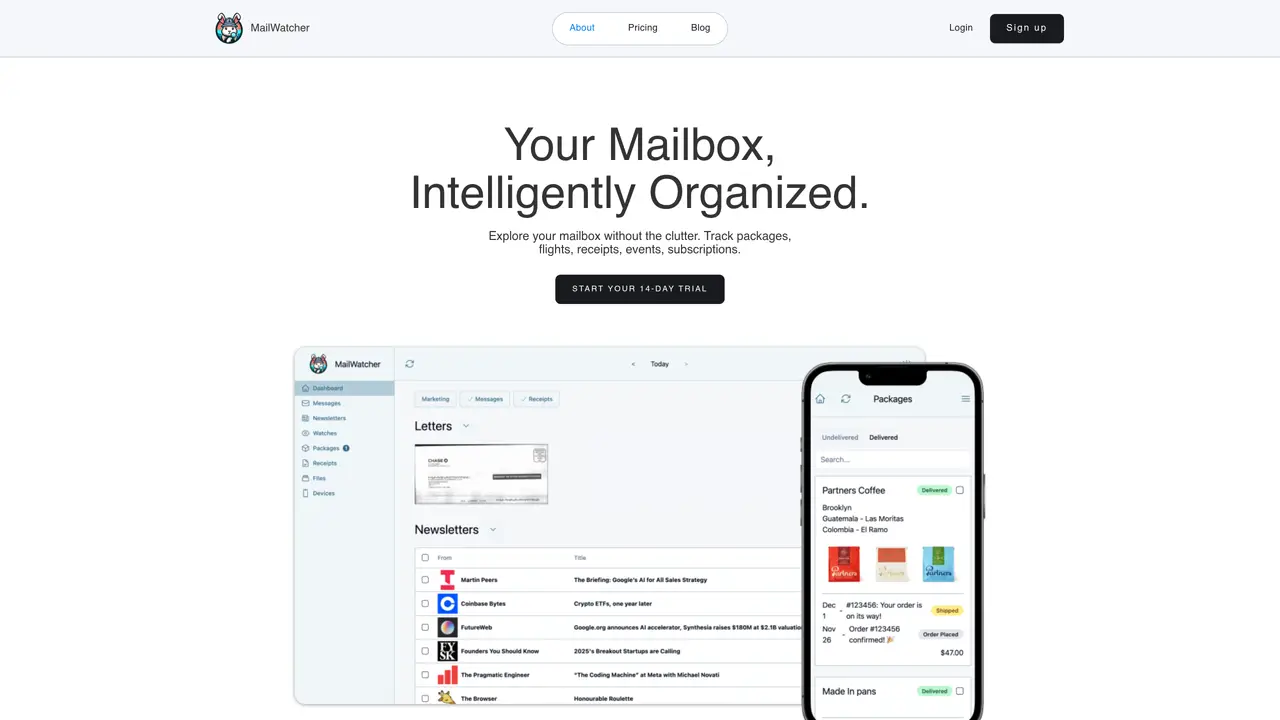
MailWatcher is a web-based email organization tool designed for consumers who manage busy Gmail inboxes filled with newsletters, purchases, travel details, and receipts. It reorganizes the inbox by day and importance, presenting messages in a clutter-free view rather than a traditional thread list. The tool offers one-tap clearing to quickly dismiss handled emails while preserving important details for easy revisiting. Its core strength lies in lightning-fast semantic search, which surfaces specific items like rideshares, Venmo transactions, purchase receipts, newsletters, and coupons. MailWatcher also includes built-in tracking and extraction for packages, flights, events, and subscriptions, providing real-time status updates and delivery estimates. The platform emphasizes privacy with CASA Tier 2 security certification and a stated policy against ads or data selling. It is particularly suited for freelancers and small business owners who rely on Gmail for managing diverse types of correspondence and transactions efficiently.
MailWatcher is a web-based email organization tool that reorganizes Gmail inboxes by day and importance, offering a clutter-free view. It provides one-tap email clearing, lightning-fast semantic search, and built-in tracking for packages, flights, receipts, events, and subscriptions.
MailWatcher is designed for consumers managing busy Gmail inboxes, particularly freelancers and small business owners who rely on Gmail for diverse correspondence and transactions. It suits anyone seeking to streamline email organization and tracking.
MailWatcher integrates seamlessly with Gmail by working directly with the user's email address. It parses emails to extract relevant information like packages, flights, and receipts, presenting them in an organized and searchable format.
Yes, MailWatcher emphasizes privacy with a stated policy against ads or data selling. It has received CASA Tier 2 security certification from a third-party audit, ensuring secure handling of user data.
Yes, MailWatcher allows users to customize which emails to watch for and how to handle them, providing tailored organization and tracking based on individual needs.
Users can start with a 14-day trial without requiring a credit card. Simply sign up on the MailWatcher website, log in, and begin exploring the organized mailbox and its features.
mailwatcher.io · third-party estimates from Similarweb
Last 3 months · grows by one month every month
Share of visits · estimated visits
Productivity & Office · Sep 2026
Traffic figures are third-party estimates, good for scale and trends; they can differ from a company's own numbers. Updated monthly.
We use essential cookies to run aitoolnavio™, and optional cookies to analyze traffic and measure our marketing. You choose what we use — optional cookies stay off unless you turn them on. See our Privacy Policy.
One short email a week: fresh tools worth trying, honest takes and the updates that actually matter. No spam, unsubscribe any time.
Generate content, correct spelling, suggest synonyms to enhance writing.
Turn messy team ideas into actionable plans with Miro's visual workspace.
Leverage analytics, automate tasks, share documents, and coordinate projects.
Integrates AI into Airtable to analyze data, summarize insights, draft content, and automate workflows without prior AI experience.
Cloud accounting software that automates bookkeeping, invoicing, and financial reporting for small and growing businesses.
Streamline teamwork, manage projects, automate tasks efficiently.
Automate code, research, and documents using agents.
AI assistant for safe, reliable productivity with code, collaboration, and integrations.
Create customizable tables, databases, and spreadsheets, share data securely with team members.
Easy-to-use CRM platform that automates lead capturing, prioritizes tasks, and provides sales pipeline analytics for businesses of all sizes.
Transforms thoughts into actions, enhancing productivity and efficiency.
Write & run code in 50+ languages, auto-complete with AI, and code faster with an intuitive interface.
Matched on what this tool does — grouped by the job you would be replacing.
Paid placement · similar tools from listings that support aitoolnavio™
Instant lead response for home-service pros: your phone rings on every new lead, plus 14 days of follow-up
matches Inbox reorganized by day and importance for clutter-free viewing · One-tap clearing to dismiss handled emails while retaining key details · Lightning-fast semantic search for specific items like receipts or transactions
AI-powered email assistant that organizes inboxes, drafts replies, and automates routine tasks for professionals.
AI-powered email assistant that organizes inboxes, drafts replies, and surfaces priorities across multiple email providers.
AI email assistant that categorizes and prioritizes messages in Gmail or Outlook using natural language processing.
AI email assistant for Gmail and Outlook that organizes inboxes and creates smart reminders