Generate content, correct spelling, suggest synonyms to enhance writing.
173M visits/mo+0.1%#1 Productivity & Office

AI email assistant that prioritizes messages and delivers summaries to cut inbox noise and focus attention on what matters.
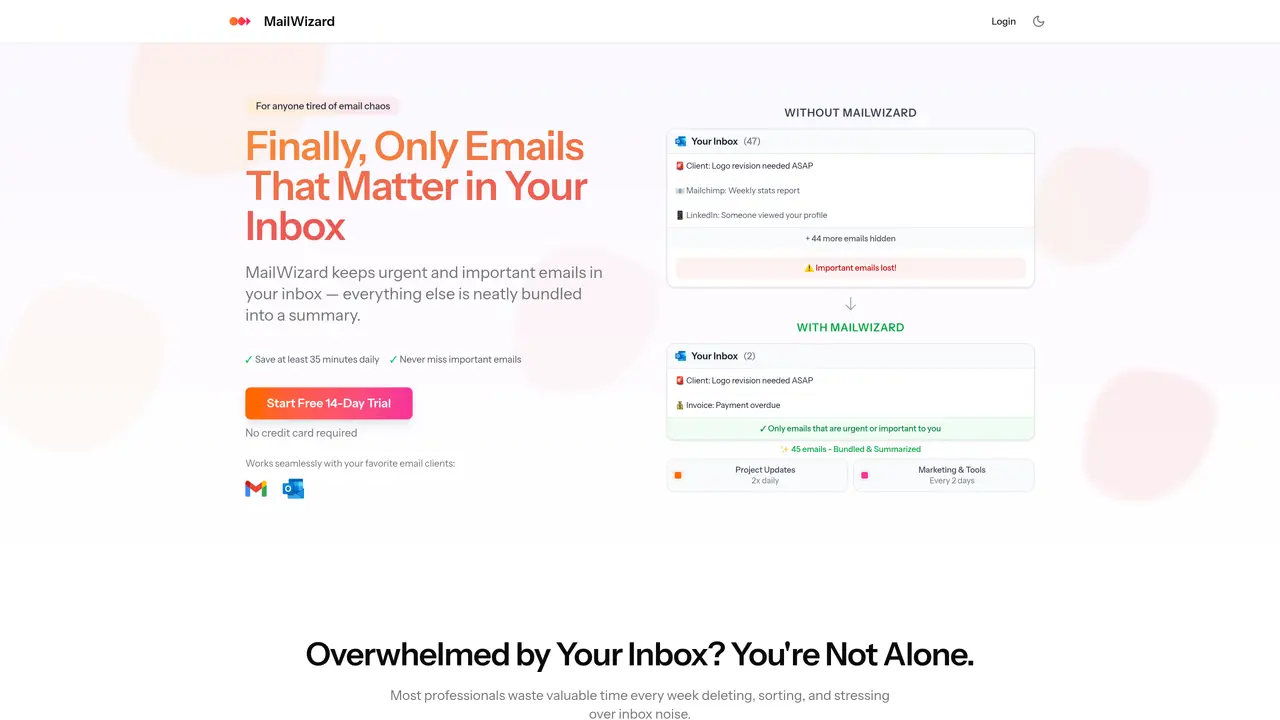
MailWizard is an AI-powered email management tool designed to transform chaotic inboxes into focused workspaces by prioritizing urgent and important messages while bundling less critical emails into scheduled summaries. It integrates seamlessly with popular email clients like Gmail and Outlook, applying smart workflows, intelligent filtering, and one-click cleanup to automate sorting and reduce interruptions. Users define priorities using plain English, such as ’emails from my boss’ or ‘urgent client messages,’ and MailWizard executes these rules automatically, ensuring only relevant communications remain in the inbox. The tool also generates AI-powered summaries of filtered emails, allowing users to grasp key details without opening each message, and offers audio summaries for convenient listening during commutes or breaks. MailWizard is built for professionals seeking to reclaim time lost to email overload, helping them stay focused on high-impact tasks while avoiding the stress of buried communications. Its European-based infrastructure ensures robust GDPR compliance, advanced data anonymization, and enterprise-grade security measures, including AES-256 encryption and multi-factor authentication, aligning with SOC 2 and ISO 27001 standards.
MailWizard connects to your email client through secure OAuth or API integrations, requiring explicit user authorization to process emails for filtering, summarization, and workflow execution.
No, MailWizard only activates workflows after you explicitly define and approve them, ensuring full control over how your emails are filtered and managed.
Non-urgent emails are bundled into scheduled digests or moved to designated folders based on your custom rules, preventing them from cluttering your primary inbox.
MailWizard does not delete emails; it only filters and organizes them. Emails are retained in your email client unless you manually archive or delete them.
Setup typically takes a few minutes, as you connect your email client and define your priority rules using natural language, with no technical expertise required.
Your emails remain in your email client exactly as they were before using MailWizard, and no data is retained by MailWizard after cancellation.
mailwizard.ai · third-party estimates from Similarweb
Last 4 months · grows by one month every month
Share of visits by channel
Share of visits · estimated visits
Productivity & Office · Sep 2026
Traffic figures are third-party estimates, good for scale and trends; they can differ from a company's own numbers. Updated monthly.
We use essential cookies to run aitoolnavio™, and optional cookies to analyze traffic and measure our marketing. You choose what we use — optional cookies stay off unless you turn them on. See our Privacy Policy.
One short email a week: fresh tools worth trying, honest takes and the updates that actually matter. No spam, unsubscribe any time.
Generate content, correct spelling, suggest synonyms to enhance writing.
Turn messy team ideas into actionable plans with Miro's visual workspace.
Leverage analytics, automate tasks, share documents, and coordinate projects.
Integrates AI into Airtable to analyze data, summarize insights, draft content, and automate workflows without prior AI experience.
Cloud accounting software that automates bookkeeping, invoicing, and financial reporting for small and growing businesses.
Streamline teamwork, manage projects, automate tasks efficiently.
Automate code, research, and documents using agents.
AI assistant for safe, reliable productivity with code, collaboration, and integrations.
Create customizable tables, databases, and spreadsheets, share data securely with team members.
Easy-to-use CRM platform that automates lead capturing, prioritizes tasks, and provides sales pipeline analytics for businesses of all sizes.
Transforms thoughts into actions, enhancing productivity and efficiency.
Write & run code in 50+ languages, auto-complete with AI, and code faster with an intuitive interface.
Matched on what this tool does — grouped by the job you would be replacing.
Paid placement · similar tools from listings that support aitoolnavio™
Instant lead response for home-service pros: your phone rings on every new lead, plus 14 days of follow-up
matches Prioritizes urgent and important emails automatically · Bundles less critical messages into periodic summaries · Intelligent filtering to reduce clutter
AI-powered email assistant that organizes inboxes, drafts replies, and automates routine tasks for professionals.
AI inbox assistant that automatically sorts, prioritizes, and replies to emails to streamline communication and reduce clutter.
AI-powered email assistant that summarizes inbox messages, drafts replies, and sorts emails to save time on routine correspondence.
AI email assistant that categorizes and prioritizes messages in Gmail or Outlook using natural language processing.