Generate content, correct spelling, suggest synonyms to enhance writing.
173M visits/mo+0.1%#1 Productivity & Office

AI route optimization for delivery drivers and fleets that plans traffic-aware multi-stop routes with bulk imports and proof-of-delivery tracking.
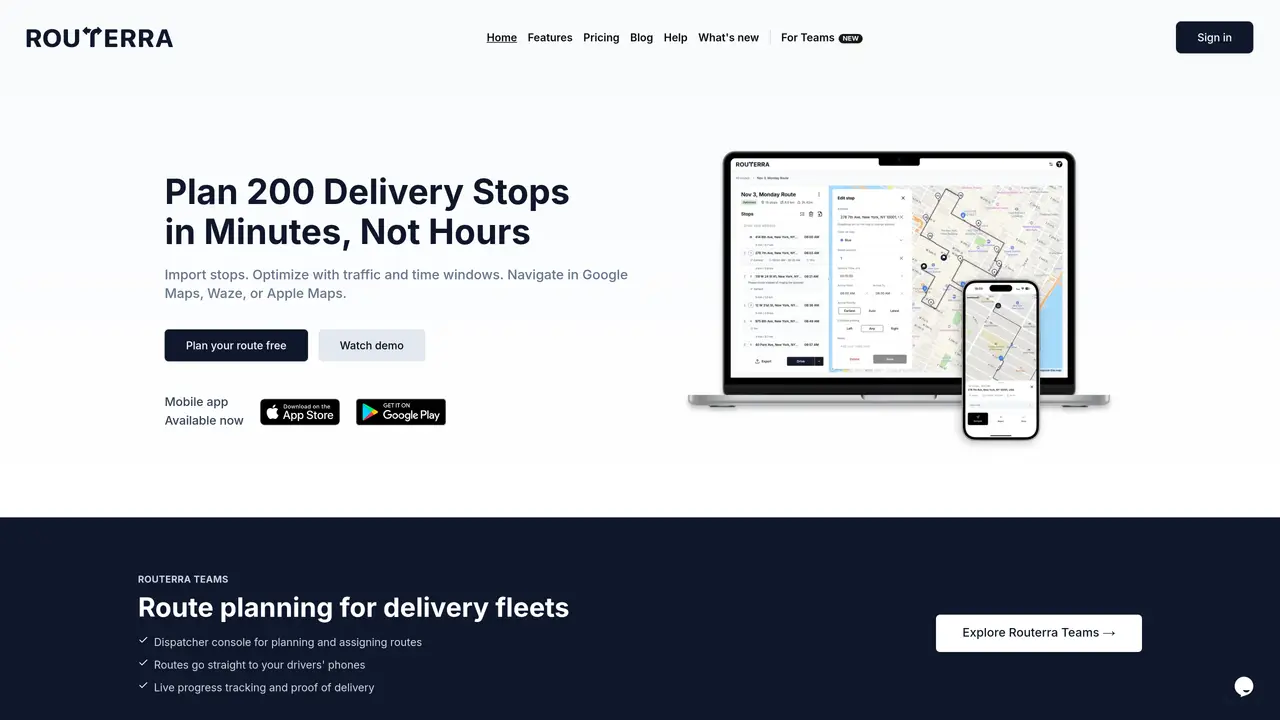
Routerra is an AI-powered route optimization tool designed for delivery drivers, courier services, field service teams, and local businesses. It plans efficient multi-stop routes while accounting for real-time traffic conditions, vehicle types, and user preferences such as avoiding tolls or highways. The tool supports bulk stop imports through pasted address lists, CSV or Excel spreadsheets, or even photos and camera captures using AI-assisted import. Users can set stop constraints like arrival time windows, stop duration, and priority, with options for manual drag-and-drop adjustments and stop-order locking. Routerra also provides dispatch and delivery workflows, including drive mode navigation, status updates, notes, and proof-of-delivery features. Routes and delivery data can be exported to PDF, CSV, or Excel, and shared via public links for team coordination or customer updates. The platform emphasizes transparent pricing with a freemium model, making it accessible for small teams while offering scalable options for larger operations.
Routerra allows users to import stops from pasted address lists, CSV or Excel spreadsheets, or even photos and screenshots using AI-assisted address extraction. The system automatically processes the input to generate a multi-stop route.
Yes, Routerra supports importing stops from photos or screenshots. The AI extracts addresses from images, such as package labels or manifests, and converts them into route stops for optimization.
Unlike Google Maps, which limits routes to 10 stops and lacks optimization features, Routerra handles up to 200 stops, optimizes their order based on real-time traffic and constraints, and supports time windows and priority settings.
Yes, Routerra integrates with Google Maps, Waze, and Apple Maps for navigation. Optimized routes can be exported directly to these apps for turn-by-turn driving instructions.
Routerra allows users to set arrival time windows, stop durations, and priority levels for each stop. The route optimizer then builds a schedule that accounts for these constraints to ensure timely deliveries.
Yes, Routerra supports route planning on desktop and navigation on mobile devices. Routes can be planned on a computer and then sent to a driver's phone for real-time navigation and updates.
routerra.io · third-party estimates from Similarweb
Last 4 months · grows by one month every month
Share of visits · estimated visits
Other countries: 11%
Productivity & Office · Sep 2026
Traffic figures are third-party estimates, good for scale and trends; they can differ from a company's own numbers. Updated monthly.
We use essential cookies to run aitoolnavio™, and optional cookies to analyze traffic and measure our marketing. You choose what we use — optional cookies stay off unless you turn them on. See our Privacy Policy.
One short email a week: fresh tools worth trying, honest takes and the updates that actually matter. No spam, unsubscribe any time.
Generate content, correct spelling, suggest synonyms to enhance writing.
Turn messy team ideas into actionable plans with Miro's visual workspace.
Leverage analytics, automate tasks, share documents, and coordinate projects.
Integrates AI into Airtable to analyze data, summarize insights, draft content, and automate workflows without prior AI experience.
Cloud accounting software that automates bookkeeping, invoicing, and financial reporting for small and growing businesses.
Streamline teamwork, manage projects, automate tasks efficiently.
Automate code, research, and documents using agents.
AI assistant for safe, reliable productivity with code, collaboration, and integrations.
Create customizable tables, databases, and spreadsheets, share data securely with team members.
Easy-to-use CRM platform that automates lead capturing, prioritizes tasks, and provides sales pipeline analytics for businesses of all sizes.
Transforms thoughts into actions, enhancing productivity and efficiency.
Write & run code in 50+ languages, auto-complete with AI, and code faster with an intuitive interface.
Matched on what this tool does — grouped by the job you would be replacing.
Paid placement · similar tools from listings that support aitoolnavio™
Instant lead response for home-service pros: your phone rings on every new lead, plus 14 days of follow-up
matches Traffic-aware route optimization with vehicle type and route preference settings · Bulk stop import via address lists, CSV/Excel, or AI-assisted photo/camera capture · Stop constraints including arrival windows, duration, priority, and manual adjustments
AI-powered platform for optimizing delivery routes, tracking shipments in real time, and managing driver operations to streamline last-mile logistics.
AI-powered travel itinerary planner that auto-imports bookings and syncs plans across groups