Generate content, correct spelling, suggest synonyms to enhance writing.
173M visits/mo+0.1%#1 Productivity & Office

Mobile app that extracts and saves recipes from links, social media and screenshots
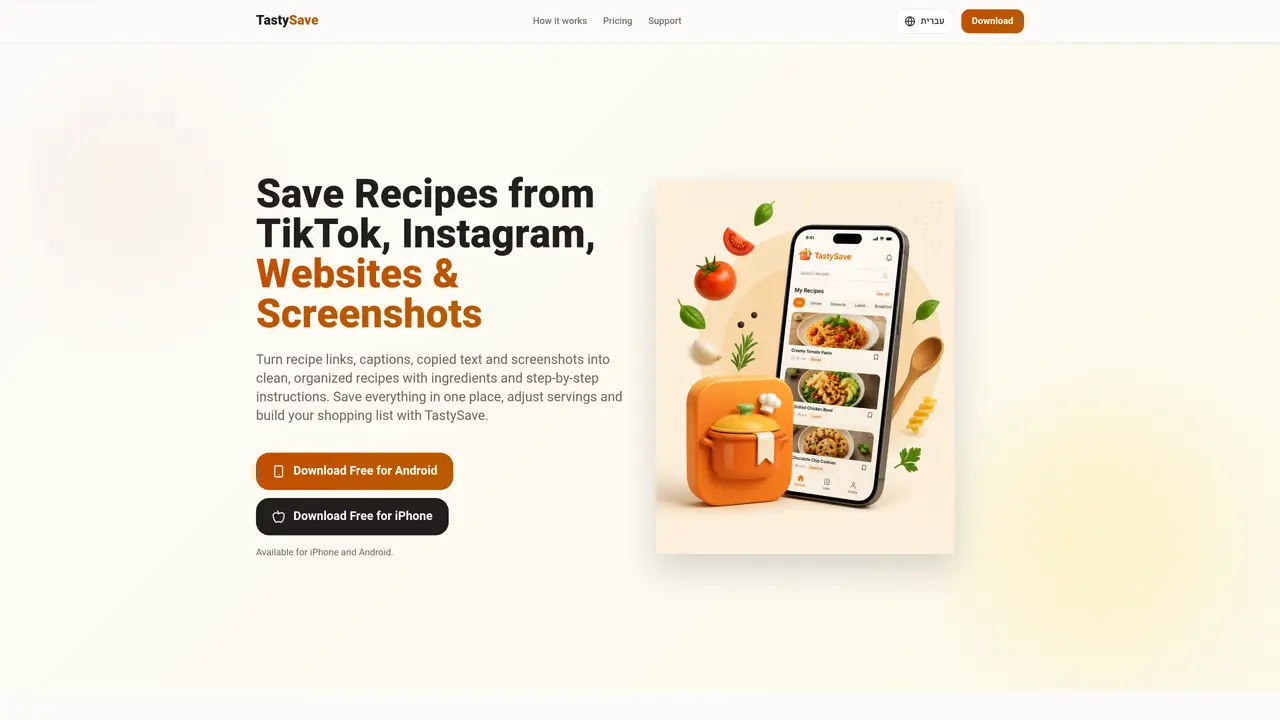
TastySave is a recipe app for iPhone and Android that converts recipe links, social media posts, copied text and screenshots into clean, organized recipes with ingredients and step-by-step instructions. It supports extraction from TikTok, Instagram, Facebook and websites, as well as OCR processing of recipe photos and screenshots. Users can adjust serving sizes, which automatically recalculates ingredient quantities, and build shopping lists from saved recipes. The app maintains a searchable recipe library and includes a meal planner to turn saved recipes into weekly cooking plans. Recipes and interface are available in English and Hebrew. The app is free to download with limited scans and edits, while paid plans offer unlimited access and remove ads.
TastySave is a free-to-download recipe app for iPhone and Android that converts recipe links, social media posts, copied text, and screenshots into clean, organized recipes with ingredients, steps, and a shopping list.
Copy the link to the post or reel and paste it into TastySave, or upload a screenshot. The app extracts the recipe from the post's text, such as the caption, description, or comments, and formats it into a clean recipe.
No. TastySave does not analyze video frames or audio. It extracts the recipe from the post's text, including links, descriptions, comments, or screenshot text via OCR.
Yes. Upload any screenshot or photo containing a recipe, and TastySave's OCR will extract the ingredients and instructions into a clean, editable format.
TastySave is free to download and includes 3 initial scans. Additional scans may be earned by watching rewarded ads, and scan packs or subscriptions are available for purchase.
TastySave supports saving and organizing recipes in both English and Hebrew.
We use essential cookies to run aitoolnavio™, and optional cookies to analyze traffic and measure our marketing. You choose what we use — optional cookies stay off unless you turn them on. See our Privacy Policy.
One short email a week: fresh tools worth trying, honest takes and the updates that actually matter. No spam, unsubscribe any time.
Generate content, correct spelling, suggest synonyms to enhance writing.
Turn messy team ideas into actionable plans with Miro's visual workspace.
Leverage analytics, automate tasks, share documents, and coordinate projects.
Integrates AI into Airtable to analyze data, summarize insights, draft content, and automate workflows without prior AI experience.
Cloud accounting software that automates bookkeeping, invoicing, and financial reporting for small and growing businesses.
Streamline teamwork, manage projects, automate tasks efficiently.
Automate code, research, and documents using agents.
AI assistant for safe, reliable productivity with code, collaboration, and integrations.
Create customizable tables, databases, and spreadsheets, share data securely with team members.
Easy-to-use CRM platform that automates lead capturing, prioritizes tasks, and provides sales pipeline analytics for businesses of all sizes.
Transforms thoughts into actions, enhancing productivity and efficiency.
Write & run code in 50+ languages, auto-complete with AI, and code faster with an intuitive interface.
Matched on what this tool does — grouped by the job you would be replacing.
Paid placement · similar tools from listings that support aitoolnavio™
Instant lead response for home-service pros: your phone rings on every new lead, plus 14 days of follow-up
matches AI recipe extraction from links and social media · OCR for recipe screenshots and photos
matches Smart quantity scaling for ingredients · Shopping list generation from recipes · Meal planner for weekly cooking schedules
matches Recipe library with search functionality · Meal planner for weekly cooking schedules
Extracts structured recipes from cooking videos and posts
Recipe planning, meal generation and shared grocery lists for households
Save recipes from the web, search by ingredient, filter by cuisine, and organize intuitively for any occasion.
AI recipe app that generates meals from available ingredients
AI-powered recipe generator and meal planner using fridge or pantry contents
AI-powered cooking assistant that suggests recipes based on available ingredients
Generates recipes from three ingredients with dietary warnings and substitutions
Quickly search recipes, input dietary restrictions, inventory, and generate personalized suggestions.
Find recipes, explore flavor combinations, and get cooking advice with this AI-powered culinary assistant.
Tailor recipes, find best ones for your ingredients, and create delicious meals at any skill level.
iPhone recipe app that turns a natural-language request into a budget-aware recipe