Generate content, correct spelling, suggest synonyms to enhance writing.
173M visits/mo+0.1%#1 Productivity & Office
AI assistant that provides real-time answers during technical interviews
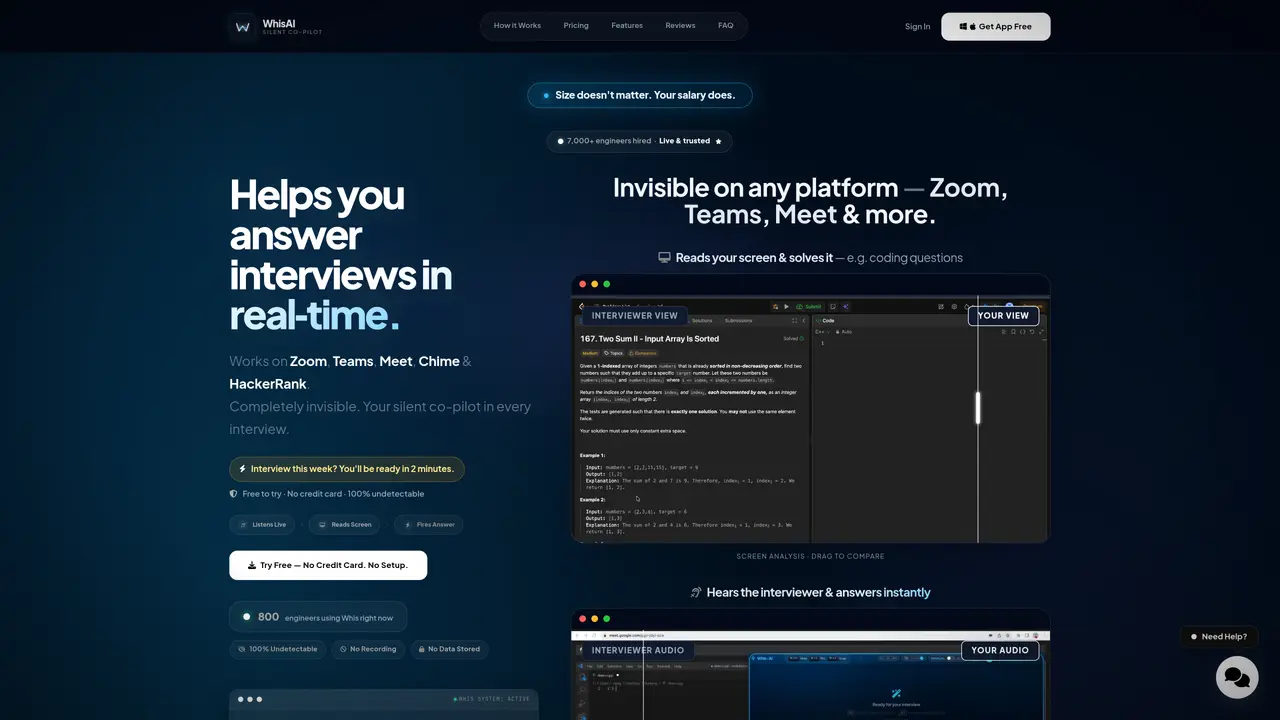
Whis-AI functions as a silent co-pilot for live technical interviews, listening to interviewer questions and delivering structured answers directly to the user’s screen without detection. It operates on platforms such as Zoom, Teams, Meet, Chime, and HackerRank by capturing system audio and screen content in real time. The tool reads the user’s IDE or screen to solve coding problems instantly and tailors behavioral answers using uploaded resumes. Users activate the AI via keyboard shortcuts, receive answers within approximately two seconds, and can hide the interface instantly if needed. The system is designed to remain invisible to interviewers, screen recordings, and screenshots due to OS-level blocking. It supports resume-aware behavioral question responses using STAR methodology and integrates with models such as GPT-4o and Gemini 2.0.
Whis-AI acts as a silent co-pilot during live technical interviews, listening to interviewer questions via system audio and delivering structured answers directly to the user’s screen in real time. It operates on platforms like Zoom, Teams, Meet, Chime, and HackerRank by capturing screen content and system audio without detection.
The tool is designed for engineers and technical professionals preparing for live interviews, particularly those who want to reduce interview anxiety and improve their performance by receiving instant, tailored answers.
Yes, Whis-AI is compatible with Zoom, Teams, Meet, Chime, and HackerRank, and remains completely invisible to interviewers, screen recordings, and screenshots due to OS-level blocking.
Users can activate Whis-AI using keyboard shortcuts: Cmd/Ctrl + L to toggle the AI microphone for audio capture, Cmd/Ctrl + J to silently capture the screen, and Cmd/Ctrl + Enter to send data for an instant answer.
Yes, Whis-AI includes a context manager where users can upload their resume, allowing the AI to tailor behavioral answers using the STAR methodology to match their specific experience.
Yes, users can press Cmd/Ctrl + H to make the entire Whis-AI interface vanish instantly, and press it again to bring it back.
whis-ai.com · third-party estimates from Similarweb
Last 4 months · grows by one month every month
Share of visits by channel
No measurable traffic from Paid Referrals.
Share of visits · estimated visits
Productivity & Office · Sep 2026
Traffic figures are third-party estimates, good for scale and trends; they can differ from a company's own numbers. Updated monthly.
We use essential cookies to run aitoolnavio™, and optional cookies to analyze traffic and measure our marketing. You choose what we use — optional cookies stay off unless you turn them on. See our Privacy Policy.
One short email a week: fresh tools worth trying, honest takes and the updates that actually matter. No spam, unsubscribe any time.
Generate content, correct spelling, suggest synonyms to enhance writing.
Turn messy team ideas into actionable plans with Miro's visual workspace.
Leverage analytics, automate tasks, share documents, and coordinate projects.
Integrates AI into Airtable to analyze data, summarize insights, draft content, and automate workflows without prior AI experience.
Cloud accounting software that automates bookkeeping, invoicing, and financial reporting for small and growing businesses.
Streamline teamwork, manage projects, automate tasks efficiently.
Automate code, research, and documents using agents.
AI assistant for safe, reliable productivity with code, collaboration, and integrations.
Create customizable tables, databases, and spreadsheets, share data securely with team members.
Easy-to-use CRM platform that automates lead capturing, prioritizes tasks, and provides sales pipeline analytics for businesses of all sizes.
Transforms thoughts into actions, enhancing productivity and efficiency.
Write & run code in 50+ languages, auto-complete with AI, and code faster with an intuitive interface.
Matched on what this tool does — grouped by the job you would be replacing.
Paid placement · similar tools from listings that support aitoolnavio™
Instant lead response for home-service pros: your phone rings on every new lead, plus 14 days of follow-up
matches Listens to interviewer audio in real time · Reads screen content to solve coding questions · Delivers structured answers directly to user’s screen
matches Resume-aware behavioral answer generation
Real-time AI interview assistant that transcribes interviewer audio and provides hidden answer suggestions during live interviews on Zoom, Google Meet, Teams, and coding sessions.
An AI interview assistant for job seekers that runs live mock sessions, delivers real-time talking points, and prepares users for consulting, product, and coding interviews.
AI interview assistant that provides real-time answers during live video calls without being detected
AI desktop assistant for job seekers that provides real-time, context-aware answers during interviews, meetings, and exams.
LockedIn AI is a 100% hidden interview copilot that helps you crack live interviews in any industry in real time.
Final Round AI is an AI Interview Assistant that helps candidates prepare for and respond to interview questions in real-time.
Real-time AI assistant for interviews that provides structured answers without detection
Real-time AI assistant that listens to interview questions and provides instant tailored answers during video