Generate content, correct spelling, suggest synonyms to enhance writing.
173M visits/mo+0.1%#1 Productivity & Office

Desktop AI assistant for conversational chat, content creation, and task automation across applications.
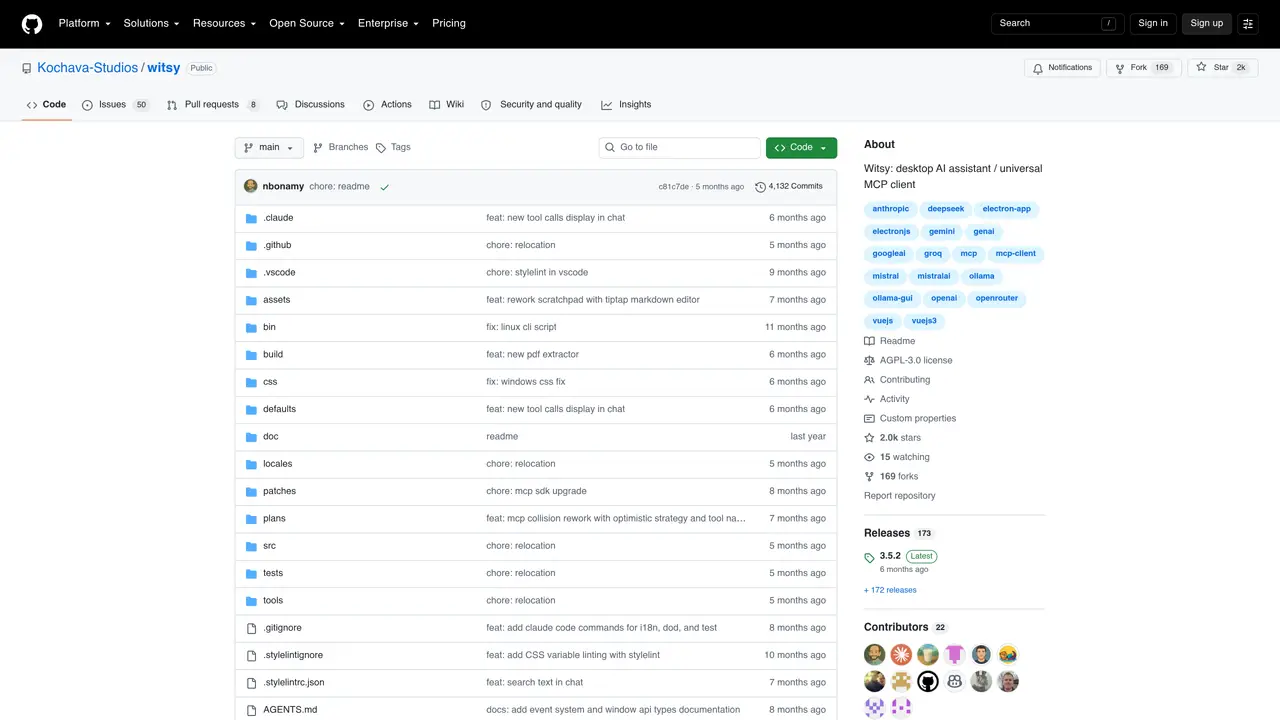
Witsy is an AI-powered desktop application designed to enhance productivity by integrating multiple language models from top providers. It provides a unified chat interface for conversational interactions, allowing users to ask questions, brainstorm ideas, or seek explanations in real time. The scratchpad feature enables users to draft, refine, and expand content using AI instructions, making it useful for writing emails, reports, or creative projects. AI commands allow quick text analysis and modifications through keyboard shortcuts, streamlining repetitive editing tasks. The ‘Prompt Anywhere’ feature lets users trigger AI responses from any application, eliminating the need to switch windows. Witsy also includes predefined ‘Experts’ tailored for specialized tasks, such as coding assistance, marketing copy generation, or technical writing. Additionally, it supports voice interaction for both conversations and document creation, offering a hands-free, multi-modal experience for users who prefer voice commands or dictation.
Witsy is a desktop AI assistant and universal MCP client designed for users who need a flexible, multi-modal AI tool. It suits developers, writers, researchers, and professionals who want to integrate multiple AI models into their workflows without switching between applications.
Witsy operates as a Bring Your Own Keys (BYOK) application, allowing users to connect to various AI providers via API keys. It also supports local models through Ollama or LM Studio, enabling offline or cost-effective usage.
Yes, Witsy supports local AI models through integrations like Ollama or LM Studio, allowing users to run models on their own hardware without relying on cloud providers.
MCP (Model Context Protocol) servers enable Witsy to interact with external tools and APIs, expanding its capabilities beyond standard chat interactions. Witsy acts as a universal MCP client, supporting a broad range of MCP servers.
Yes, Witsy includes a real-time voice mode, allowing users to engage in hands-free conversations or dictate content directly within the application.
Users can download Witsy from the official releases page or install it via Homebrew on macOS. After installation, they need to configure API keys for their preferred AI providers or set up local models before use.
We use essential cookies to run aitoolnavio™, and optional cookies to analyze traffic and measure our marketing. You choose what we use — optional cookies stay off unless you turn them on. See our Privacy Policy.
One short email a week: fresh tools worth trying, honest takes and the updates that actually matter. No spam, unsubscribe any time.
Generate content, correct spelling, suggest synonyms to enhance writing.
Turn messy team ideas into actionable plans with Miro's visual workspace.
Leverage analytics, automate tasks, share documents, and coordinate projects.
Integrates AI into Airtable to analyze data, summarize insights, draft content, and automate workflows without prior AI experience.
Cloud accounting software that automates bookkeeping, invoicing, and financial reporting for small and growing businesses.
Streamline teamwork, manage projects, automate tasks efficiently.
Automate code, research, and documents using agents.
AI assistant for safe, reliable productivity with code, collaboration, and integrations.
Create customizable tables, databases, and spreadsheets, share data securely with team members.
Easy-to-use CRM platform that automates lead capturing, prioritizes tasks, and provides sales pipeline analytics for businesses of all sizes.
Transforms thoughts into actions, enhancing productivity and efficiency.
Write & run code in 50+ languages, auto-complete with AI, and code faster with an intuitive interface.
Matched on what this tool does — grouped by the job you would be replacing.
Paid placement · similar tools from listings that support aitoolnavio™
Instant lead response for home-service pros: your phone rings on every new lead, plus 14 days of follow-up
matches Unified chat interface for conversational AI interactions · Scratchpad for drafting and refining content with AI instructions · AI commands for quick text analysis and modifications via keyboard shortcuts
AI chatbot for conversation, work, research, coding, and content creation.
Get answers, writing help, and plans across devices with Nova AI App.
Ninja AI is a comprehensive AI assistant that integrates over 25 leading AI models for research, writing, and coding.
Automate reminders, access to-do lists, and quickly find answers without any hassle.