Create customizable tables, databases, and spreadsheets, share data securely with team members.
26M visits/mo-0.9%#10 Productivity & Office

Automate insights, customize reports with Two Minute Reports integration, leverage ChatGPT 3 & 4 for advanced data analysis.
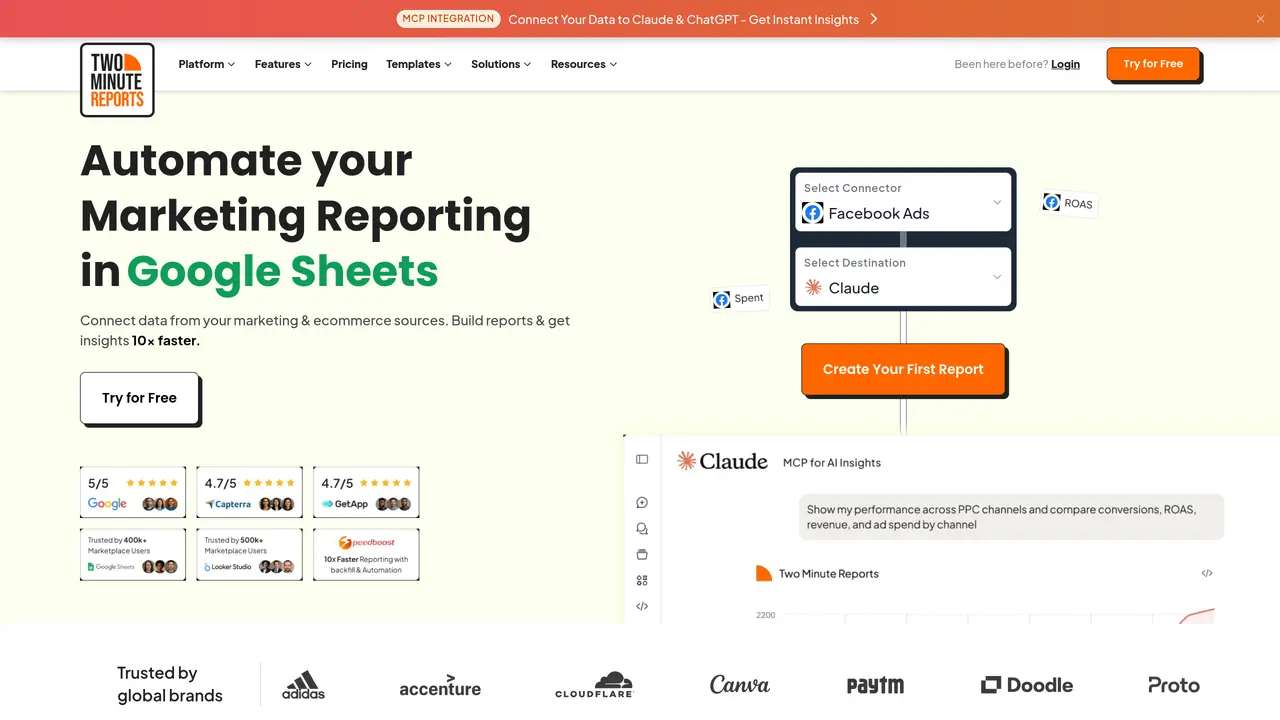
ChatGPT in Google Sheets integrates the advanced capabilities of ChatGPT 3 and ChatGPT 4 directly into Google Sheets through Two Minute Reports, enabling users to generate automated insights and actionable decisions within their spreadsheets. The tool allows users to analyze data, receive recommendations, and identify next best actions without leaving the familiar Google Sheets environment. By automating repetitive tasks such as data summarization, trend analysis, and report generation, it helps users save time and reduce manual effort while improving decision-making processes. The integration supports customizable reports, allowing users to tailor outputs to their specific needs, whether for business intelligence, financial analysis, or operational tracking. Its intuitive interface ensures accessibility for users of all skill levels, from beginners to advanced analysts. The tool is particularly useful for teams that rely on Google Sheets for data management but require deeper insights powered by AI. By combining the flexibility of spreadsheets with the analytical power of ChatGPT, it streamlines workflows and enhances productivity for data-driven tasks.
ChatGPT in Google Sheets integrates ChatGPT 3 and ChatGPT 4 with Google Sheets to generate automated insights, recommendations, and next-best actions directly within spreadsheets. Users can analyze new data, automate insights, and customize reports without leaving the Google Sheets environment.
The tool is designed for marketing agencies, in-house marketing teams, and data teams looking to automate reporting, centralize performance tracking, and generate actionable insights from marketing data sources.
It connects to over 30 marketing and ecommerce sources, including Facebook Ads, Google Ads, Google Analytics 4, Reddit Ads, Amazon Ads, and more, allowing users to blend data into unified reports.
Yes, the tool supports automated report scheduling, refreshing, and delivery of client-ready reports without manual intervention, streamlining recurring reporting workflows.
The tool is designed for ease of use with an intuitive interface, enabling users to quickly connect data sources, build reports, and generate insights without requiring advanced technical skills.
Yes, users can fully customize reports with their agency’s logos, colors, and sender details to maintain consistent branding across all shared reports.
We use essential cookies to run aitoolnavio™, and optional cookies to analyze traffic and measure our marketing. You choose what we use — optional cookies stay off unless you turn them on. See our Privacy Policy.
One short email a week: fresh tools worth trying, honest takes and the updates that actually matter. No spam, unsubscribe any time.
Create customizable tables, databases, and spreadsheets, share data securely with team members.
Skywork Super Agents: Workspace productivity suite with specialized AI for research-grade documents, slides & spreadsheets + multimedia tools.
AI-powered time tracking platform for teams to log hours, manage timesheets, and generate invoices with automatic and manual tracking options.
Turns CSV, Excel, and PDF files into editable dashboards and reports with AI edits, refresh, and templates.
The AI agent for Excel and Sheets with advanced add-ons for Google Workspace and Microsoft Office.
Automate data cleaning, gain AI-driven insights, and create interactive reports and visualizations.
Transform spreadsheets into AI-powered data analysis tools, simplifying complex insights.
Supercharge Excel for smarter financial planning and analysis.
Automate data entry, connect spreadsheets to databases, APIs, and identify trends with predictive analytics.
Automate complex Excel formulas, generate accurate equations with 44,000+ formulas.
Code-powered spreadsheet tool with Python, SQL, and AI integration.
AI-powered data analyst that turns plain-English questions into charts, tables, code, and automated reports.
Matched on what this tool does — grouped by the job you would be replacing.
matches Automate insights with advanced data analysis · Customize reports with Two Minute Reports integration · Generate automated insights and actionable decisions
Automate tasks, generate predictive models, and access data insights with advanced machine learning algorithms.
Analyze trends, generate comprehensive reports, optimize resources—make informed decisions effortlessly.
An analytics modeling tool that processes data to generate insights and predictions for data-driven decision-making.
Automate tasks, leverage predictive analytics, and customize operations for improved efficiency and better decision-making.
matches Automate insights with advanced data analysis · Customize reports with Two Minute Reports integration · Save time and resources by automating tedious tasks
matches Customize reports with Two Minute Reports integration · Make data-driven decisions with ease
Generate powerful Excel formulas, access the Answer Bot for spreadsheet queries, and optimize resources with AI technology.
Transform complex data into visuals, create custom reports in minutes, and customize the look and feel of reports.
Automate data entry, analyze data with advanced filtering and sorting, and easily collaborate with others.
Cloud-based business intelligence platform that turns raw data into real-time insights with drag-and-drop dashboards and team collaboration tools.
Create custom visualizations, automate data analysis, leverage real-time data for informed decisions and business growth.
Connect, analyze, and automate data from various sources, creating dashboards and reports effortlessly.