Generate content, correct spelling, suggest synonyms to enhance writing.
173M visits/mo+0.1%#1 Productivity & Office

Automate data entry, analyze data with advanced filtering and sorting, and easily collaborate with others.
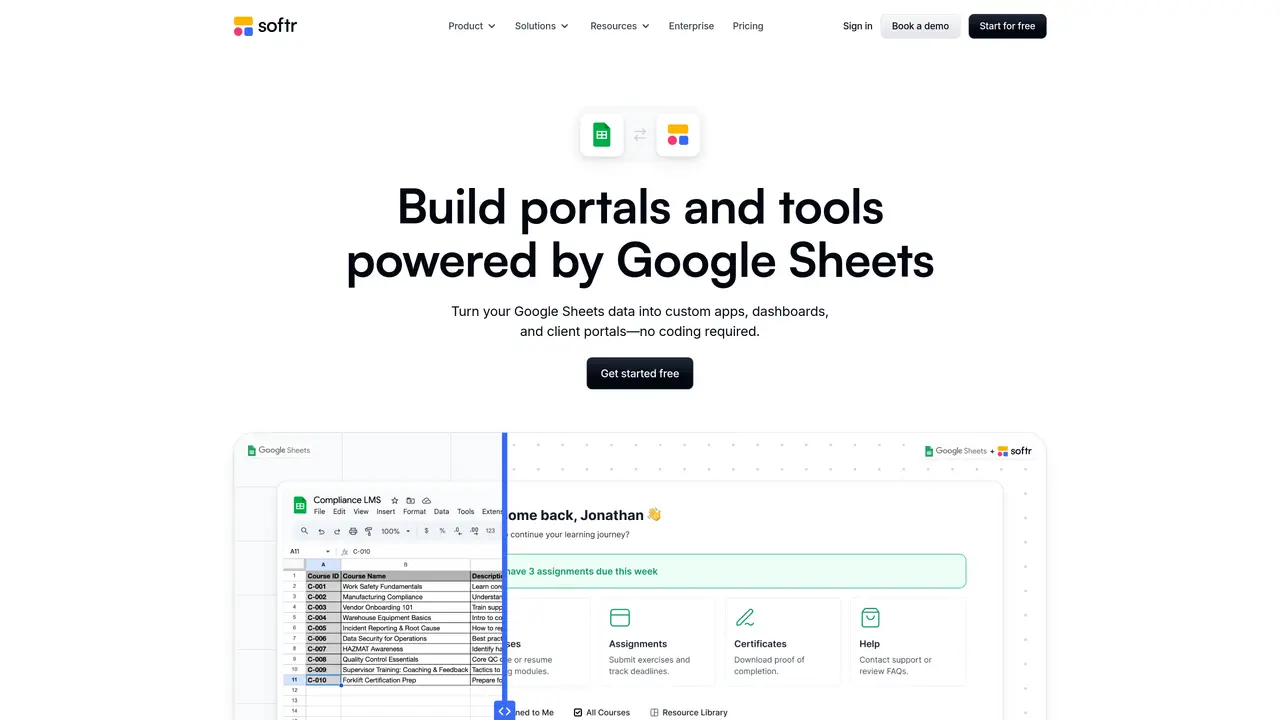
Softr for Google Sheets is an intuitive and powerful tool that makes it easy to access and manage your data stored in Google Sheets. Softr helps you turn your spreadsheets into clean, structured data, giving you the power to make informed decisions and take action quickly. With Softr, you can quickly connect to your Google Sheets account, access your data, and start exploring with powerful features like advanced filtering, sorting, and grouping. Plus, Softr allows you to easily share and collaborate with others, making sure everyone has the latest data. With Softr for Google Sheets you can take control of your data and make better decisions, faster. Use Cases And Features: 1. Automate data entry to reduce manual input and save time. 2. Leverage advanced filtering and sorting to quickly analyze data. 3. Easily share and collaborate with others to ensure everyone is up to date.
Softr
Berlin
Connect Google Sheets to Softr in a few clicks by adding it as a data source in your Softr workspace, selecting the sheet, and linking it to dynamic Softr blocks. Changes in Google Sheets automatically reflect in your Softr app and vice versa.
Turn Google Sheets data into custom apps like client portals, CRMs, inventory systems, employee directories, or dashboards without coding. Apps are responsive by default and can be installed as mobile PWAs.
Yes, Softr allows granular permissions to control view and edit access for different users. You can share secure interfaces that show only selected data without exposing the full spreadsheet.
Yes, Softr offers 2-way real-time sync with Google Sheets. Updates made in Google Sheets instantly reflect in your Softr app, and changes in the app update the sheet.
Yes, you can combine Google Sheets with over 15 other data sources in a single Softr app to keep all your data connected and up to date.
Yes, Softr is fully compliant with SOC2 and GDPR regulations, providing security protections for client information and sensitive data.
We use essential cookies to run aitoolnavio™, and optional cookies to analyze traffic and measure our marketing. You choose what we use — optional cookies stay off unless you turn them on. See our Privacy Policy.
One short email a week: fresh tools worth trying, honest takes and the updates that actually matter. No spam, unsubscribe any time.
Generate content, correct spelling, suggest synonyms to enhance writing.
Turn messy team ideas into actionable plans with Miro's visual workspace.
Leverage analytics, automate tasks, share documents, and coordinate projects.
Integrates AI into Airtable to analyze data, summarize insights, draft content, and automate workflows without prior AI experience.
Cloud accounting software that automates bookkeeping, invoicing, and financial reporting for small and growing businesses.
Streamline teamwork, manage projects, automate tasks efficiently.
Automate code, research, and documents using agents.
AI assistant for safe, reliable productivity with code, collaboration, and integrations.
Create customizable tables, databases, and spreadsheets, share data securely with team members.
Easy-to-use CRM platform that automates lead capturing, prioritizes tasks, and provides sales pipeline analytics for businesses of all sizes.
Transforms thoughts into actions, enhancing productivity and efficiency.
Write & run code in 50+ languages, auto-complete with AI, and code faster with an intuitive interface.
Matched on what this tool does — grouped by the job you would be replacing.
Paid placement · similar tools from listings that support aitoolnavio™
Instant lead response for home-service pros: your phone rings on every new lead, plus 14 days of follow-up
matches Automate data entry · Advanced filtering and sorting · Data analysis and exploration
matches Collaboration features · Customizable workflows
Automate tasks, generate predictive models, and access data insights with advanced machine learning algorithms.
Automate data entry, connect spreadsheets to databases, APIs, and identify trends with predictive analytics.
Automate insights, customize reports with Two Minute Reports integration, leverage ChatGPT 3 & 4 for advanced data analysis.
Turn spreadsheets into custom business apps without writing code using this no-code platform.
Create stunning, integrative, and engaging apps effortlessly, even without coding experience.
AI-powered app builder that turns data into functional web apps without coding.