Unleash creativity: edit photos, videos, and designs with AI-enhanced tools.
ROUGH//CUT
0Popularity
About ROUGH//CUT
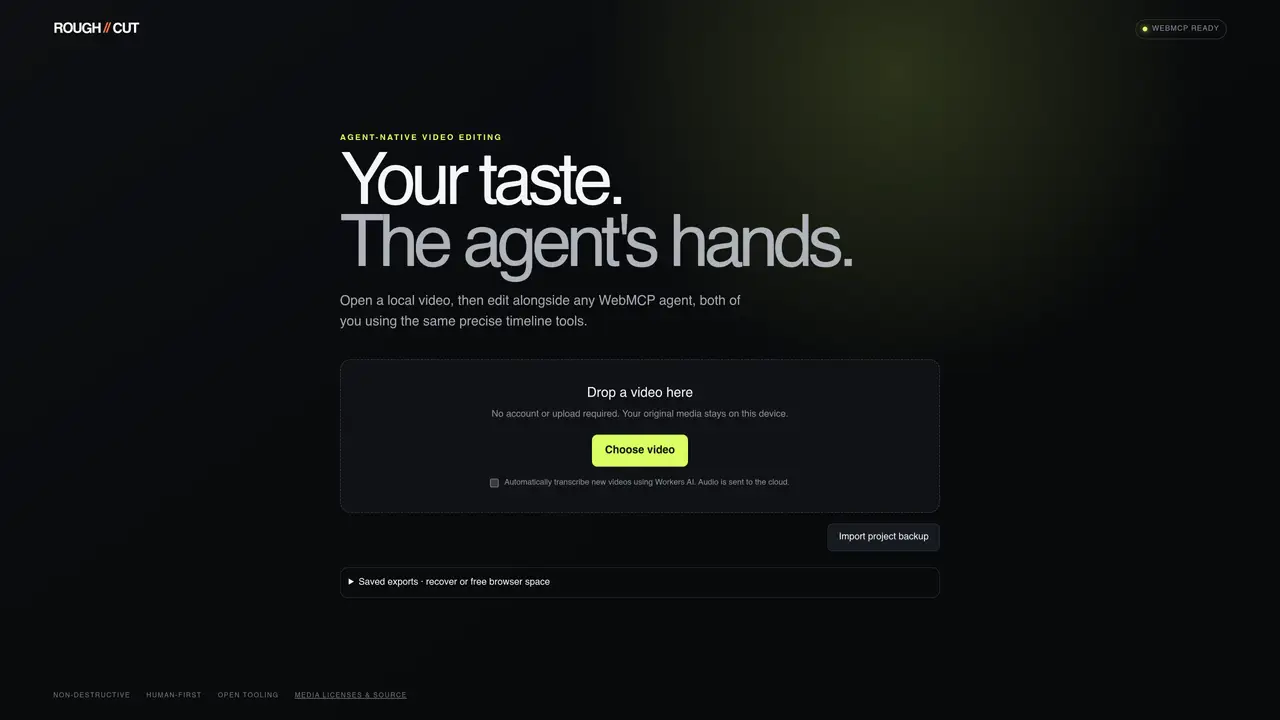
ROUGH//CUT is a video editor designed to work alongside WebMCP agents using the same timeline tools. It operates locally without requiring an account or uploads, keeping original media on the user’s device. The tool automatically transcribes new videos using Workers AI, with audio processed in the cloud. Projects can be saved and backed up, and exports are stored locally to free browser space. Editing is non-destructive and human-first, with open tooling and media licenses included. The interface supports importing project backups and recovering saved exports before clearing browser storage.
Key features
- Local video editing without uploads
- Agent collaboration via shared timeline
- Automatic transcription for new videos
- Project backup and recovery system
- Non-destructive editing workflow
- Open tooling and media licenses
- Export management within browser storage
- Media stays on-device by default
Use cases
- Editing videos alongside AI agents
- Local video processing with cloud transcription
- Recovering or reusing past project exports
Pros
- Local-first operation with no account required
- Shared timeline tools with WebMCP agents
- Automatic transcription via Workers AI
- Non-destructive editing with open tooling
- Project backups and export recovery
Cons
- Audio processing requires cloud interaction
- Browser storage limitations apply
- No explicit multi-platform support mentioned
Frequently asked questions about ROUGH//CUT
What is ROUGH//CUT and who is it designed for?
ROUGH//CUT is an agent-native video editor designed to work alongside WebMCP agents using the same timeline tools. It is intended for users who want to edit videos locally while collaborating with AI agents in a seamless workflow.
Does ROUGH//CUT require an account or uploads to work?
No, ROUGH//CUT operates locally without requiring an account or uploads. Users can open and edit videos directly from their device, keeping original media on the local system.
How does ROUGH//CUT handle transcriptions and audio processing?
ROUGH//CUT automatically transcribes new videos using Workers AI, while audio processing is handled in the cloud. This allows for efficient transcription without burdening the local device.
Can I save and back up my projects in ROUGH//CUT?
Yes, projects can be saved and backed up within ROUGH//CUT. Users can import project backups and recover saved exports before clearing browser storage, ensuring their work is preserved.
Is editing in ROUGH//CUT destructive to the original media?
No, editing in ROUGH//CUT is non-destructive, meaning the original media remains unchanged. The tool prioritizes a human-first approach to editing while maintaining open tooling and media licenses.
How do I get started with ROUGH//CUT?
To get started, simply open ROUGH//CUT in a browser, drag and drop a local video file, and begin editing alongside a WebMCP agent using the shared timeline tools. No additional setup is required.