Automate video editing, add text-to-speech voice-overs, and optimize videos for impactful results.
4.4M visits/mo-5%#13 Video & Animation

Increases video frame rate up to 120fps using AI in-browser
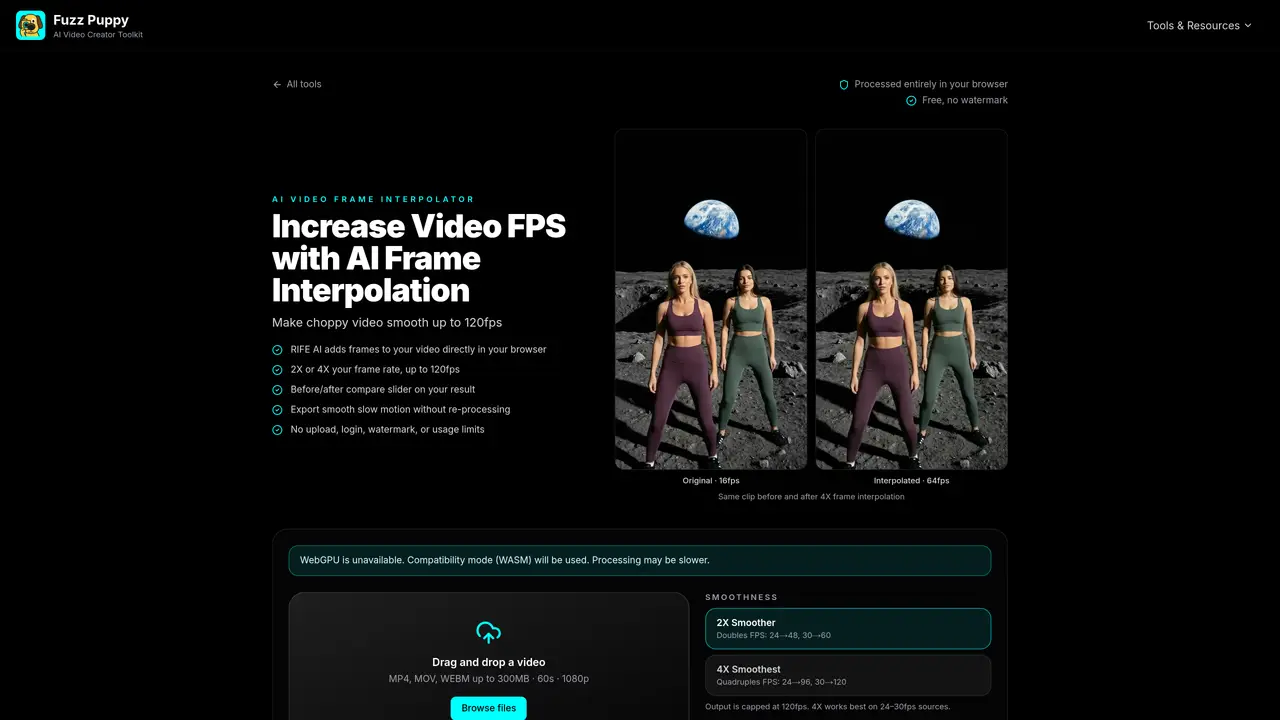
The AI Video Frame Interpolator uses the RIFE model to generate new in-between frames, increasing a video’s frame rate from sources such as 24fps to 48fps or 96fps and from 30fps to 60fps or 120fps. Processing occurs entirely within the user’s browser via WebGPU, eliminating uploads, logins, or watermarks. The tool supports MP4, MOV, and WEBM inputs up to 300MB and 1080p resolution, with a 60-second duration limit. Output retains the original audio track and can be exported at normal speed or in slow motion up to 0.25x. A before/after slider allows side-by-side comparison of the original and interpolated footage. The service is free and unlimited, with no usage caps or sign-up required. It is designed for smoothing choppy footage, enhancing AI-generated clips, and preparing videos for slow-motion playback.
AI frame interpolation generates new in-between frames to increase a video’s frame rate, producing smoother motion instead of choppy playback. FuzzPuppy uses the RIFE model to estimate motion between existing frames and synthesize the missing frames.
Yes, the tool is free and unlimited, requires no signup, and does not watermark downloaded videos. Processing occurs entirely in the user’s browser using WebGPU, so there are no uploads or paid tiers.
The 2X option doubles the frame rate (e.g., 24fps becomes 48fps) and the 4X option quadruples it (e.g., 24fps becomes 96fps). Output is capped at 120fps, so 4X works best for 24–30fps sources and 2X for 50–60fps sources.
Frame interpolation increases the frame rate (more frames per second), while upscaling increases resolution (more pixels per frame). They address different issues: use frame interpolation for choppy motion and upscaling for low-resolution footage.
Yes, AI video generators often output low-frame-rate clips with visible stutter. Interpolating these clips to 48–60fps or higher makes motion significantly smoother. The tool supports output from models like Sora, Runway, and Kling.
No, the tool processes videos entirely locally in the browser using WebGPU. The source video never leaves the user’s device, ensuring privacy and no upload queue.
We use essential cookies to run aitoolnavio™, and optional cookies to analyze traffic and measure our marketing. You choose what we use — optional cookies stay off unless you turn them on. See our Privacy Policy.
One short email a week: fresh tools worth trying, honest takes and the updates that actually matter. No spam, unsubscribe any time.
Automate video editing, add text-to-speech voice-overs, and optimize videos for impactful results.
Create custom titles, 3D objects, adjust color and contrast, add special effects, transitions, and animations.
Vmake is an all-in-one AI-powered video creation and enhancement platform designed to help creators, marketers, and businesses produce high-quality video content quickly and effortlessly.
AI-enhanced photo and video editing software with local, secure processing.
Efficiently convert, burn, and customize videos for optimal results.
Create lifelike videos from text and images.
Create stunning videos effortlessly with HitPaw's intuitive interface and advanced editing features.
Web-based AI video editor that repurposes YouTube or TikTok clips into scroll-stopping short-form videos with AI voiceovers and viral subtitles.
AI-powered aim trainer that analyzes performance and delivers personalized exercises for FPS gamers to improve accuracy and track progress.
Web-based AI editor that upscales videos to 4K, removes backgrounds and watermarks, generates subtitles, makes clips, and translates videos.
Automatically enhance videos, create stunning results, and supports multiple file formats, with an intuitive chat-based interface.
AI plugin for Adobe Premiere Pro that automates repetitive video editing tasks like silence removal, captioning, and chapter detection.
Matched on what this tool does — grouped by the job you would be replacing.
matches 2X and 4X frame rate doubling/quadrupling · Before/after comparison slider · Slow motion export at 0.5x and 0.25x
Browser-based AI video upscaler that converts 720p to 1440p locally without installation
Free, open-source AI image and video upscaler running locally