Automate video editing, add text-to-speech voice-overs, and optimize videos for impactful results.
4.4M visits/mo-5%#13 Video & Animation

AI-powered frame interpolation tool that increases video and animation frame rates by generating new frames.
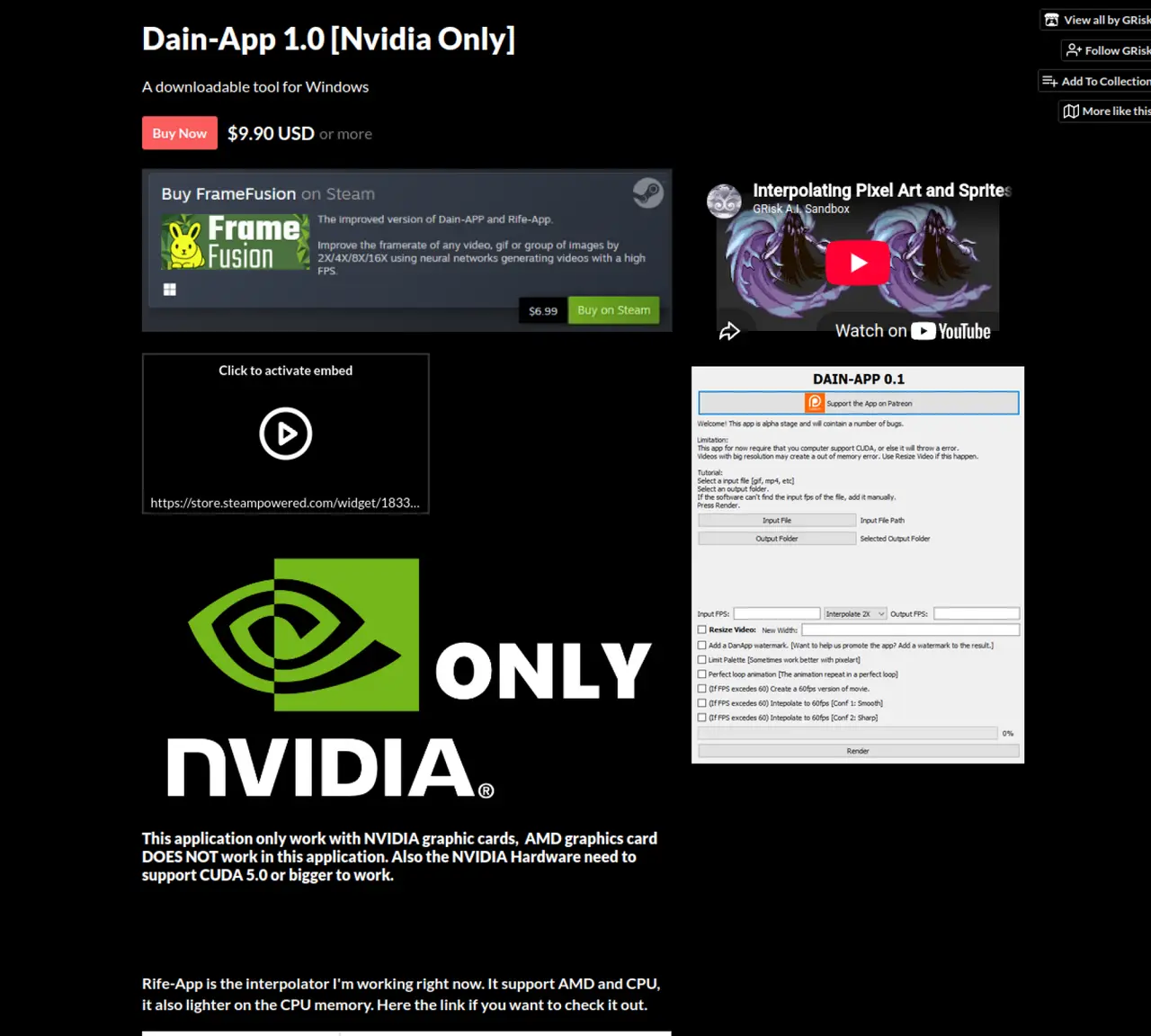
Dain App is a frame interpolation application designed to increase the frame rate of animations and videos by generating new frames between existing ones. The tool targets video editors, artists, and influencers who need to smooth media animations or enhance the frame-rate of older content such as anime and cartoons. It operates by manually selecting input and output locations, allowing users to control where processed files are saved. While the app can deliver smoother animations, it may require technical knowledge to use effectively and is noted for high CPU utilization during processing. Additionally, it does not work with certain hardware configurations, which may limit its accessibility for some users. The application’s ongoing maintenance and update status remains unclear based on available information.
Dain App is a frame interpolation tool that increases the frame rate of videos, GIFs, or image sequences by generating new frames between existing ones using neural networks. It supports frame rate multipliers such as 2X, 4X, 8X, and 16X to produce smoother animations or higher FPS videos.
The tool is designed for video editors, artists, animators, and content creators who need to enhance the smoothness of animations or improve the frame rate of older content like anime and cartoons. It is particularly useful for those working with 2D animations or sprites.
Dain App requires an NVIDIA graphics card with CUDA support version 5.0 or higher. AMD graphics cards and non-CUDA hardware are not supported. Users should verify their system's compatibility with CUDA before attempting to use the application.
No, Dain App is not free. It is available for purchase on itch.io and Steam, with a minimum price set at $9.90 USD. The developer also offers a separate tool called Rife-App, which is free and supports AMD and CPU processing.
Dain App is primarily designed for videos, GIFs, and sequences of images. However, it may not handle all file formats or transitions smoothly, particularly at scene changes, which can result in artifacts or corrupted outputs.
To get started, users must purchase the application from itch.io or Steam. After downloading, they can manually select input and output locations for their files. The app processes files locally, so users should ensure their system meets the hardware requirements before starting.
We use essential cookies to run aitoolnavio™, and optional cookies to analyze traffic and measure our marketing. You choose what we use — optional cookies stay off unless you turn them on. See our Privacy Policy.
One short email a week: fresh tools worth trying, honest takes and the updates that actually matter. No spam, unsubscribe any time.
Automate video editing, add text-to-speech voice-overs, and optimize videos for impactful results.
Create custom titles, 3D objects, adjust color and contrast, add special effects, transitions, and animations.
Vmake is an all-in-one AI-powered video creation and enhancement platform designed to help creators, marketers, and businesses produce high-quality video content quickly and effortlessly.
AI-enhanced photo and video editing software with local, secure processing.
Efficiently convert, burn, and customize videos for optimal results.
Create lifelike videos from text and images.
Create stunning videos effortlessly with HitPaw's intuitive interface and advanced editing features.
Web-based AI video editor that repurposes YouTube or TikTok clips into scroll-stopping short-form videos with AI voiceovers and viral subtitles.
AI-powered aim trainer that analyzes performance and delivers personalized exercises for FPS gamers to improve accuracy and track progress.
Web-based AI editor that upscales videos to 4K, removes backgrounds and watermarks, generates subtitles, makes clips, and translates videos.
Automatically enhance videos, create stunning results, and supports multiple file formats, with an intuitive chat-based interface.
AI plugin for Adobe Premiere Pro that automates repetitive video editing tasks like silence removal, captioning, and chapter detection.
Matched on what this tool does — grouped by the job you would be replacing.
matches Interpolates new frames to increase frame rate · Smooths media animations through frame interpolation
Transform videos, enhance images, animate characters effortlessly.
Turn Your Photos Into Stunning Videos with AI
AI-powered video upscaling and enhancement software that converts SD to HD, HD to 4K, and 4K to 8K while preserving quality.
Create stunning animations, generate realistic 3D animations, and easily engage users with intuitive controls and functions.