Automate video editing, add text-to-speech voice-overs, and optimize videos for impactful results.
4.4M visits/mo-5%#13 Video & Animation

AI-powered video upscaling and enhancement software that converts SD to HD, HD to 4K, and 4K to 8K while preserving quality.
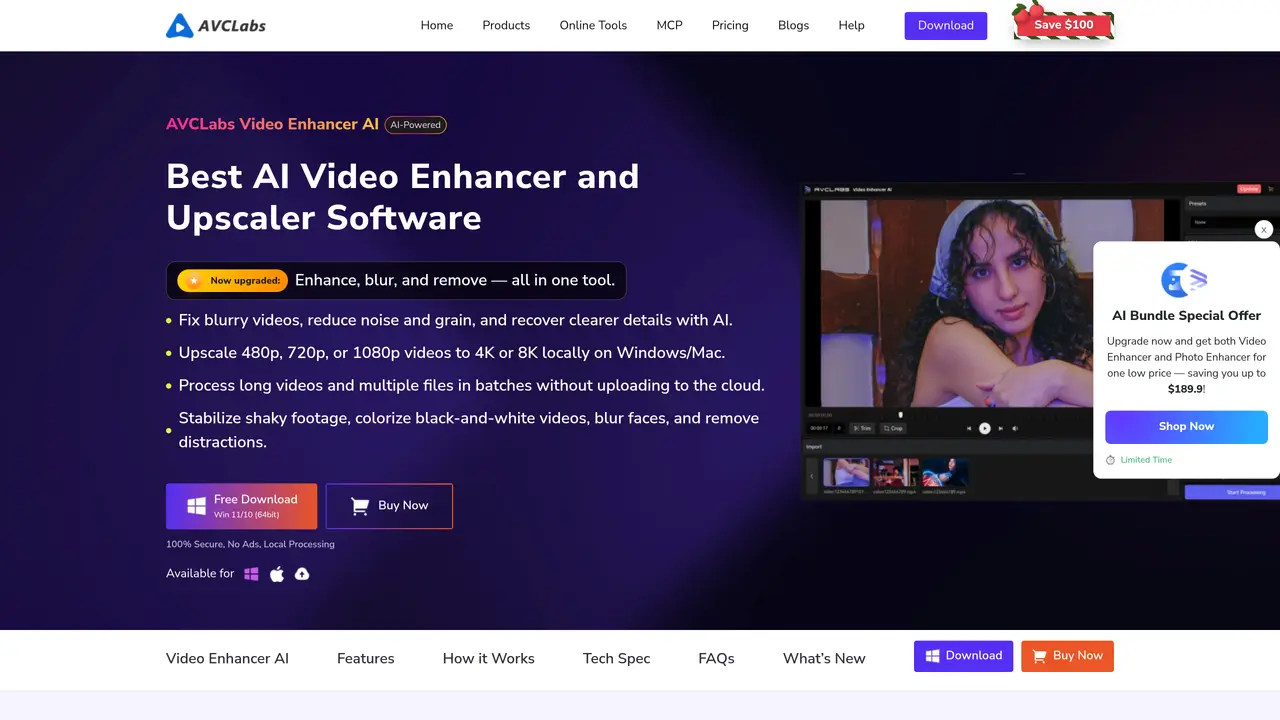
AVCLabs Video Enhancer AI is an AI-based video upscaling and enhancement tool designed to improve video quality through neural networks and TensorRT models. It converts lower resolutions to higher ones, such as SD to HD, HD to 4K, and 4K to 8K, while maintaining visual fidelity. The software includes features like AI video colorization to restore faded footage, frame interpolation for smoother playback, and single or multi-frame enhancement for optimal results. It leverages NVIDIA TensorRT acceleration to speed up processing, making it efficient for large video files. Users can enhance old or low-quality videos for professional or personal use. The tool is suitable for filmmakers, content creators, and archivists looking to restore or upgrade video content. It provides a range of AI-powered solutions to achieve high-quality video output without manual editing.
AVCLabs Video Enhancer AI improves video quality by upscaling resolution, reducing noise, stabilizing shaky footage, colorizing black-and-white videos, and enhancing details using advanced AI models.
The tool is designed for filmmakers, content creators, archivists, and anyone looking to restore, enhance, or upscale video content for professional or personal use.
No, the software processes videos locally on Windows or macOS without uploading files to the cloud.
It uses models such as CNN, RNN, LSTM, GAN, and ViT Transformer to analyze and enhance video quality, including frame interpolation and colorization.
Yes, the tool supports batch processing, allowing users to enhance multiple files simultaneously.
Download the software for Windows or macOS from the official website, install it, and follow the on-screen instructions to import and enhance your videos.
We use essential cookies to run aitoolnavio™, and optional cookies to analyze traffic and measure our marketing. You choose what we use — optional cookies stay off unless you turn them on. See our Privacy Policy.
One short email a week: fresh tools worth trying, honest takes and the updates that actually matter. No spam, unsubscribe any time.
Automate video editing, add text-to-speech voice-overs, and optimize videos for impactful results.
Create custom titles, 3D objects, adjust color and contrast, add special effects, transitions, and animations.
Vmake is an all-in-one AI-powered video creation and enhancement platform designed to help creators, marketers, and businesses produce high-quality video content quickly and effortlessly.
AI-enhanced photo and video editing software with local, secure processing.
Efficiently convert, burn, and customize videos for optimal results.
Create lifelike videos from text and images.
Create stunning videos effortlessly with HitPaw's intuitive interface and advanced editing features.
Web-based AI video editor that repurposes YouTube or TikTok clips into scroll-stopping short-form videos with AI voiceovers and viral subtitles.
AI-powered aim trainer that analyzes performance and delivers personalized exercises for FPS gamers to improve accuracy and track progress.
Web-based AI editor that upscales videos to 4K, removes backgrounds and watermarks, generates subtitles, makes clips, and translates videos.
Automatically enhance videos, create stunning results, and supports multiple file formats, with an intuitive chat-based interface.
AI plugin for Adobe Premiere Pro that automates repetitive video editing tasks like silence removal, captioning, and chapter detection.
Matched on what this tool does — grouped by the job you would be replacing.
matches AI-based video upscaling from SD to HD, HD to 4K, and 4K to 8K · Preservation of visual quality during resolution upgrades · Batch processing capabilities for efficiency
Enhance and restore video quality up to 8K with HitPaw VikPea.
Enhance video quality with AI upscaling, denoising, stabilization.
Upscale low-res videos, stabilize shaky footage, and achieve exceptional results using advanced neural networks.
AI-powered tool upscales videos to stunning 8K quality.
matches AI video colorization for restoring faded footage · Single or multi-frame enhancement for optimal quality
matches Frame interpolation for smoother video playback
Colorize black and white videos, increase resolution up to 8K, and work on multiple videos simultaneously in batch mode.
Online AI tool for restoring faded, scratched or blurry old photos
Enhance videos by fixing blurriness, repairing various types of videos, reducing noise, and colorizing black and white videos.
AI-powered frame interpolation tool that increases video and animation frame rates by generating new frames.
AI-powered tool to upscale, stabilize, convert, edit, and record videos and images with advanced enhancement features.