Generate lifelike human videos with AI, making professional video creation fast and accessible for any user.

Clyps
$19/moStarting price
0Popularity
About Clyps
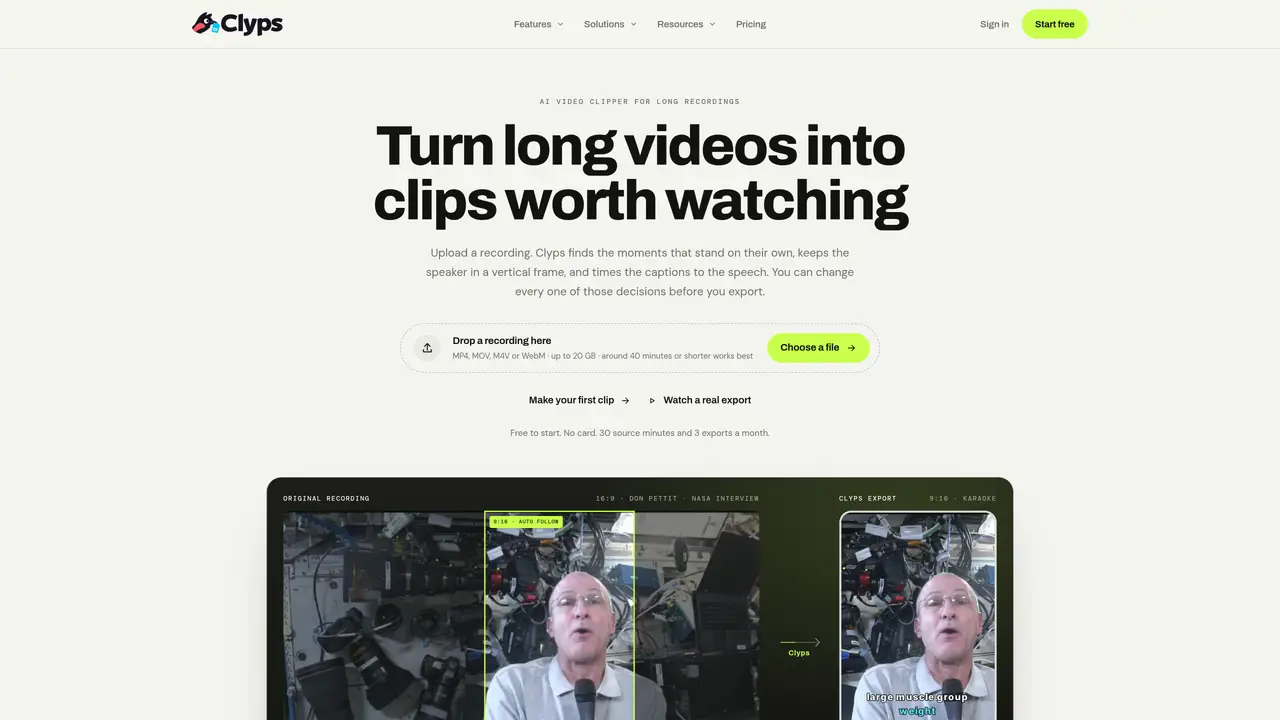
Clyps automates the process of turning long videos into short, shareable clips. It uploads a recording and identifies standalone moments, keeping the speaker visible in a vertical frame. The tool transcribes speech with word-level timing, allowing captions to align precisely with the audio. Users can adjust clip boundaries, reframing styles, and caption templates before exporting. Reframing options include Center, Fit, Fill, Manual, tracked Auto follow, or Split screen for two-person content. Caption templates number 26 editable styles, with previews matching the final export. The editor supports full video editing without opening a separate application. Finished clips are rendered in MP4 format with consistent styling across exports.
Key features
- AI-powered clip detection
- Word-level transcription
- Vertical reframing options
- 26 editable caption templates
- Auto-follow speaker tracking
- Split screen for two-person content
- Real-time preview of edits
- MP4 export with consistent styling
Use cases
- Creating social media clips from podcasts
- Extracting highlights from educational lectures
- Generating promotional content from brand recordings
Pros
- Automated clip detection from long recordings
- Word-level transcription for precise caption timing
- Multiple reframing options including auto-follow and split screen
- 26 editable caption templates with real-time previews
- No watermark on paid plans
Cons
- Free plan includes watermark
- Limited to 30 source minutes per month on free tier
- Requires upload of source video
- No API access mentioned
Frequently asked questions about Clyps
What does Clyps do?
Clyps automates the process of turning long videos into short, shareable clips by identifying standalone moments, keeping the speaker visible in a vertical frame, and transcribing speech with word-level timing for precise captions.
Who is Clyps designed for?
Clyps is designed for creators, podcasters, agencies, educators, marketers, churches, and other professionals who need to repurpose long-form video content into engaging short clips for social media or other platforms.
How does Clyps determine which parts of a video to clip?
Clyps analyzes the recording to find moments that stand alone, providing suggestions with titles, scores, and written reasons. Users can adjust the clip boundaries before exporting.
What reframing options does Clyps offer?
Clyps offers several reframing styles, including Center, Fit, Fill, Manual, tracked Auto follow, and Split screen for two-person content, ensuring the speaker remains visible in a vertical frame.
Can I customize captions in Clyps?
Yes, Clyps provides 26 editable caption templates with word-level timing, allowing users to adjust styles, text, and timing before exporting the final clip.
How do I get started with Clyps?
Users can upload a video file (MP4, MOV, M4V, or WebM) directly to Clyps, where the tool processes it to identify clips, reframe content, and generate captions. Sign-in is required to export clips.