
Design, automate, and analyze email campaigns with drag-and-drop builders, AI editing, and real-time analytics.
5.2M visits/mo+4.7%#21 Business & Marketing

Compose, respond, and summarize emails effortlessly based on keywords.
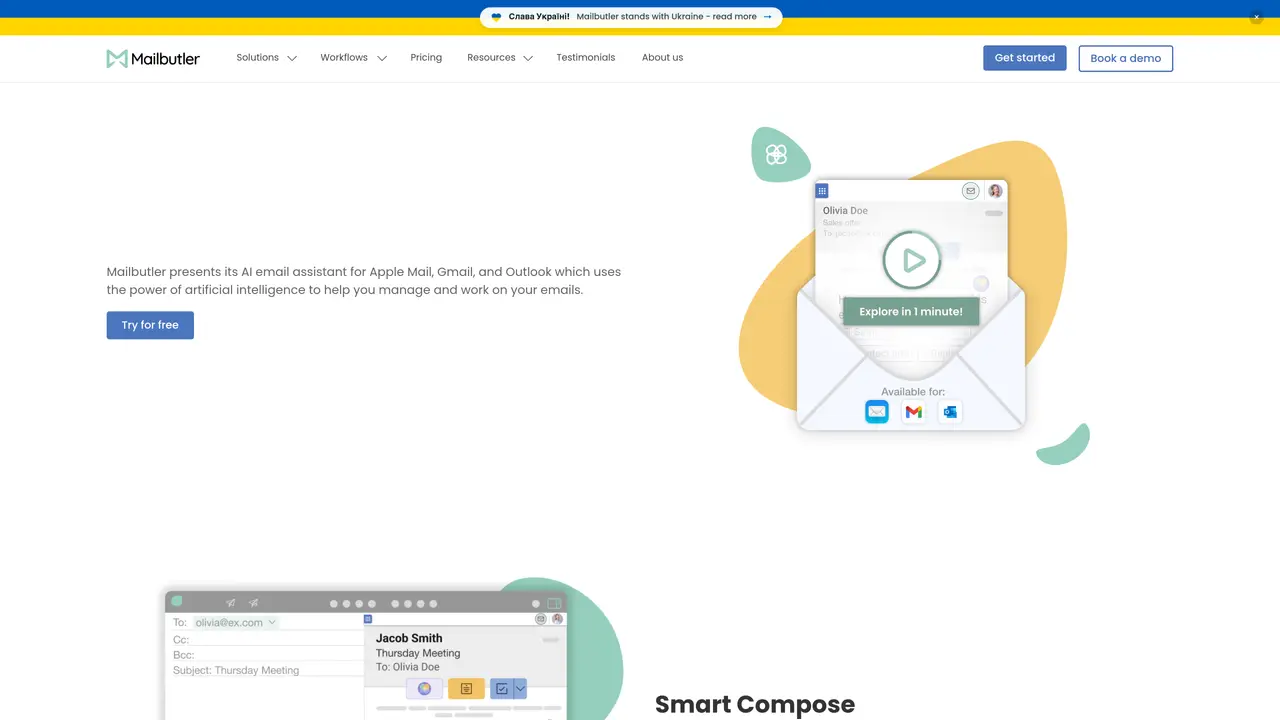
Mailbutler’s Smart Assistant uses ChatGPT’s cutting-edge NLP and ML technology to understand the content of your emails. With this technology, you can take advantage of a range of features that will make your email management faster, more efficient, and more productive. Mailbutler’s Smart Assistant provides functionality such as responding to emails, summarizing emails, composing emails based on short input keywords, creating to-dos from emails, finding contact information, and improving emails before their sending. This tool is suitable for individuals who want to streamline their email management process and increase productivity. The Smart Assistant uses the power of ChatGPT to provide these features fully integrated into your inbox. By using Mailbutler’s Smart Assistant, you can save time and effort in managing your emails.
The Mailbutler Smart Assistant is an AI-powered email assistant that composes and responds to emails, summarizes messages, identifies tasks, and improves spelling and grammar. It integrates directly into email clients like Apple Mail, Gmail, and Outlook.
You can try all of Mailbutler’s features, including the Smart Assistant, during a free trial period after signing up for an account. Continued use of the Smart Assistant requires a subscription to either the Smart or Business plan.
The Smart Assistant uses GPT-4o to generate emails, responses, summaries, and task lists. It operates within the Mailbutler sidebar in supported email clients, allowing users to select an email or draft and click the Smart Assistant button to issue commands.
The Smart Assistant is powered by GPT-4o, an AI model developed by OpenAI, enabling conversational and context-aware email assistance.
The Smart Assistant is compatible with Apple Mail, Microsoft Outlook, and Gmail, integrating seamlessly into these email clients.
A free trial is available to test the Smart Assistant and other Mailbutler features. After the trial, continued use of the Smart Assistant requires a paid subscription. Mailbutler is GDPR compliant and does not share user data with third parties.
We use essential cookies to run aitoolnavio™, and optional cookies to analyze traffic and measure our marketing. You choose what we use — optional cookies stay off unless you turn them on. See our Privacy Policy.
One short email a week: fresh tools worth trying, honest takes and the updates that actually matter. No spam, unsubscribe any time.
Design, automate, and analyze email campaigns with drag-and-drop builders, AI editing, and real-time analytics.
Identify contacts, generate emails, track prospects and accounts based on key signals.
AI assistant that automates routine work across email, calendar, Slack, files and other tools with human oversight.
Schedule events, streamline projects, and draft emails efficiently with its features.
AI-powered email assistant that organizes inboxes, drafts replies, and automates routine tasks for professionals.
Generate SEO-friendly YouTube video scripts and descriptions for blog posts.
Create personalized emails, follow up automatically, and analyze for optimization and insights.
AI-powered email management for Gmail and Google Workspace teams with shared inboxes, AI drafting, automation, and analytics.
Cross-platform email client with unified inbox, calendar, and optional AI assistance for students, professionals, and small teams.
AI executive assistant that organizes Gmail and Outlook inboxes, drafts replies in your voice, schedules meetings, and tracks follow-ups for busy professionals.
Create interactive email campaigns with automated personalization.
Automate responses, personalize emails, and enjoy an intuitive interface for efficient email management.
Mailbutler’s Smart AssistantFree Trial MailMaestroFreemiumMailbutler’s Smart AssistantFree Trial
 ChatGPT Mail ResponderContact for PricingMailbutler’s Smart AssistantFree Trial
 ChatGPT for GmailSubscriptionMailbutler’s Smart AssistantFree Trial
 Superhuman AIContact for Pricing
Matched on what this tool does — grouped by the job you would be replacing.
matches Compose emails based on short input keywords · Respond to emails with generated responses · Create to-dos from emails for task management
Automate email creation, transform bullet points into well-written prose, and personalize emails with AI-learned writing styles.
Automate repetitive emails, summarize emails quickly, and translate emails into 12 languages.
Generate subject lines, create variations, and improve email readability.
AI-powered email writing assistant that turns ideas into polished messages and accelerates inbox management.
matches Summarize emails for quick overview of pertinent details · Find contact information within emails · Categorize and prioritize messages
Manage emails and daily tasks with AI.
AI email assistant that prioritizes messages and delivers summaries to cut inbox noise and focus attention on what matters.
AI email assistant that categorizes and prioritizes messages in Gmail or Outlook using natural language processing.
AI-powered desktop assistant for Microsoft Outlook users to summarize, search and draft emails faster