

Generate full songs with vocals, lyrics, and instrumentals from text prompts in minutes.
75M visits/mo+3.8%#1 Audio & Voice
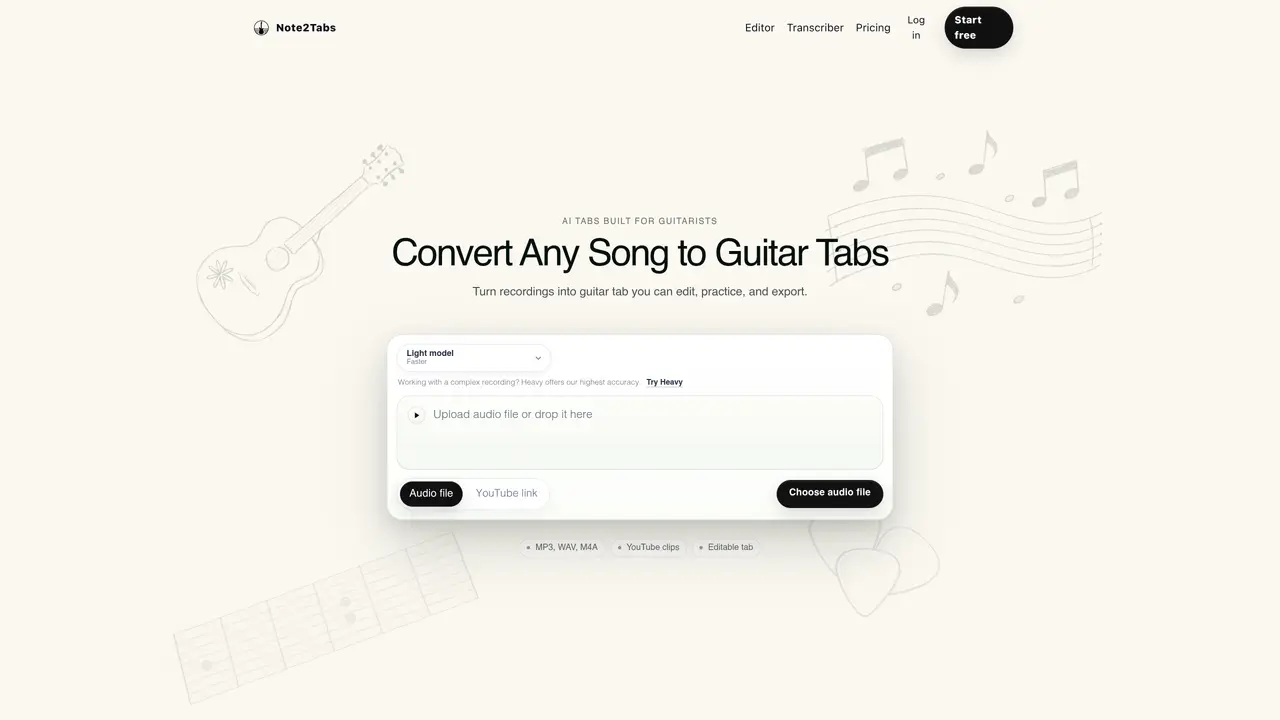
Note2Tabs transcribes audio recordings or YouTube clips into structured, editable guitar tablature. Users can upload MP3, WAV, or M4A files or paste a YouTube link to generate tabs. The service offers two AI transcription models: Light for faster processing of clear guitar recordings and Heavy for higher accuracy on complex or multi-instrument tracks. Transcribed tabs can be edited directly in the web-based editor, which includes over 30 tools for arranging sections, selecting fingerings, and adding techniques. The editor supports playback with different guitar sounds, looping sections, and speed training for practice. Tabs can be exported for further use. The platform is designed specifically for guitarists, with features like key detection, chord tracks, and strumming tools to streamline tab creation and learning.
Note2Tabs converts audio recordings or YouTube clips into structured, editable guitar tablature using AI transcription models. Users can upload audio files or paste YouTube links to generate tabs, which can then be edited, practiced, and exported in a web-based editor.
The platform is specifically designed for guitarists, offering features like key detection, chord tracks, strumming tools, and fingering optimizers to streamline tab creation and learning. It supports both beginners and experienced musicians.
The Light model is optimized for faster processing of clear, focused guitar recordings, while the Heavy model provides higher accuracy for complex or multi-instrument tracks. Users can choose the model based on their recording needs.
Yes, the transcribed tabs are fully editable in the web-based editor, which includes over 30 tools for arranging sections, selecting fingerings, adding techniques, and optimizing fingerings. The editor also supports playback and practice features.
Note2Tabs offers a free plan with limited credits and features, and a premium plan with additional credits, higher transcription limits, and access to the Heavy model. Pricing details are available on the website.
Users can start by uploading an audio file or pasting a YouTube link on the website. The platform guides users through the transcription process, and the generated tabs can be edited directly in the web-based editor.
note2tabs.com · third-party estimates from Similarweb
Last 4 months · grows by one month every month
Share of visits by channel
Share of visits · estimated visits
Other countries: 37.4%
Audio & Voice · Sep 2026
Traffic figures are third-party estimates, good for scale and trends; they can differ from a company's own numbers. Updated monthly.
We use essential cookies to run aitoolnavio™, and optional cookies to analyze traffic and measure our marketing. You choose what we use — optional cookies stay off unless you turn them on. See our Privacy Policy.
One short email a week: fresh tools worth trying, honest takes and the updates that actually matter. No spam, unsubscribe any time.
Generate full songs with vocals, lyrics, and instrumentals from text prompts in minutes.
Explore and test Google’s experimental AI tools and prototypes before they become products.
Creates licensed videos, images, music.
Create instrumental versions, enhance clarity, and boost music quality effortlessly.
Generate original songs, lyrics, and studio-quality soundtracks from text prompts in minutes using AI.
Multimodal AI models for text, video, speech, music, and coding
Create studio-ready vocals, choirs, and instruments from MIDI.
An AI music platform that generates royalty-free songs, instrumentals, and lyrics from text prompts, with stem splitting, vocal removal, and mastering tools.
Turn music & ideas into viral videos in one click.
Browser tools and guides for composing and refining Suno AI music prompts
All-in-one AI platform for writing, image, music, and analysis.
Convert text and lyrics into unique songs.
Matched on what this tool does — grouped by the job you would be replacing.
matches Audio file uploads (MP3, WAV, M4A) · YouTube link transcription · Editable guitar tab editor
Convert audio files into accurate sheet music or guitar tabs with AI-powered transcription and drag-and-drop editing.
Converts audio files into editable chord charts and lead sheets using AI
matches Audio file uploads (MP3, WAV, M4A) · Local audio-to-MIDI conversion · Adjustable sensitivity for note detection
matches Audio file uploads (MP3, WAV, M4A) · YouTube link transcription · Editable text editor
Converts local audio files to editable MIDI without uploading
Desktop app for recording and transcribing audio on Mac with multiple transcription options
AI-powered transcription service for audio and video files with summaries
Browser-based tool for local audio and video transcription and subtitle editing
Free audio transcription, YouTube captions and subtitle conversion with AI summarization