

Open-source control plane for orchestrating multiple coding agents
703K visits/mo+93.9%#52 Automation & Agents
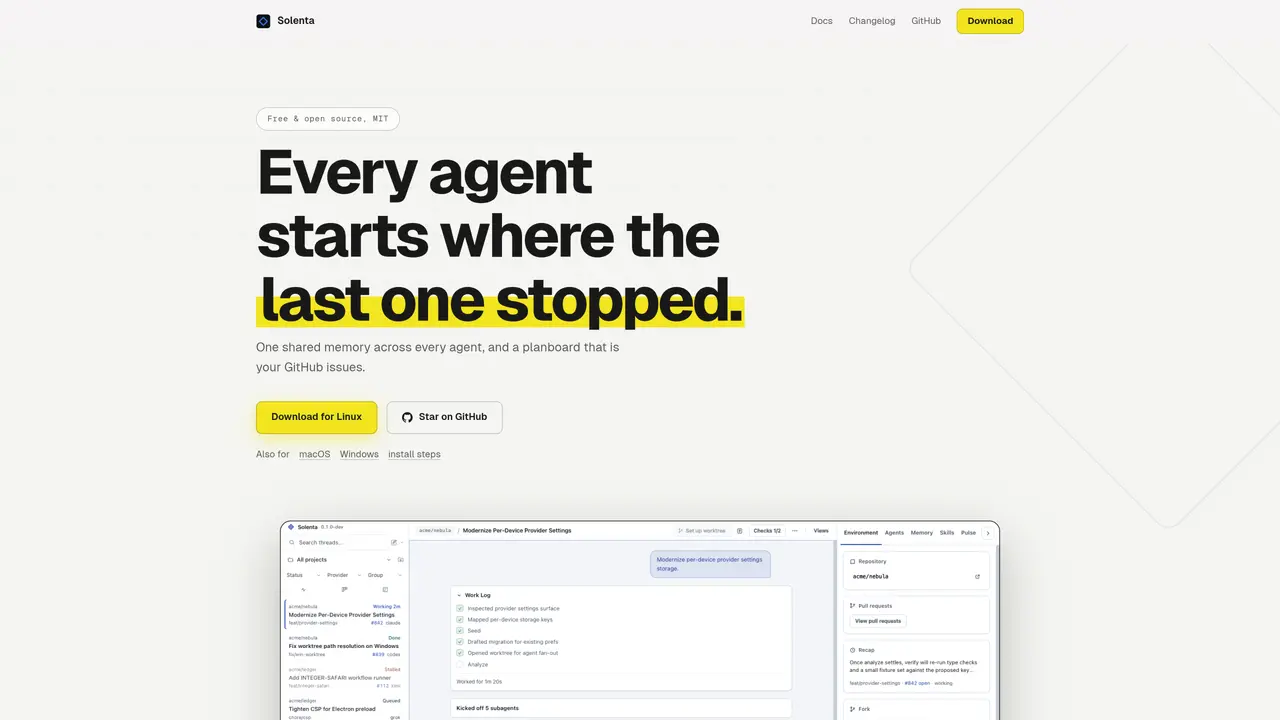
Solenta coordinates multiple AI agents across different providers, each working in isolated git worktrees. It injects a local memory server into every session so that knowledge persists across agents, reducing redundant work. The planboard is a GitHub issues board with labels, allowing teams to track progress without additional tools. Agents update the board using the GitHub CLI, and the interface remains accessible to all collaborators. The tool supports multi-phase workflows with fan-out agents per phase, each with its own provider and model settings. A shared per-repo code index is included in prompts, and workers communicate via a shared task list. Solenta enforces verification gates before threads settle, tracks spend caps, and provides fleet analytics from git and GitHub data. It offers both web and SSH modes for remote project access and supports recurring automations.
Solenta coordinates multiple AI agents across different providers, each working in isolated git worktrees. It injects a local memory server into every session so knowledge persists across agents, reducing redundant work. The tool uses a GitHub issues board as a planboard for tracking progress and supports multi-phase workflows with fan-out agents per phase.
Solenta is designed for developers and teams working with AI agents who need persistent memory across sessions, structured project tracking via GitHub issues, and multi-phase workflow automation. It suits users who prefer local control and integration with existing CLI tools.
Solenta automatically injects a local memory server into every agent session, ensuring that decisions and insights persist across agents. The memory is stored locally in an SQLite file with full-text and vector search capabilities, allowing agents to build on previous work without re-learning.
No, Solenta leverages the AI agents and CLIs you already have installed. It does not impose additional subscriptions or dependencies, operating with your existing tools and GitHub setup.
Solenta uses a GitHub issues board as its planboard, where agents update progress using the GitHub CLI. This allows teams to track work without additional tools, as the board is accessible to all collaborators familiar with GitHub.
Yes, Solenta supports SSH mode, allowing agents to run on remote hosts. Projects can be registered on remote machines, and agents execute tasks there over SSH while maintaining local control of the UI.
We use essential cookies to run aitoolnavio™, and optional cookies to analyze traffic and measure our marketing. You choose what we use — optional cookies stay off unless you turn them on. See our Privacy Policy.
One short email a week: fresh tools worth trying, honest takes and the updates that actually matter. No spam, unsubscribe any time.
Open-source control plane for orchestrating multiple coding agents
Open-source agent orchestration platform for managing teams of AI agents with org charts, goals, and governance in a self-hosted deployment.
Build teams of AI agents that collaborate, automate workflows, and complete complex tasks together.
Design, automate, and orchestrate complex workflows across systems with Camunda's AI-enabled process orchestration platform.
Orkes is a modern workflow orchestration platform designed to enhance how developers create, connect, and deploy applications across various environments.
Buda AI, a cloud-native workspace where AI agents collaborate to execute tasks and run companies 24/7.
A protocol for tokenized AI agents that autonomously generate services, products, and trade onchain with humans or other agents.
Open-source tool to orchestrate multi-agent workflows that decompose complex tasks into parallel sub-agents with sandboxed execution and persistent memory.
Open meta-harness for composing, sandboxing, and collaborating on AI agent sessions across multiple platforms.
A reasoning-focused AI agent that plans, executes, and self-improves complex multi-step workflows with auditability and verification.
A Tool OS for AI agents that discovers, routes, and executes third-party services via a single OpenAI-SDK-compatible API.
Declarative runtime for running agentic tasks at scale with sandboxing and state management
Matched on what this tool does — grouped by the job you would be replacing.
matches Shared memory server across agents · GitHub issues-based planboard · One git worktree per thread
Enterprise platform to design, run, and govern AI agents and multi-step workflows that connect to company data and tools.
Multi-agent orchestration platform for AI teams and workflows
A platform for teams to build, test, and monitor AI agents in production with Git-managed prompts, CI evaluations, and OpenTelemetry tracing.
Orchestrates multi-agent AI teams for complex tasks across models
matches Plan generation with task ordering and dependency graph · VS Code extension for integrated task management · Terminal UI for remote SSH use
matches Spend caps and token burn tracking
Streamlines coding by planning and executing tasks.
Autonomous AI agent that plans, edits and verifies code across terminal, Mac and VS Code
Task orchestration tool for coding agents
A macOS app that coordinates multiple AI coding agents in parallel
No-code platform to build and deploy AI agents with visual workflows
Menu bar app that tracks AI coding spend for Claude Code and Codex