
Generate captions, optimize content, and enhance with custom images for maximum engagement.
46M visits/mo-10%#3 Image & Design
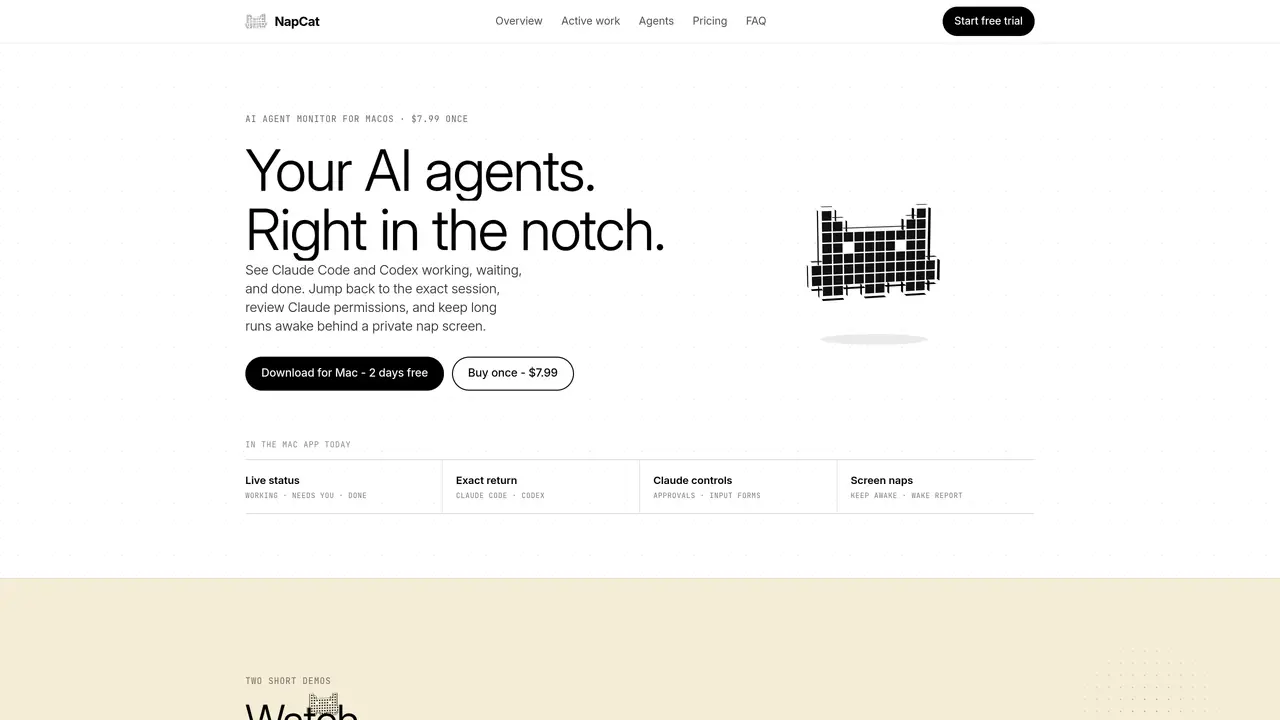
NapCat is a desktop application for macOS that provides a live view of AI coding agents such as Claude Code and Codex within the MacBook notch. It displays the status of active sessions, including working, needs user input, or completed tasks, allowing users to jump back to exact sessions or review file changes before granting permissions. The tool includes a private “nap screen” that keeps long-running processes active while preventing display or system sleep. NapCat supports multiple AI agent CLIs at the process level and offers customizable island shapes, module layouts, and nap screen settings. It emphasizes local-first operation, with monitoring and activity data remaining on the user’s Mac unless optional analytics are enabled. The app integrates with Anthropic’s usage meter for Claude Code and provides detailed provider context without exposing prompts or responses to external servers.
NapCat is a macOS desktop application that monitors active AI coding agents like Claude Code and Codex directly in the MacBook notch. It displays real-time status updates, allows users to return to exact sessions, review file changes, and manage permissions without leaving the workflow.
NapCat is designed for developers and teams using local AI coding agents such as Claude Code or Codex CLI. It suits users who want to monitor long-running processes, manage permissions efficiently, and maintain focus without switching between multiple windows.
No. NapCat operates locally-first, meaning all monitoring data, prompts, responses, and project details remain on the user’s Mac. Optional analytics do not include prompts, responses, project names, or paths unless explicitly enabled by the user.
NapCat supports Claude Code and Codex with the richest session context, including lifecycle events and permission decisions. It also recognizes popular local agent CLIs at the process level, such as Gemini CLI, Cursor, OpenCode, and others listed on the agents page.
The nap screen keeps long-running processes active while preventing display or system sleep. It overlays a customizable screen that maintains agent activity, allowing builds, agents, and downloads to continue running in the background without interruption.
NapCat is available for a one-time purchase, granting access to the Mac app and all updates within the 1.x version range. Licenses can be moved between Macs but only one machine can be active at a time. A two-day free trial is available without requiring a credit card.
napcat.app · third-party estimates from Similarweb
Last 2 months · grows by one month every month
Share of visits · estimated visits
Automation & Agents · Sep 2026
Traffic figures are third-party estimates, good for scale and trends; they can differ from a company's own numbers. Updated monthly.
We use essential cookies to run aitoolnavio™, and optional cookies to analyze traffic and measure our marketing. You choose what we use — optional cookies stay off unless you turn them on. See our Privacy Policy.
One short email a week: fresh tools worth trying, honest takes and the updates that actually matter. No spam, unsubscribe any time.
Generate captions, optimize content, and enhance with custom images for maximum engagement.
Build conversational forms, capture rich responses, and automate follow-ups with AI-powered surveys and workflows.
Automate code, research, and documents using agents.
AI-powered IDE for autonomous coding tasks and agentic development workflows
Source, match, and manage talent with predictive analytics for effortless recruiting.
Automate workflow, optimize operations, and detect potential issues with this efficient AI-driven solution.
Transforms thoughts into actions, enhancing productivity and efficiency.
AI Recruitment engine to hire top global talent
All-in-one team productivity platform combining chat, docs, video meetings, workflows, and AI tools in one place.
Personal assistant that coordinates tasks across apps and devices via text or call
AI automation and agent-building platform with 3,000+ app integrations
AI job search copilot that matches roles to skills, optimizes resumes for ATS, generates cover letters, and autofills applications with real-time insights.
Matched on what this tool does — grouped by the job you would be replacing.
matches Live agent status display in the MacBook notch · Screen naps to prevent system sleep during long runs · Permission previews and input forms for agent actions
Mobile interface for managing terminal-based coding agents on Mac
Native macOS dashboard for monitoring and managing multiple coding agents locally
Voice notifications and responses for coding agents like Claude Code and Codex
matches Rich local context for Claude Code and Codex sessions · Local bridge for lifecycle events and permission decisions
matches Process-level monitoring for other recognized AI agent CLIs · Local bridge for lifecycle events and permission decisions
Run and manage remote AI coding agents from any device with real-time sync and a clean UI.
A macOS workspace for running and managing parallel AI coding agents with isolated shells and automatic git worktrees.
A plugin that decomposes prompts into multi-agent plans for Claude Code and Codex
Local desktop app that consolidates multiple coding agents into one window
Runs coding-agent workloads as isolated, observable jobs on self-hosted infrastructure
Open-source agent harness infrastructure for running AI agents locally or in production
A multi-agent engine that routes IM messages to local CLI processes for persistent, parallel AI coding tasks