
Design, distribute, and analyze surveys online or via email with real-time insights using Survey Monkey.
38M visits/mo-3.9%#2 Business & Marketing

Revolutionize website performance with AI-driven user behavior insights and real-time analytics.
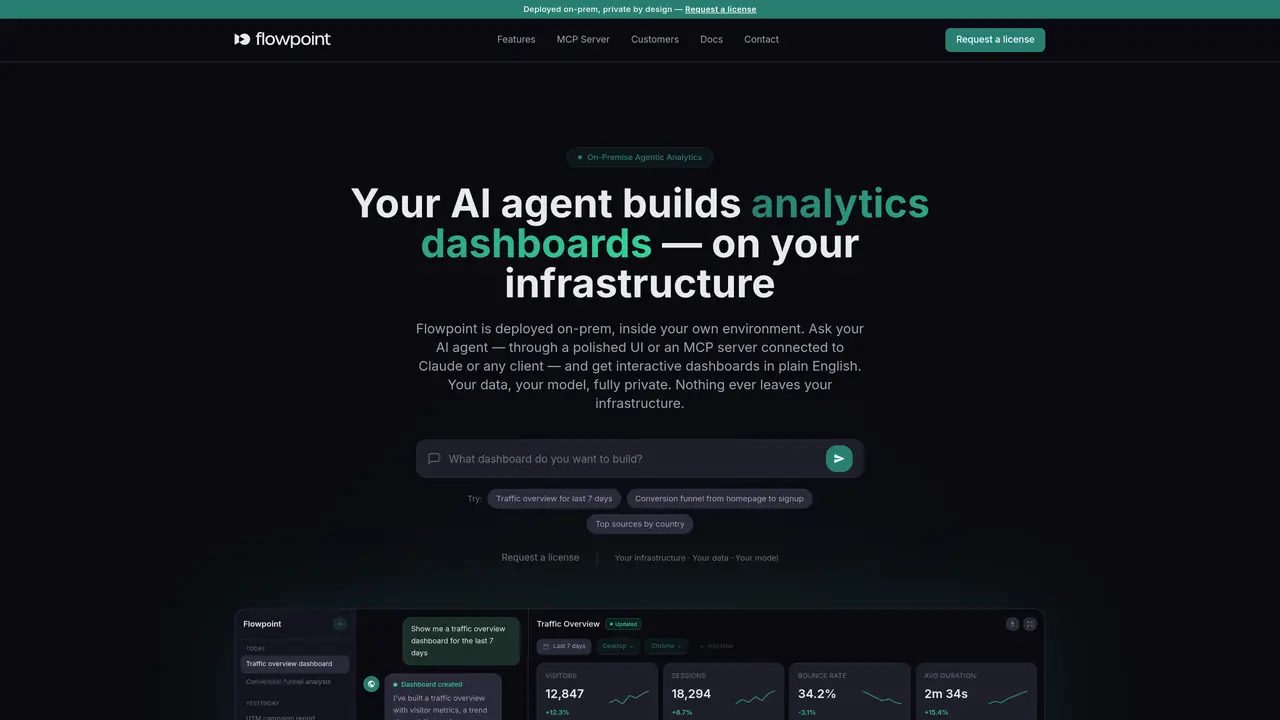
In the digital age, understanding user behavior on websites is crucial for enhancing user experiences and increasing conversion rates. This is where Flowpoint.ai steps in, revolutionizing the way businesses analyze website traffic. With its AI-powered analytics, Flowpoint.ai offers a deep dive into why users drop off, providing actionable insights that can significantly improve website performance. Designed for marketers, UX/UI designers, and web developers, Flowpoint.ai simplifies the complex task of data analysis, making it accessible and actionable for all levels of digital proficiency. Key Features: AI-Powered Analytics: Utilizes cutting-edge AI algorithms to analyze website user behavior and identify patterns that lead to drop-offs. Heatmaps: Offers visual heatmaps to show where users are clicking, scrolling, and interacting the most and the least on your website. Session Replays: Enables you to watch replays of user sessions to understand their journey and identify sticking points. Conversion Funnel Analysis: Helps in pinpointing exactly where users are dropping off in the conversion process and why. Real-Time Data: Provides insights in real time, allowing for swift action to enhance user experience and boost conversions.
Flowpoint is an on-premise agentic website analytics platform that deploys inside a user's own infrastructure. It uses an AI agent to build interactive dashboards, funnels, and reports based on website analytics data, all processed locally without ever leaving the user's environment.
Flowpoint is designed for teams that require full control and privacy over their analytics, such as enterprises, data-sensitive organizations, or teams using AI clients like Claude or Cursor. It suits marketers, UX/UI designers, and developers who need real-time, customizable insights.
No, Flowpoint allows users to interact with their analytics using plain English. The AI agent builds dashboards and reports based on natural language queries, eliminating the need for SQL or coding.
Yes, Flowpoint includes a built-in MCP server that connects to AI clients like Claude, Cursor, or any MCP-compatible tool. This enables users to query analytics and build dashboards directly from their preferred AI clients.
Yes, Flowpoint is designed to be GDPR compliant by default since all data processing and storage occur within the user's own infrastructure. It also supports adherence to other data-residency policies.
To get started, users need to request a license, deploy Flowpoint within their own environment, add a tracking line to their website, and then connect either the built-in dashboard UI or an MCP client to begin building analytics dashboards.
flowpoint.ai · third-party estimates from Similarweb
Last 4 months · grows by one month every month
Share of visits · estimated visits
Other countries: 7.8%
Business & Marketing · Sep 2026
Traffic figures are third-party estimates, good for scale and trends; they can differ from a company's own numbers. Updated monthly.
We use essential cookies to run aitoolnavio™, and optional cookies to analyze traffic and measure our marketing. You choose what we use — optional cookies stay off unless you turn them on. See our Privacy Policy.
One short email a week: fresh tools worth trying, honest takes and the updates that actually matter. No spam, unsubscribe any time.
Design, distribute, and analyze surveys online or via email with real-time insights using Survey Monkey.
Create targeted campaigns, automate email campaigns, and analyze performance for maximum ROI.
Discover keywords, analyze competitors' SEO strategies, and make data-driven decisions for website performance.
Analyze website performance, track competitors' tactics, and access comprehensive analytics and optimization features.
YouTube and Instagram growth toolkit with AI-powered optimization and analytics
Develop, run data jobs, transform datasets, leverage ML algorithms for actionable insights.
Streamline hiring, monitor job performance, and choose flexible pricing plans.
Unified AI-powered platform for real-time monitoring, analytics, and security across cloud infrastructure, applications, and services.
Securely store, analyze, and scale data while enhancing security and performance with encryption and automated backups.
AI-powered customer feedback platform for mid-market businesses to run conversational surveys and extract insights.
Automate review requests, analyze sentiment, and monitor ratings with a streamlined dashboard for improved customer feedback.
Monitor brand performance, create content for social media, and gain insights with deep analytics.
Matched on what this tool does — grouped by the job you would be replacing.
matches AI-Powered Analytics · Heatmaps · Session Replays
Web and app experience analytics with heatmaps, replays, surveys and AI insights
Behavioral analytics platform capturing and analyzing user interactions
Website analytics platform that lets users analyze site data by chatting with an AI assistant.
Web analytics platform that combines quantitative metrics with qualitative insights to identify and fix