

Discover personalized fashion, receive expert advice, and enjoy convenient shopping with free shipping and returns.
6.8M visits/mo+15.2%#5 Lifestyle & Education
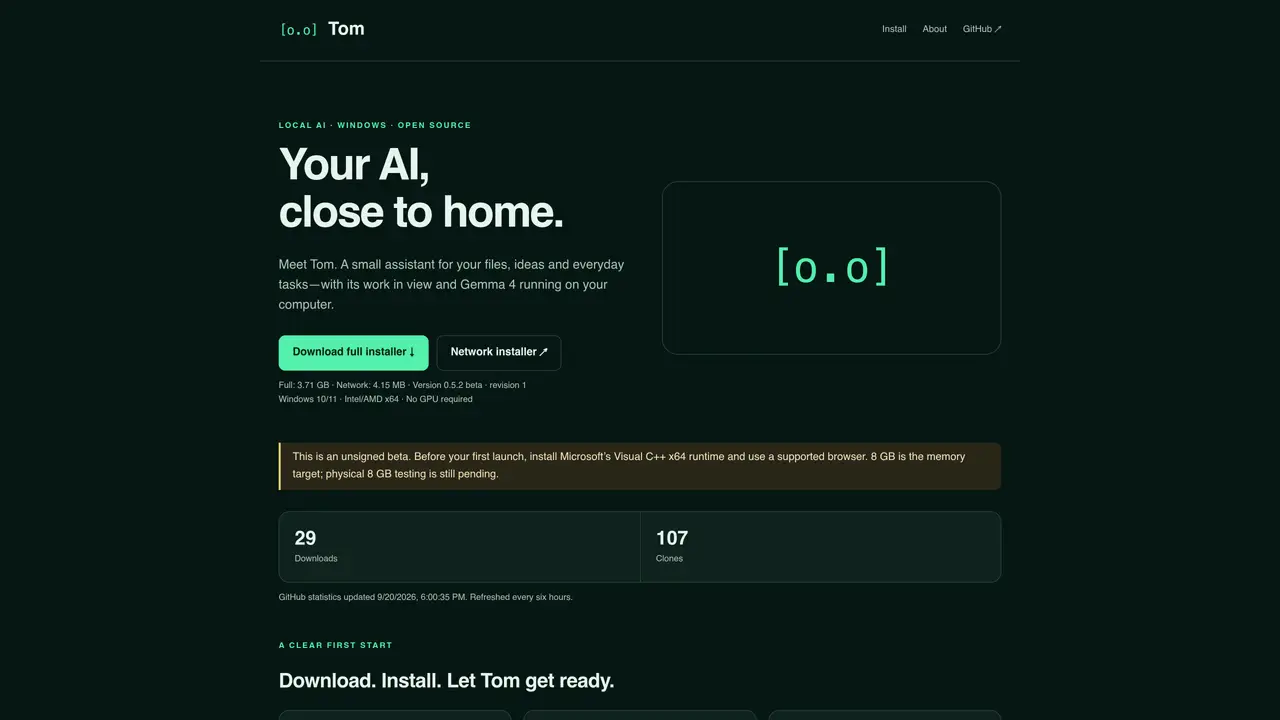
Tom is a local AI assistant designed to work with files, ideas, and everyday tasks on a Windows computer. It runs on the user’s machine using Gemma 4 via llama.cpp and does not require a GPU. The application is distributed as a full offline installer or a small network installer that downloads components on first run. Tom displays visible work through ASCII states and a context ring, allowing users to inspect its progress and actions. It can read and create local files, summarize documents, transform tables, generate checklists, and inspect simple images. The assistant can also run programs and interact with supported browser pages with visible actions and review controls. Tom is positioned as a small, focused tool rather than a general-purpose AI, with limitations noted in browsing, large coding jobs, and long tasks. It is built on open-source components including Gemma 4, Node.js, SQLite, and Playwright, and is released under the Apache 2.0 license.
Tom is a local AI assistant designed for Windows that works with files, ideas, and everyday tasks. It runs on the user's machine using Gemma 4 via llama.cpp without requiring a GPU, and displays its progress through visible ASCII states and a context ring.
Tom is suitable for users who need a small, focused AI assistant for local tasks such as summarizing documents, transforming tables, generating checklists, or inspecting simple images. It is not intended for large coding jobs, extensive browsing, or long tasks.
Tom can be installed using either a full offline installer or a small network installer. Before installation, ensure Windows 10/11 x64 is running with a supported browser and Microsoft’s Visual C++ x64 runtime is installed. The full installer includes all components, while the network installer downloads them on first run.
While Tom runs locally for most tasks, some features like browsing, search, downloads, and update checks require an internet connection. Local processing does not guarantee offline functionality for all features.
Tom is not designed for browsing, large coding jobs, or long tasks. Its reliability varies depending on the task, and users should verify important work as local processing does not ensure correctness. Some features, like webpage tasks, may fail.
The full installer is provided as an original EXE file with a SHA-256 checksum for verification. Users can download the checksums and compare them locally to ensure the installer’s integrity before running it.
We use essential cookies to run aitoolnavio™, and optional cookies to analyze traffic and measure our marketing. You choose what we use — optional cookies stay off unless you turn them on. See our Privacy Policy.
One short email a week: fresh tools worth trying, honest takes and the updates that actually matter. No spam, unsubscribe any time.
Discover personalized fashion, receive expert advice, and enjoy convenient shopping with free shipping and returns.
Personal assistant that coordinates tasks across apps and devices via text or call
Quickly narrow searches by category, control results by country or language, and find relevant, accurate results with ease.
Optimizes schedules by auto-organizing tasks and meetings.
AI assistant that drafts, reviews, and researches legal documents for lawyers and law firms.
Real-time task tracking, project management, collaboration, and task assignment.
An AI voice assistant that delivers emotionally intelligent, context-aware conversations with natural timing and personal engagement.
Identify technologies, analyze data, and refine search criteria with AI-powered tools for patent research and trend analysis.
Automate audio and video transcription, timestamps, speaker labels, diarization, and export with customizations.
An AI chat platform for immersive, personalized interactions with virtual companions, including image generation.
Customer relations assistant in Gmail
AI-driven app personalizing adaptive workouts for continuous improvement.
Matched on what this tool does — grouped by the job you would be replacing.
matches Local model inference using Gemma 4 · File reading and creation · Visible ASCII states showing work progress
Windows desktop AI agent that plans and executes local tasks with user approval
AI agent that reads, edits and organizes files and runs commands on desktop
Unified local workspace for running AI models, automations and custom tools on a computer
Desktop AI assistant that executes plain-language requests across files, tools and services
matches Local model inference using Gemma 4 · Apache 2.0 open-source license
Run open-source chatbots locally on your PC without internet, keeping conversations private and offline.
Self-hosted AI platform running locally with user-owned data and models
Open-source offline AI agent that runs entirely on your local machine with no cloud dependency.