Collaboration and version control platform for software development and AI model hosting.
645M visits/mo-0.6%#1 Coding & Development
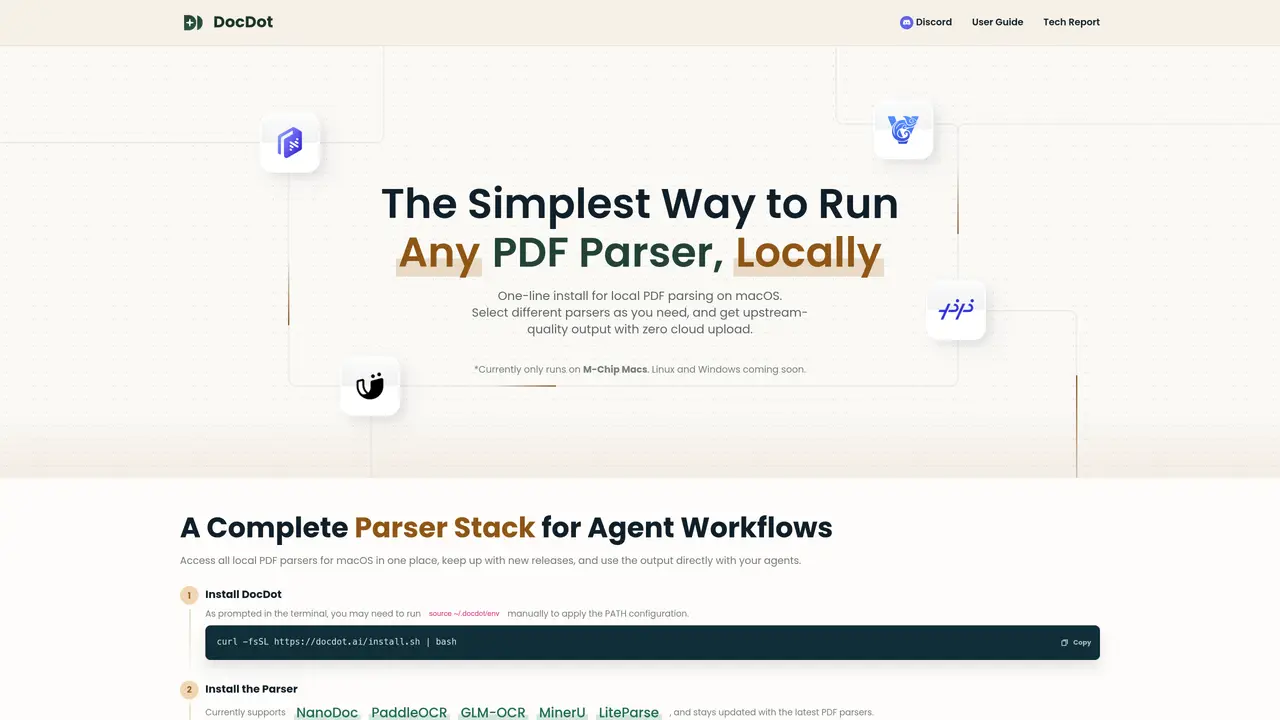
DocDot provides a unified local interface for running multiple PDF parsing tools on macOS. Users can install and switch between parsers such as NanoDoc, PaddleOCR, GLM-OCR, MinerU, and LiteParse without uploading documents to the cloud. The tool supports command-line and web-based interfaces for parsing PDFs, returning output in formats like markdown or JSON. It is designed to integrate directly with agent workflows, including platforms like Codex, Claude Code, OpenClaw, Hermes, and WorkBuddy. DocDot maintains updated versions of supported parsers and allows users to filter tools based on specific capabilities such as multilingual support, table extraction, or chart recognition. The installation process involves a one-line command followed by parser-specific setup, with a web UI available for interactive use.
DocDot is a unified local interface for running multiple PDF parsing tools on macOS. It allows users to install and switch between parsers such as NanoDoc, PaddleOCR, GLM-OCR, MinerU, and LiteParse without uploading documents to the cloud.
DocDot is designed for users who need to parse PDFs locally, particularly those working with agent workflows or requiring privacy-focused document processing. It suits developers, researchers, and professionals handling sensitive or large-scale PDF data.
Installation involves running a one-line command in the terminal, followed by parser-specific setup. Users may need to run 'source ~/.docdot/env' to apply PATH configuration. The process is guided through terminal prompts.
DocDot supports output in markdown and JSON formats, allowing users to integrate parsed data directly into their workflows or agent systems.
Yes, DocDot integrates with agent platforms such as Codex, Claude Code, OpenClaw, Hermes, and WorkBuddy. Users can install the DocDot Agent Skill to enable direct interaction with these platforms.
Yes, DocDot allows users to filter tools based on capabilities such as multilingual support, table extraction, chart recognition, and more. This helps users select the most suitable parser for their specific document needs.
We use essential cookies to run aitoolnavio™, and optional cookies to analyze traffic and measure our marketing. You choose what we use — optional cookies stay off unless you turn them on. See our Privacy Policy.
One short email a week: fresh tools worth trying, honest takes and the updates that actually matter. No spam, unsubscribe any time.
Collaboration and version control platform for software development and AI model hosting.
A cloud platform for deploying, scaling, and managing web apps and AI workloads with Git-based CI/CD and edge functions.
Unified platform to access and switch between hundreds of AI models like ChatGPT, Claude, and Gemini via a single API.
xAI builds Grok frontier AI models for reasoning, coding, voice, images, video, enterprise workflows, and developer APIs.
Meta AI enhances machine learning, NLP, and computer vision capabilities.
AI-powered coding platform that uses agents to plan, write, and test software with real-time feedback and verifiable artifacts.
Open-source backend platform providing Postgres, authentication, APIs, and real-time features to build scalable apps quickly.
Chat, build, and explore with open AI models.
Standardize application packaging and execution with portable containers for consistent local and cloud workflows.
Cloud communications platform that lets developers embed SMS, voice, WhatsApp, email, video, verification, and conversational AI via APIs.
Revolutionize AI application development, monitoring, and deployment with LangChain.
Run open-source chatbots locally on your PC without internet, keeping conversations private and offline.
Matched on what this tool does — grouped by the job you would be replacing.
matches Unified local PDF parsing interface · Multiple parser options (NanoDoc, PaddleOCR, GLM-OCR, MinerU, LiteParse) · Command-line and web UI for parsing
Open-source AI document parser that converts PDFs, images, and documents into structured Markdown or JSON for AI workflows.
AI-powered PDF parsing API that extracts tables, paragraphs, images, and TOC from complex PDFs into RAG-ready JSON or Markdown for developers and businesses.
Enterprise document parsing platform that converts PDFs, office files, images, HTML, and media into structured outputs via API for developers and analysts.
Open-source document parsing library that converts PDFs, DOCX, PPTX, EPUB, and more into structured data for generative AI workflows.