
Summarizes, extracts, and rewrites content from files.
89M visits/mo+8.7%#2 Productivity & Office

Zero-config docs framework that turns Markdown into a production-grade site with built-in AI features and automatic navigation.
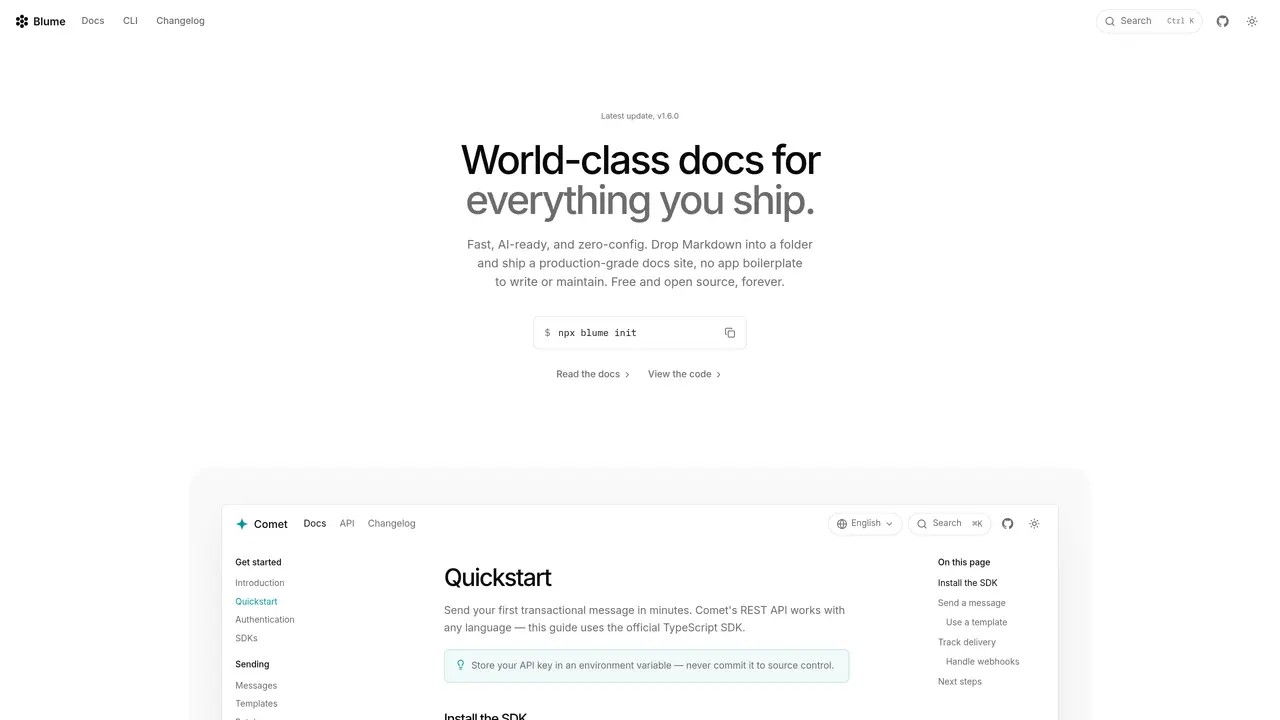
Blume is an open-source, zero-config documentation framework built on Astro and Vite that transforms a folder of Markdown or MDX files into a fully featured docs site without requiring boilerplate code. It automatically generates navigation from the file structure and includes essential features like search, theming, Open Graph images, and SEO optimization out of the box. The framework integrates AI capabilities such as llms.txt generation, a hosted MCP server compatible with tools like Claude Code and Cursor, an Ask AI assistant, and raw Markdown URLs designed for LLM consumption. The included CLI streamlines tasks like scaffolding projects, running a development server, building static output, validating links, auditing SEO, and evaluating documentation with AI assistance. Static sites generated by Blume can be deployed to any CDN or static hosting provider, with server-mode adapters available for platforms like Vercel, Netlify, and Cloudflare Pages. This approach eliminates the need for complex setup or maintenance while delivering a professional documentation experience.
Blume is an open-source documentation framework that transforms a folder of Markdown or MDX files into a fully featured, production-grade documentation site without requiring boilerplate code or complex setup.
Blume is designed for developers, technical writers, and teams who want to quickly publish professional documentation with minimal configuration while leveraging AI capabilities and interactive API references.
Blume includes AI capabilities such as llms.txt generation, a hosted MCP server compatible with tools like Claude Code and Cursor, and an Ask AI assistant, enabling AI-driven documentation workflows.
Yes, Blume supports interactive API references by rendering OpenAPI or AsyncAPI specs with live playgrounds, and it can pull changelog entries from GitHub Releases for automatic timeline generation.
Blume generates static sites that can be deployed to any CDN or static hosting provider, with server-mode adapters available for platforms like Vercel, Netlify, and Cloudflare Pages.
Get started by running the Blume CLI command to initialize a project, then drop Markdown files into the project folder and use the CLI to scaffold, develop, and deploy your documentation site.
useblume.dev · third-party estimates from Similarweb
Last 3 months · grows by one month every month
Share of visits · estimated visits
Productivity & Office · Sep 2026
Traffic figures are third-party estimates, good for scale and trends; they can differ from a company's own numbers. Updated monthly.
We use essential cookies to run aitoolnavio™, and optional cookies to analyze traffic and measure our marketing. You choose what we use — optional cookies stay off unless you turn them on. See our Privacy Policy.
One short email a week: fresh tools worth trying, honest takes and the updates that actually matter. No spam, unsubscribe any time.
Summarizes, extracts, and rewrites content from files.
Automate citation and reference management, aid research with text and data mining, and securely store and share documents.
Capture, organize, and share ideas, notes, and documents effortlessly.
Headless CMS that lets developers manage structured content and deliver it anywhere via flexible APIs and real-time collaboration tools.
Efficiently create and manage cases, streamline workflows, securely store and share documents, and collaborate with colleagues.
Access files, collaborate, and secure your data with unbeatable customizable system.
An AI-powered PDF editor and converter for editing, OCR, signing, annotating, merging, and chatting with documents across devices.
Browser-based PDF editor that edits, signs, converts, merges, compresses, and shares files, with AI for form filling, document chat, and PDF creation.
Securely store, access, and search documents from any device with ease.
Create and customize legal documents, consult lawyers, and access legal guides all in one platform.
Centralize brand assets, automate approvals, and collaborate with external partners in a single digital asset management platform.
AI diagramming and documentation tool for engineering teams to create and update cloud architecture, ERDs, and flowcharts from prompts, code, and CI/CD workflows.
Matched on what this tool does — grouped by the job you would be replacing.
matches Zero-config setup with automatic navigation from file structure · Built-in search, theming, Open Graph images, and SEO optimization · Static output deployable to any CDN or static host
Instantly serve GitHub-hosted Markdown as modern documentation with AI features
AI-driven tool for instant custom Next.js codebases and deployment.
matches Raw Markdown URLs for LLM consumption
Scraping API that converts web pages into clean markdown text
Fetch live web pages, search the web, and inject real-time content into your AI assistant's context.