Summarizes, extracts, and rewrites content from files.
89M visits/mo+8.7%#2 Productivity & Office

An AI research workspace for uploading sources, chatting for insights, building knowledge graphs, collaborating, and running semantic search.
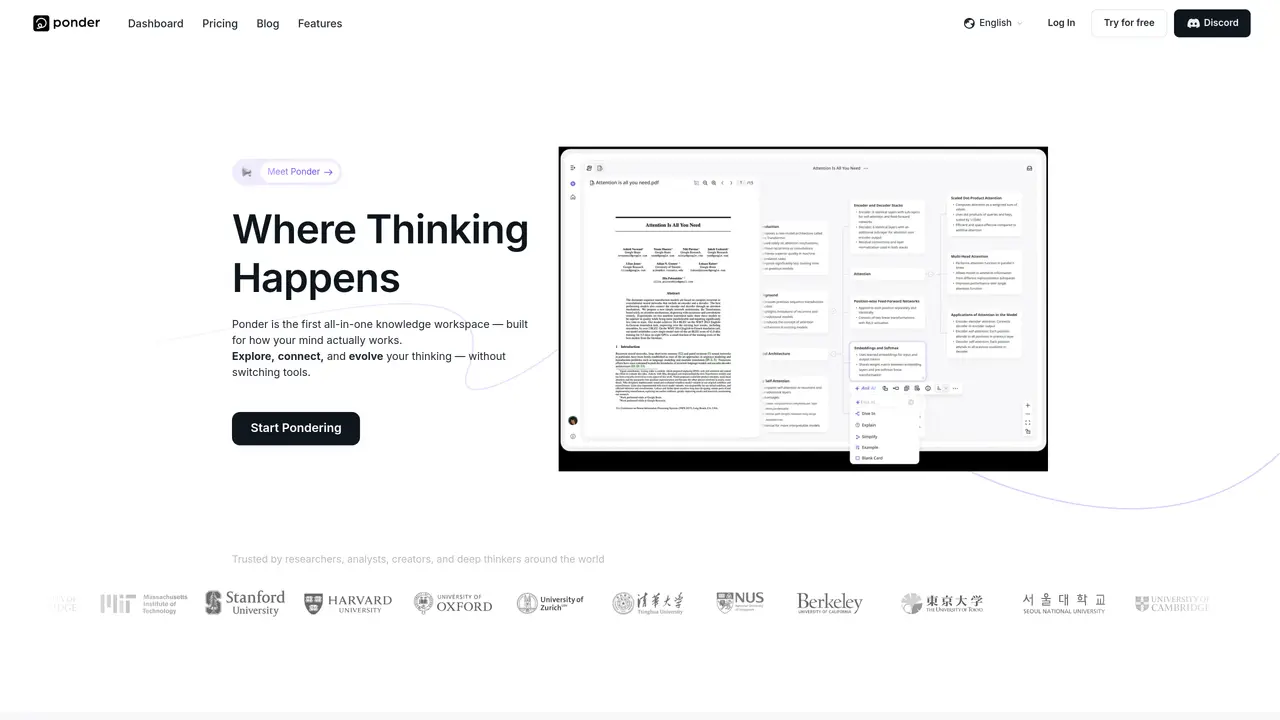
Ponder is a web-based AI research workspace designed for students, analysts, researchers, and creators who need to transform scattered sources into structured, connected knowledge. Users can ingest and index sources such as PDFs, videos, and web pages, organizing them within a personal library with a 150MB per-file upload limit on most plans. The platform enables AI-powered chat over documents to ask questions, extract insights, generate summaries, and draft AI-assisted literature reviews across peer-reviewed papers and uploaded materials. A key feature is its knowledge graph and infinite canvas, which allow users to visually map ideas, connect concepts across sources, and explore emerging patterns as projects evolve. Ponder also supports team collaboration through shared projects and folders, real-time updates, and semantic search that spans personal libraries, team libraries, and external databases, with results ranked by relevance. Exports such as mind maps (PNG/HTML) and Markdown are available, and the tool was formerly known as ResearchFlow. Pricing follows a freemium model with multiple tiers offering varying AI credit allowances per month.
Ponder is an AI-powered knowledge workspace designed for researchers, analysts, students, creators, and deep thinkers. It helps users explore, connect, and evolve their thinking by organizing sources like PDFs, videos, and web pages into a personal library and visual knowledge maps.
Ponder enables users to ingest and index sources, ask AI-powered questions, extract insights, generate summaries, and draft literature reviews. Its knowledge graph and infinite canvas allow visual mapping of ideas and connections across documents to reveal patterns and deeper insights.
Yes, Ponder supports team collaboration through shared projects and folders, real-time updates, and semantic search across personal and team libraries. Multiple users can work together in a unified workspace to build and refine knowledge assets.
Ponder allows users to export their thinking as structured reports, mind maps (PNG/HTML), and clean Markdown files. These exports help turn insights into shareable and reusable knowledge assets for presentations or further analysis.
Ponder follows a freemium pricing model, offering a free tier with basic features. Paid plans provide additional AI credit allowances, higher file upload limits, and advanced collaboration tools for individuals and teams.
Users can start by signing up on the Ponder website and trying the tool for free. Once logged in, they can upload sources, ask questions, and begin organizing their thinking space to explore and connect ideas instantly.
ponder.ing · third-party estimates from Similarweb
Last 4 months · grows by one month every month
Share of visits · estimated visits
Other countries: 45.9%
Productivity & Office · Sep 2026
Traffic figures are third-party estimates, good for scale and trends; they can differ from a company's own numbers. Updated monthly.
We use essential cookies to run aitoolnavio™, and optional cookies to analyze traffic and measure our marketing. You choose what we use — optional cookies stay off unless you turn them on. See our Privacy Policy.
One short email a week: fresh tools worth trying, honest takes and the updates that actually matter. No spam, unsubscribe any time.
Summarizes, extracts, and rewrites content from files.
Automate citation and reference management, aid research with text and data mining, and securely store and share documents.
Capture, organize, and share ideas, notes, and documents effortlessly.
Headless CMS that lets developers manage structured content and deliver it anywhere via flexible APIs and real-time collaboration tools.
Efficiently create and manage cases, streamline workflows, securely store and share documents, and collaborate with colleagues.
Access files, collaborate, and secure your data with unbeatable customizable system.
An AI-powered PDF editor and converter for editing, OCR, signing, annotating, merging, and chatting with documents across devices.
Browser-based PDF editor that edits, signs, converts, merges, compresses, and shares files, with AI for form filling, document chat, and PDF creation.
Securely store, access, and search documents from any device with ease.
Create and customize legal documents, consult lawyers, and access legal guides all in one platform.
Centralize brand assets, automate approvals, and collaborate with external partners in a single digital asset management platform.
AI diagramming and documentation tool for engineering teams to create and update cloud architecture, ERDs, and flowcharts from prompts, code, and CI/CD workflows.
Matched on what this tool does — grouped by the job you would be replacing.
matches Source ingestion and indexing for PDFs, videos, and web pages · AI chat over documents for questions, insights, and summaries · Semantic search across personal, team, and external databases
Centralize knowledge, collaborate in real time, and edit documents with AI-powered tools in one cloud workspace.
AI-powered knowledge base to capture, analyze, and repurpose content from videos, social media, and documents into reusable insights and formats.
AI-powered research engine that analyzes sources, builds mind maps, and streamlines research workflows for deeper insights.
A personal knowledge base for technical research that captures multi-modal notes and detects contradictions
matches Knowledge graph and infinite canvas for visual mapping · Exports including mind maps (PNG/HTML) and Markdown
matches Team collaboration with shared projects and real-time updates · Unlimited projects across all plans
MindMap AI is an AI-powered tool that turns text, PDFs, audio, video, and more into editable mind maps.
A visual knowledge base for students, researchers, and lifelong learners to organize and explore ideas interactively.
Visual note-taking and research tool for organizing ideas with linked docs, boards, and real-time collaboration.
AI-powered tool that instantly converts any content (documents, videos, web pages) into interactive mind maps with chat functionality and custom AI instructions.
An agentic AI coworker that analyzes documents, spreadsheets, and websites to deliver contextual answers and generate structured outputs.
Collaborative AI canvas for teams to co-create decks, social posts, documents, and video with built-in scheduling and brand consistency.