Generate content, correct spelling, suggest synonyms to enhance writing.
173M visits/mo+0.1%#1 Productivity & Office

Browser extension that organizes AI chats across ChatGPT, Claude, Gemini and Perplexity
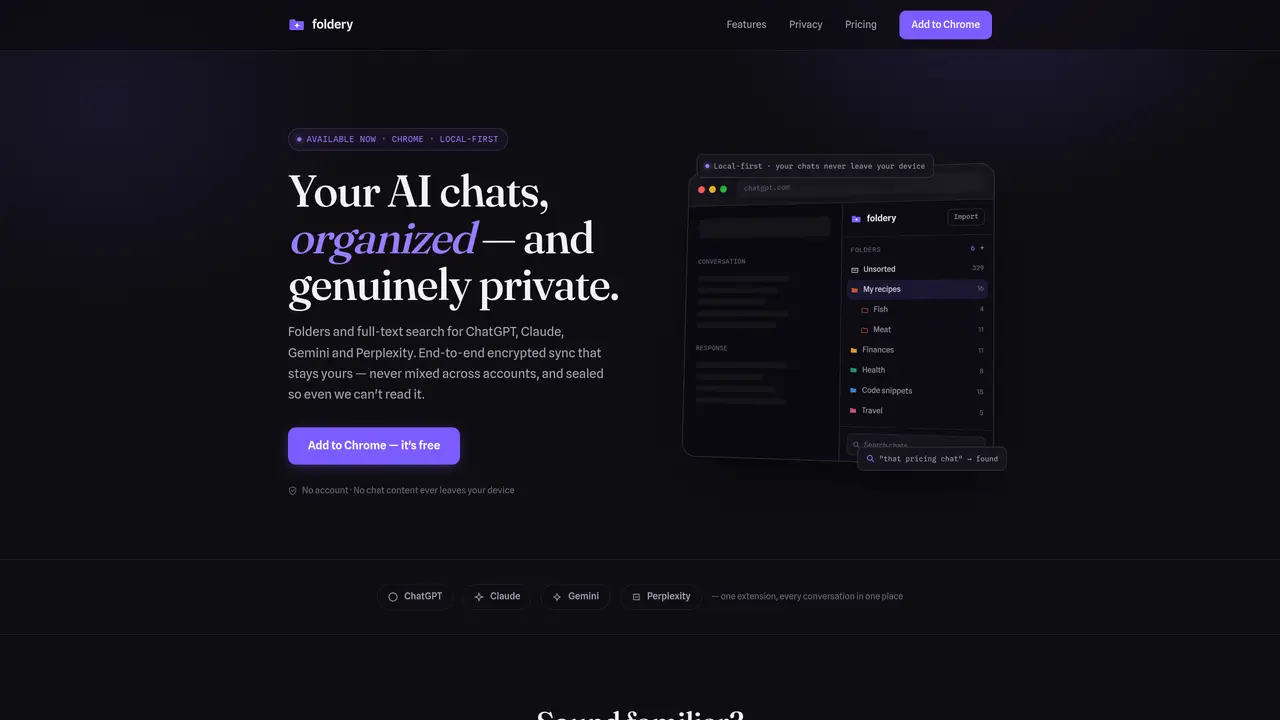
Foldery is a browser extension that organizes AI conversations from ChatGPT, Claude, Gemini and Perplexity into folders and subfolders. It provides full-text search across all conversations, allowing users to find specific chats by keywords rather than just titles. The tool supports drag-and-drop filing and color-coded folders for visual organization. Foldery operates local-first, meaning chat content never leaves the user’s device unless end-to-end encrypted sync is enabled. When sync is turned on, data is encrypted before transmission and remains unreadable by the service provider. The extension allows users to import conversations from Easy Folders and export all data to open JSON format, ensuring portability and avoiding vendor lock-in. Foldery offers a free tier with basic features and paid plans for unlimited folders and cross-device sync.
Foldery is a browser extension that organizes AI conversations from ChatGPT, Claude, Gemini, and Perplexity into folders and subfolders. It provides full-text search across all conversations, drag-and-drop filing, and color-coded folders for visual organization.
Foldery is designed for users who frequently use multiple AI platforms and need a way to organize, search, and manage their chat history efficiently. It suits individuals who rely on AI tools for work, research, coding, or personal projects.
No, Foldery does not require an account to use its basic features. Users can start organizing their chats immediately after installing the extension without signing up.
Foldery operates local-first, meaning chat content never leaves the user’s device unless end-to-end encrypted sync is enabled. When sync is turned on, data is encrypted before transmission and remains unreadable by the service provider.
Yes, Foldery allows users to import conversations from Easy Folders and export all data to open JSON format, ensuring portability and avoiding vendor lock-in.
Foldery offers a free tier with basic features and paid plans for unlimited folders and cross-device sync. Paid plans include a one-time lifetime payment or monthly/yearly subscriptions.
foldery.app · third-party estimates from Similarweb
Share of visits · estimated visits
Traffic figures are third-party estimates, good for scale and trends; they can differ from a company's own numbers. Updated monthly.
We use essential cookies to run aitoolnavio™, and optional cookies to analyze traffic and measure our marketing. You choose what we use — optional cookies stay off unless you turn them on. See our Privacy Policy.
One short email a week: fresh tools worth trying, honest takes and the updates that actually matter. No spam, unsubscribe any time.
Generate content, correct spelling, suggest synonyms to enhance writing.
Turn messy team ideas into actionable plans with Miro's visual workspace.
Leverage analytics, automate tasks, share documents, and coordinate projects.
Integrates AI into Airtable to analyze data, summarize insights, draft content, and automate workflows without prior AI experience.
Cloud accounting software that automates bookkeeping, invoicing, and financial reporting for small and growing businesses.
Streamline teamwork, manage projects, automate tasks efficiently.
Automate code, research, and documents using agents.
AI assistant for safe, reliable productivity with code, collaboration, and integrations.
Create customizable tables, databases, and spreadsheets, share data securely with team members.
Easy-to-use CRM platform that automates lead capturing, prioritizes tasks, and provides sales pipeline analytics for businesses of all sizes.
Transforms thoughts into actions, enhancing productivity and efficiency.
Write & run code in 50+ languages, auto-complete with AI, and code faster with an intuitive interface.
Matched on what this tool does — grouped by the job you would be replacing.
Paid placement · similar tools from listings that support aitoolnavio™
Instant lead response for home-service pros: your phone rings on every new lead, plus 14 days of follow-up
matches Folders and subfolders · Drag-and-drop filing · Cross-platform support
matches Full-text search across all conversations · Export to PDF, Markdown, TXT, JSON, and ZIP formats
Chrome extension that organizes and exports AI chat histories across platforms
Browser extension that organizes ChatGPT and Claude chat history into folders with search, bookmarks, and a prompts manager for power users.
Browser extension organizing AI chat conversations into folders with text highlights and links
Browser extension to search and organize messages across multiple AI chat platforms locally
Export chats, merge conversations, set permissions, search keywords, and filter chats by date, time, or user.
Browser extension adding folders, prompt library and export to Google Gemini