Generate content, correct spelling, suggest synonyms to enhance writing.
173M visits/mo+0.1%#1 Productivity & Office

AI-powered construction project management for residential contractors, handling takeoffs, estimates, proposals, and project tracking.
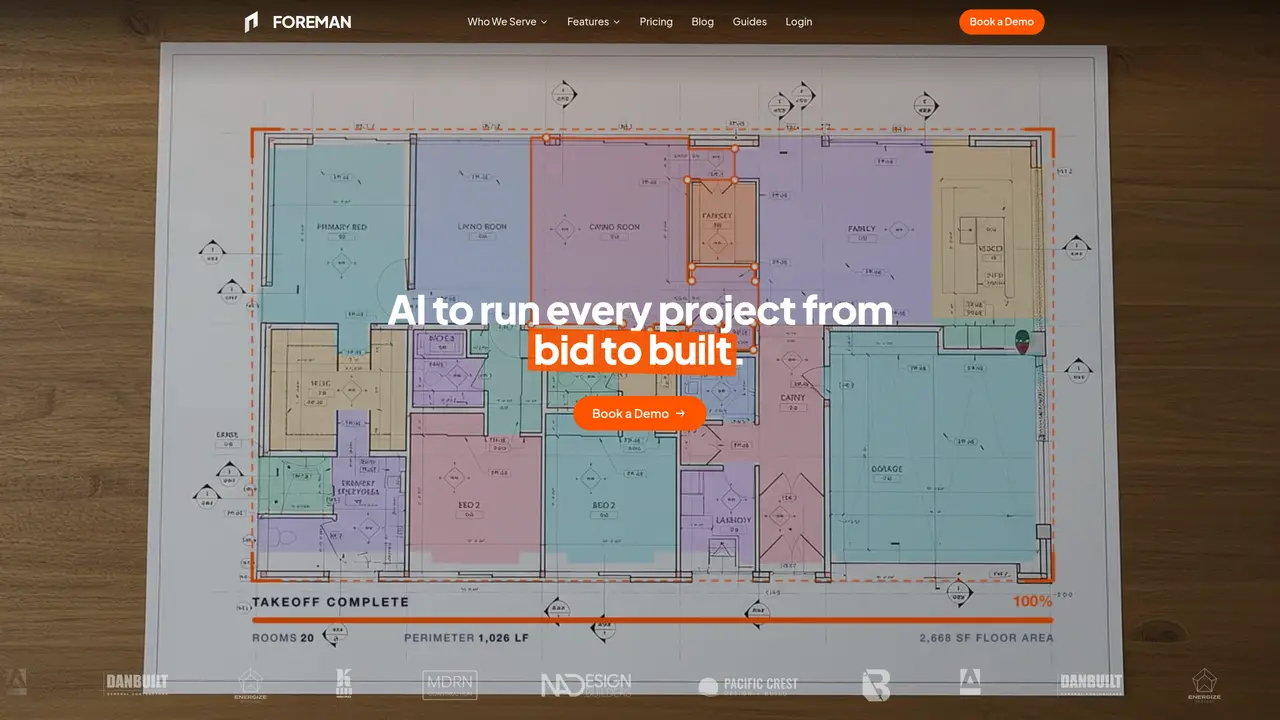
Foreman is a web-based, AI-powered project management platform designed specifically for residential contractors. It streamlines construction jobs from initial bid through invoicing and project closeout, replacing scattered spreadsheets, email threads, and separate takeoff and proposal tools. The platform allows contractors to upload project plans, photos, or descriptions to generate structured takeoffs, scoped estimates, and client-ready proposals using AI assistance. Users can perform in-browser plan takeoffs by setting scale on uploaded blueprints to measure areas, lengths, and counts directly within the application. Foreman centralizes project records, including customer details, plans, permits, photos, contracts, change orders, and communications, into a single job hub. The system automatically monitors projects, invoices, and deadlines while enabling users to ask AI questions about job status, such as deposit tracking or upcoming start dates, for quick answers. It also supports e-signatures, invoicing, and document management, making it a comprehensive solution for end-to-end construction project execution.
Foreman is an AI-powered project management platform that streamlines construction jobs from initial bid through invoicing and project closeout. It centralizes project records, automates takeoffs and estimates, tracks costs in real time, and enables field updates via daily logs and receipts.
Foreman is designed specifically for residential contractors, including home builders, remodelers, roofers, and commercial contractors. It supports trades by providing tailored tools for estimating, project tracking, and client communication.
The AI takeoff feature allows users to upload construction plans and have the AI measure areas, lengths, and counts directly within the application. Every quantity is traced back to the original sheet, enabling quick verification and adjustments.
Yes. Most contractors begin by using Foreman for one live project, such as creating a takeoff, budgeting, and sending an agreement, while keeping other projects in their existing systems until they are ready to transition.
No. Clients and subcontractors can access shared project information via a link without needing their own accounts. They only see what you choose to share, and there are no additional seat charges for them.
To get started, you need to book a demo. During the demo, Foreman sets up your account with your cost codes, budget templates, and sample plans, ensuring your first estimate aligns with your workflow. Onboarding support is included.
foreman.co · third-party estimates from Similarweb
Last 4 months · grows by one month every month
Share of visits · estimated visits
Productivity & Office · Sep 2026
Traffic figures are third-party estimates, good for scale and trends; they can differ from a company's own numbers. Updated monthly.
We use essential cookies to run aitoolnavio™, and optional cookies to analyze traffic and measure our marketing. You choose what we use — optional cookies stay off unless you turn them on. See our Privacy Policy.
One short email a week: fresh tools worth trying, honest takes and the updates that actually matter. No spam, unsubscribe any time.
Generate content, correct spelling, suggest synonyms to enhance writing.
Turn messy team ideas into actionable plans with Miro's visual workspace.
Leverage analytics, automate tasks, share documents, and coordinate projects.
Integrates AI into Airtable to analyze data, summarize insights, draft content, and automate workflows without prior AI experience.
Cloud accounting software that automates bookkeeping, invoicing, and financial reporting for small and growing businesses.
Streamline teamwork, manage projects, automate tasks efficiently.
Automate code, research, and documents using agents.
AI assistant for safe, reliable productivity with code, collaboration, and integrations.
Create customizable tables, databases, and spreadsheets, share data securely with team members.
Easy-to-use CRM platform that automates lead capturing, prioritizes tasks, and provides sales pipeline analytics for businesses of all sizes.
Transforms thoughts into actions, enhancing productivity and efficiency.
Write & run code in 50+ languages, auto-complete with AI, and code faster with an intuitive interface.
Matched on what this tool does — grouped by the job you would be replacing.
Paid placement · similar tools from listings that support aitoolnavio™
Instant lead response for home-service pros: your phone rings on every new lead, plus 14 days of follow-up
matches AI-assisted bidding and estimating from plans, photos, or project descriptions · AI-driven construction cost estimation · Generates detailed estimates from descriptions, drawings, or photos
matches In-browser plan takeoffs with direct measurement of blueprints · Automated measurement and counting of construction elements · Natural-language AI Search with cited sources
matches Client-ready proposal generation · E-signatures and invoicing capabilities · Creates client-ready proposals, invoices, and change orders automatically
AI platform that instantly generates contractor estimates, proposals, invoices, and project documents from simple inputs like photos or descriptions.
AI-powered construction estimating service for contractors and developers
AI estimator for trade contractors that generates accurate, itemized estimates quickly.
Contractor-focused business management platform with AI drafting and automation tools
AI-powered construction takeoff software that automates measurements, counts, and plan organization for faster, error-reduced project estimates.
AI-powered platform to streamline construction workflows, extract data from plans, and automate project management tasks.
All-in-one AI-powered business platform for freelancers and small teams
Connected AI tools for lead capture, proposals and invoicing in one workspace