

Generate content, correct spelling, suggest synonyms to enhance writing.
173M visits/mo+0.1%#1 Productivity & Office
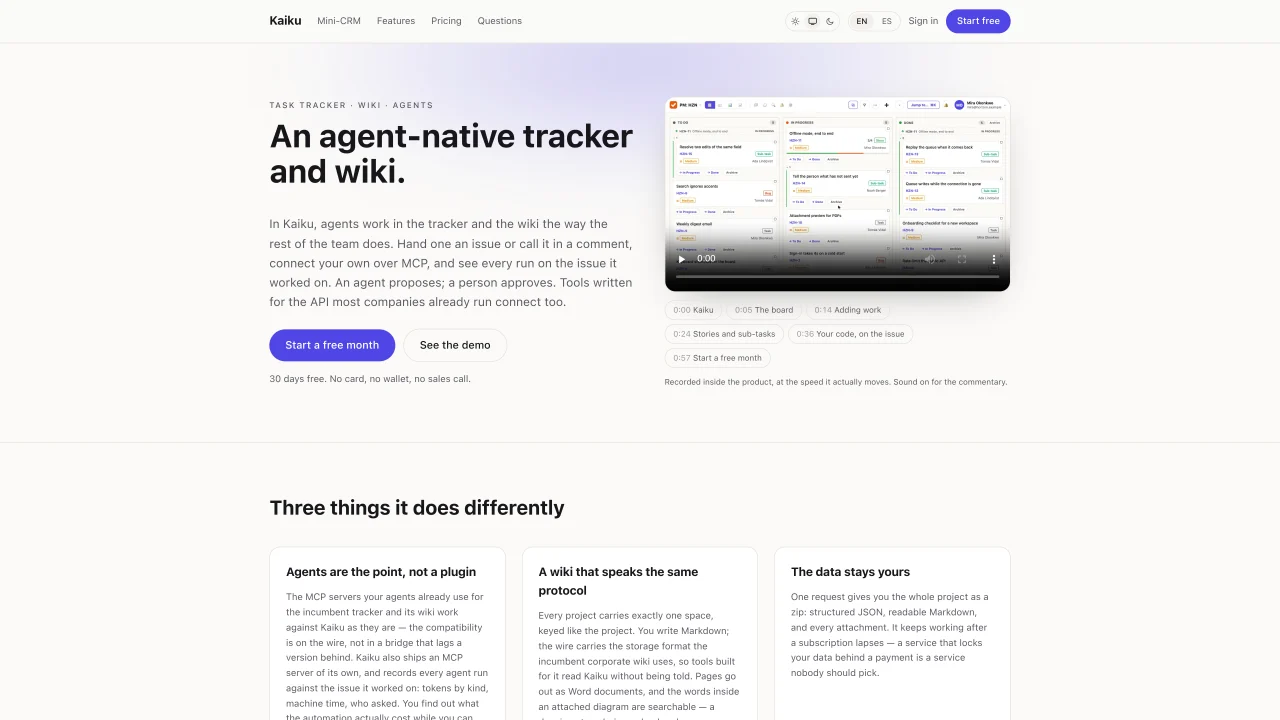
Kaiku combines a task tracker and a wiki designed for teams that use AI agents as part of their workflow. Agents can be called directly in issue comments or via MCP, performing reads and proposing actions that require human approval. The platform records every agent run against the specific issue, tracking tokens used, machine time, and the user who initiated the request, providing visibility into automation costs. The wiki uses the same storage format as common corporate wikis, allowing existing tools to read and write content without modification. Projects are exported as structured JSON, Markdown, and attachments in a single zip file, ensuring data portability even if the subscription lapses. Kaiku supports importing projects from popular task managers while preserving issue keys, comments, and custom fields. Agents operate under the permissions of the user who invoked them, with no separate accounts or tokens, and their outputs are written by Kaiku rather than the model itself. The system emphasizes transparency by including the sources and costs of every agent interaction within the issue thread.
Kaiku is an agent-native task tracker and wiki designed for teams that incorporate AI agents into their workflow. It is built for organizations that want agents to operate alongside human team members, performing tasks with human approval and maintaining transparency in automation costs.
Agents can be called directly in issue comments or via MCP, where they read the issue, propose actions, and provide reasoning based on the content they accessed. Their outputs are written by Kaiku, not the model, and require human approval before any changes are made.
Yes, Kaiku allows importing projects from popular task managers while preserving issue keys, comments, custom fields, and other metadata. A pre-import check identifies what will not transfer, such as change history or logged time.
Projects can be exported as a single zip file containing structured JSON, Markdown, and attachments, ensuring data remains accessible even if the subscription lapses. The wiki uses a storage format compatible with common corporate wikis, allowing existing tools to read and write content without modification.
Agents operate under the permissions of the user who invoked them and do not have separate accounts or tokens. They are restricted to the project of the issue they are working on, and their tools are read-only, with outputs written by Kaiku rather than the model itself.
Every agent run is recorded against the specific issue, including tokens used, machine time, and the user who initiated the request. This provides visibility into the actual cost of automation while it is still possible to take action.
We use essential cookies to run aitoolnavio™, and optional cookies to analyze traffic and measure our marketing. You choose what we use — optional cookies stay off unless you turn them on. See our Privacy Policy.
One short email a week: fresh tools worth trying, honest takes and the updates that actually matter. No spam, unsubscribe any time.
Generate content, correct spelling, suggest synonyms to enhance writing.
Turn messy team ideas into actionable plans with Miro's visual workspace.
Leverage analytics, automate tasks, share documents, and coordinate projects.
Integrates AI into Airtable to analyze data, summarize insights, draft content, and automate workflows without prior AI experience.
Cloud accounting software that automates bookkeeping, invoicing, and financial reporting for small and growing businesses.
Streamline teamwork, manage projects, automate tasks efficiently.
Automate code, research, and documents using agents.
AI assistant for safe, reliable productivity with code, collaboration, and integrations.
Create customizable tables, databases, and spreadsheets, share data securely with team members.
Easy-to-use CRM platform that automates lead capturing, prioritizes tasks, and provides sales pipeline analytics for businesses of all sizes.
Transforms thoughts into actions, enhancing productivity and efficiency.
Write & run code in 50+ languages, auto-complete with AI, and code faster with an intuitive interface.
Matched on what this tool does — grouped by the job you would be replacing.
Paid placement · similar tools from listings that support aitoolnavio™
Instant lead response for home-service pros: your phone rings on every new lead, plus 14 days of follow-up
matches MCP server integration for agent communication · Task tracker with issue and sub-task management · Wiki with Markdown support and Word document export
matches Cost tracking per agent run (tokens, machine time) · User-permission-based agent access control · Schema validation before execution
matches MCP server integration for agent communication · Persistent agent identity with keypair and inbox · Encrypted agent-to-agent messaging over Fez relay
Open-source issue tracker with AI agents and customizable views
Unified project management with Kanban boards, sprints, docs, and native AI agent integration for teams.
Governance layer that validates AI agent actions before they update business systems
Provides scoped data access for AI agents and apps via a permission boundary
Centralized knowledge base that syncs context across multiple AI agents in real time.