
Generate content, correct spelling, suggest synonyms to enhance writing.
173M visits/mo+0.1%#1 Productivity & Office

MCP Notion Server connects Notion to Cursor, Claude Desktop, and Windsurf via the MCP protocol.
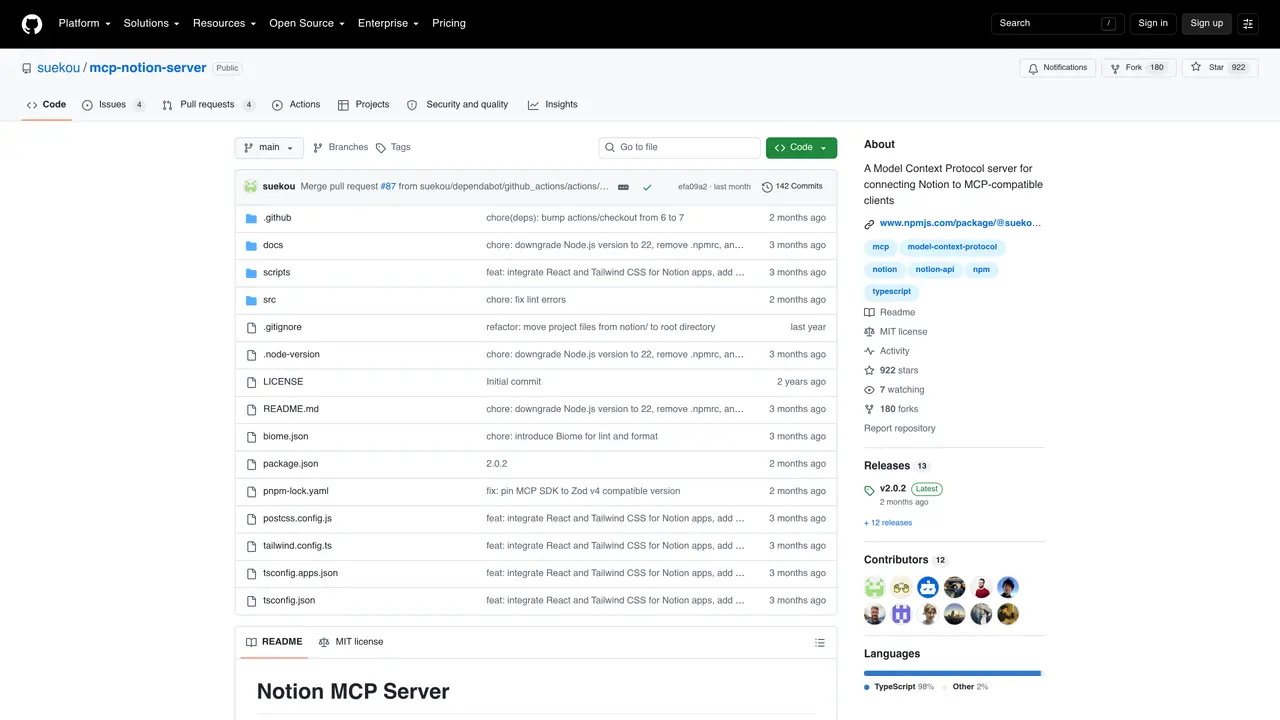
Mcp Notion Server MCP is an open-source MCP server that enables integration between Notion and popular AI development environments such as Cursor, Claude Desktop, and Windsurf. It acts as a bridge, allowing these tools to interact with Notion’s API through the MCP protocol, facilitating seamless data exchange and workflow automation. The server is designed for developers and teams who rely on Notion for project management, documentation, or knowledge bases and wish to streamline their workflows with AI-powered tools. By connecting Notion to these environments, users can leverage AI capabilities for tasks like summarizing documents, generating code snippets, or automating repetitive processes directly from their preferred development interface. The setup is straightforward, requiring only the installation of the MCP Notion Server and configuration of the target AI tool to recognize it as a valid MCP server. This integration is particularly useful for those who use Notion as a central hub for information and want to enhance productivity by combining it with advanced AI features. The server is free to use and open-source, making it accessible for customization and community-driven improvements.
GitHub, Inc.
San Francisco, California, US · Founded 2008
Mcp Notion Server MCP is an open-source MCP server that bridges Notion with MCP-compatible AI tools like Cursor, Claude Desktop, and Windsurf. It enables AI agents to interact with Notion workspaces, allowing tasks such as reading, querying, updating, and managing content directly from an AI development environment.
This tool is best suited for developers, teams, and AI practitioners who rely on Notion for project management, documentation, or knowledge bases and want to streamline workflows by integrating Notion with AI-powered tools for automation and enhanced productivity.
To get started, create a Notion internal integration, configure required capabilities, grant content access to specific pages or databases, copy the integration token, and add the server configuration to your MCP host (e.g., Claude Desktop or Cursor). Restart the host after setup.
Yes, the server targets the Notion API version 2026-03-11 and uses the current database/data source model, ensuring compatibility with recent Notion features.
As an open-source project, users can customize and extend the server’s functionality to suit their specific needs. The codebase is available on GitHub for community contributions and modifications.
The tool requires permissions such as reading content, inserting content, updating content, and optionally reading or inserting comments and user information. These permissions must be configured in the Notion integration dashboard and granted to specific pages or databases.
We use essential cookies to run aitoolnavio™, and optional cookies to analyze traffic and measure our marketing. You choose what we use — optional cookies stay off unless you turn them on. See our Privacy Policy.
One short email a week: fresh tools worth trying, honest takes and the updates that actually matter. No spam, unsubscribe any time.
Generate content, correct spelling, suggest synonyms to enhance writing.
Turn messy team ideas into actionable plans with Miro's visual workspace.
Leverage analytics, automate tasks, share documents, and coordinate projects.
Integrates AI into Airtable to analyze data, summarize insights, draft content, and automate workflows without prior AI experience.
Cloud accounting software that automates bookkeeping, invoicing, and financial reporting for small and growing businesses.
Streamline teamwork, manage projects, automate tasks efficiently.
Automate code, research, and documents using agents.
AI assistant for safe, reliable productivity with code, collaboration, and integrations.
Create customizable tables, databases, and spreadsheets, share data securely with team members.
Easy-to-use CRM platform that automates lead capturing, prioritizes tasks, and provides sales pipeline analytics for businesses of all sizes.
Transforms thoughts into actions, enhancing productivity and efficiency.
Write & run code in 50+ languages, auto-complete with AI, and code faster with an intuitive interface.
Matched on what this tool does — grouped by the job you would be replacing.
Paid placement · similar tools from listings that support aitoolnavio™
Instant lead response for home-service pros: your phone rings on every new lead, plus 14 days of follow-up
matches Connects Notion to Cursor, Claude Desktop, and Windsurf via MCP protocol · Enables AI-powered interactions with Notion documents and databases · Facilitates workflow automation between Notion and AI tools
Open-source MCP server that connects Supabase to Cursor, Claude Desktop, and Windsurf for database interactions.
Neon MCP server connects Neon databases to Cursor, Claude Desktop and Windsurf via MCP.













