Generate content, correct spelling, suggest synonyms to enhance writing.
173M visits/mo+0.1%#1 Productivity & Office

Native macOS client for ChatGPT with inline mode, privacy focus, and multi-provider support.
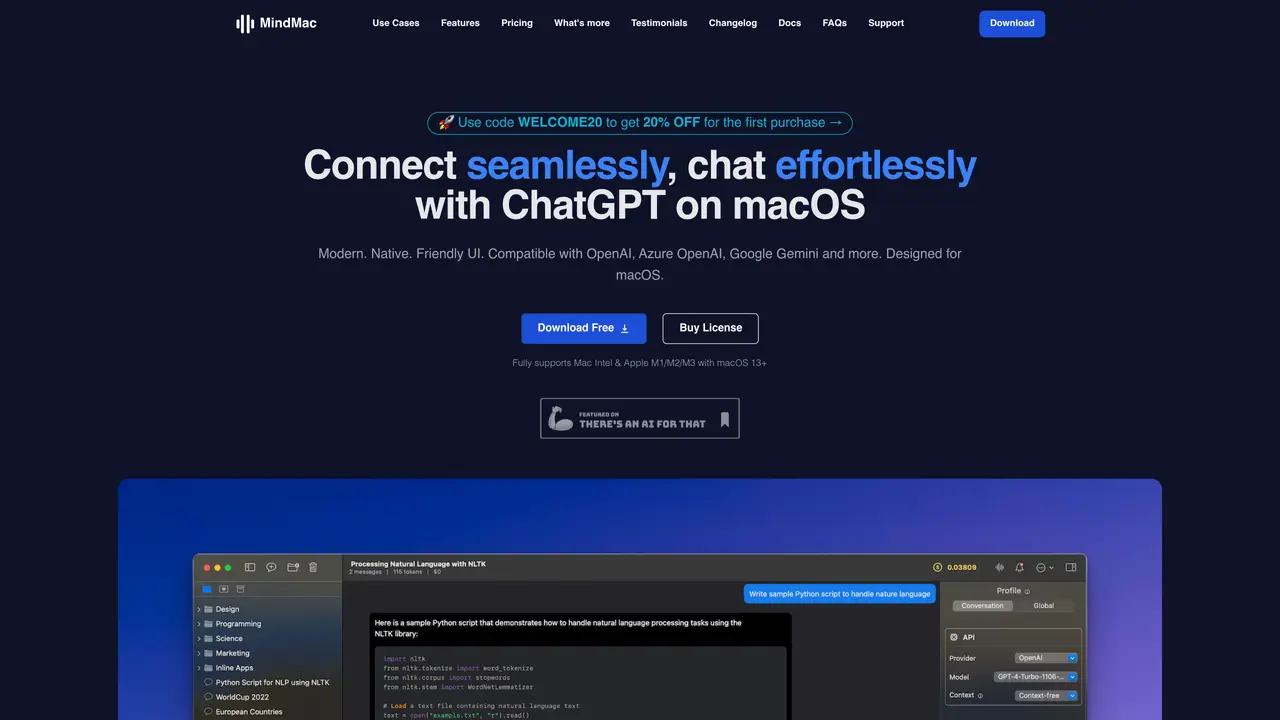
MindMac is a privacy-focused ChatGPT client designed exclusively for macOS, providing a native and intuitive interface for interacting with ChatGPT. The application supports multiple API providers, including OpenAI, Azure OpenAI, and Google Gemini, allowing users to connect and engage with AI models without leaving their workflow or switching between applications. It introduces a powerful inline mode that enables users to generate content, ask questions, or retrieve information directly within any macOS application, minimizing disruptions to productivity. The tool offers extensive customization options, enabling users to tailor settings, themes, and behaviors to align with their personal preferences and workflow requirements. MindMac is built for versatility, catering to ChatGPT users, macOS enthusiasts, AI hobbyists, and productivity-focused individuals seeking an integrated and efficient way to leverage AI on their Mac devices. The app emphasizes privacy, ensuring that interactions and data remain secure and localized to the user’s device. It is optimized for performance, delivering a smooth and responsive experience tailored to the macOS ecosystem.
MindMac is a native macOS client designed for seamless and efficient interaction with ChatGPT and other AI models. It provides a user-friendly interface that supports multiple API providers, including OpenAI, Azure OpenAI, Google Gemini, and others, allowing users to chat without switching applications.
MindMac is ideal for ChatGPT users, macOS enthusiasts, AI hobbyists, and productivity seekers looking for an integrated and efficient way to use AI on their Mac computers. It caters to individuals, teams, and professionals seeking a customizable and secure AI companion.
MindMac stores API keys securely in the Mac Keychain and ensures data is sent directly to the respective AI service servers without passing through middle servers. No account is required to use the app, and users can configure their API key locally for added privacy.
MindMac offers a Basic plan for single macOS device use, a Personal plan for two devices, and a Standard plan for three devices. Each plan includes all features and one year of free updates. Pricing is available as a one-time purchase with occasional discounts.
MindMac supports a wide range of AI models and services, including local LLMs via LMStudio, LocalAI, GPT4All, Ollama, and llama.cpp. It also supports custom API endpoints, HTTP/SOCKS5 proxies, and various search and image generation tools.
To get started, download the app from the official website, configure your API key, and begin using it immediately. No account is required, and the app is designed to work out of the box with minimal setup.
mindmac.app · third-party estimates from Similarweb
Last 4 months · grows by one month every month
Share of visits · estimated visits
Productivity & Office · Sep 2026
Traffic figures are third-party estimates, good for scale and trends; they can differ from a company's own numbers. Updated monthly.
We use essential cookies to run aitoolnavio™, and optional cookies to analyze traffic and measure our marketing. You choose what we use — optional cookies stay off unless you turn them on. See our Privacy Policy.
One short email a week: fresh tools worth trying, honest takes and the updates that actually matter. No spam, unsubscribe any time.
Generate content, correct spelling, suggest synonyms to enhance writing.
Turn messy team ideas into actionable plans with Miro's visual workspace.
Leverage analytics, automate tasks, share documents, and coordinate projects.
Integrates AI into Airtable to analyze data, summarize insights, draft content, and automate workflows without prior AI experience.
Cloud accounting software that automates bookkeeping, invoicing, and financial reporting for small and growing businesses.
Streamline teamwork, manage projects, automate tasks efficiently.
Automate code, research, and documents using agents.
AI assistant for safe, reliable productivity with code, collaboration, and integrations.
Create customizable tables, databases, and spreadsheets, share data securely with team members.
Easy-to-use CRM platform that automates lead capturing, prioritizes tasks, and provides sales pipeline analytics for businesses of all sizes.
Transforms thoughts into actions, enhancing productivity and efficiency.
Write & run code in 50+ languages, auto-complete with AI, and code faster with an intuitive interface.
Matched on what this tool does — grouped by the job you would be replacing.
Paid placement · similar tools from listings that support aitoolnavio™
Instant lead response for home-service pros: your phone rings on every new lead, plus 14 days of follow-up
matches Native macOS client for ChatGPT · Seamless integration with macOS
Unified AI chat client that connects to multiple AI services in one interface.
Helper is an AI-powered tool that provides direct access to ChatGPT within your favorite apps.
Text manipulation with simple commands, from summarization to translation, and instant AI-powered responses in any text field.