

Generate content, correct spelling, suggest synonyms to enhance writing.
173M visits/mo+0.1%#1 Productivity & Office
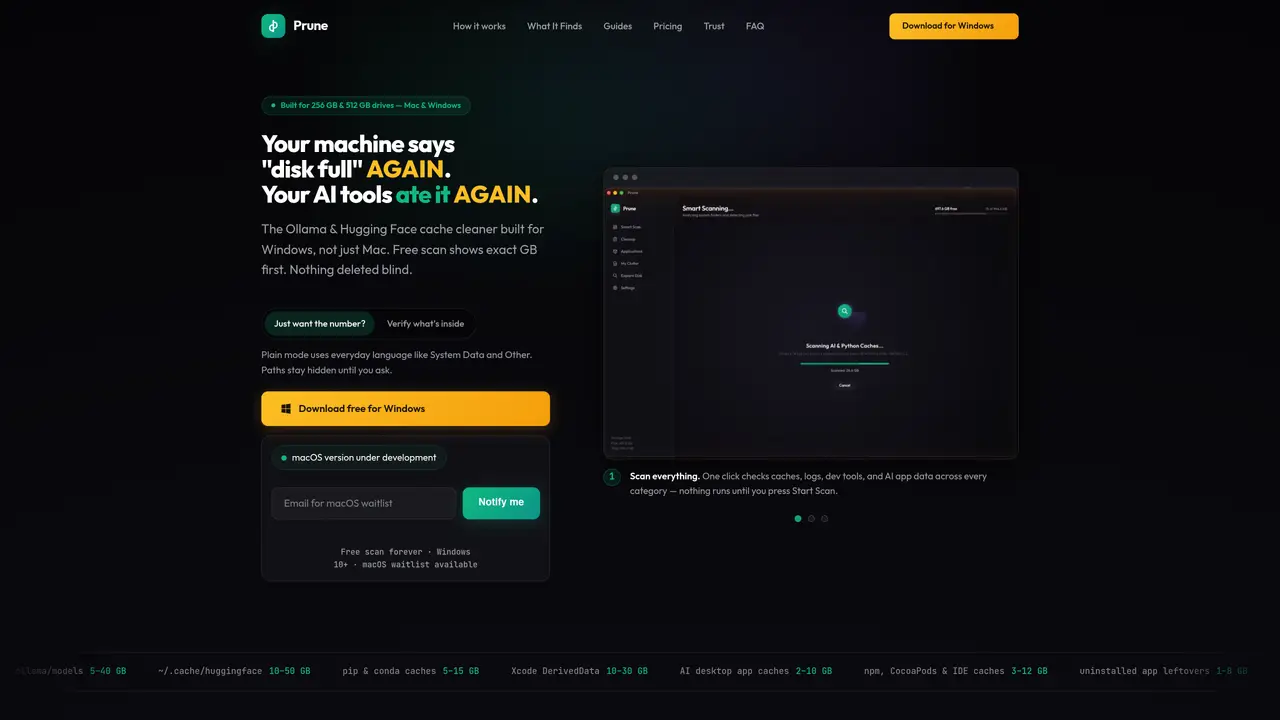
Prune is a disk space scanner and cleaner designed for AI and developer workflows on Windows. It identifies large caches such as Ollama models, Hugging Face checkpoints, pip and conda caches, Xcode DerivedData, npm, CocoaPods, and IDE caches, as well as system caches, logs, browser clutter, and uninstalled app leftovers. The tool performs a free scan that displays the exact size of each category before any deletion occurs. Users can review detailed file lists in either plain or technical mode before deciding what to remove. Prune Pro unlocks the ability to clean selected files, while the free version provides size estimates and path visibility only upon request. The application operates entirely locally, ensuring no file metadata is uploaded or shared. It supports Windows 10 and later, with a macOS version in development.
Prune is a disk space scanner and cleaner designed for AI and developer workflows on Windows. It identifies and categorizes large caches from tools like Ollama, Hugging Face, pip, conda, Xcode DerivedData, npm, CocoaPods, and IDE caches, as well as system caches, logs, browser clutter, and uninstalled app leftovers.
Prune is built for developers and AI practitioners who work on Windows and need to reclaim disk space consumed by AI tools, build systems, and application caches. It is particularly useful for users with smaller SSDs or those managing multiple AI projects.
Prune performs a free scan that displays the exact size of each cache category without deleting anything. Users can review detailed file lists in plain or technical mode before deciding what to remove. The Pro version allows selective cleaning, while the free version provides size estimates and path visibility only upon request.
No, Prune operates entirely locally. It does not upload file metadata or paths to any external server, ensuring user privacy and data security.
The free version allows users to scan and view the size of cache categories but does not permit deletion. Prune Pro unlocks the ability to clean selected files and view detailed file lists in both plain and technical modes.
Yes, a macOS version of Prune is currently under development, with a waitlist available for early access.
We use essential cookies to run aitoolnavio™, and optional cookies to analyze traffic and measure our marketing. You choose what we use — optional cookies stay off unless you turn them on. See our Privacy Policy.
One short email a week: fresh tools worth trying, honest takes and the updates that actually matter. No spam, unsubscribe any time.
Generate content, correct spelling, suggest synonyms to enhance writing.
Turn messy team ideas into actionable plans with Miro's visual workspace.
Leverage analytics, automate tasks, share documents, and coordinate projects.
Integrates AI into Airtable to analyze data, summarize insights, draft content, and automate workflows without prior AI experience.
Cloud accounting software that automates bookkeeping, invoicing, and financial reporting for small and growing businesses.
Streamline teamwork, manage projects, automate tasks efficiently.
Automate code, research, and documents using agents.
AI assistant for safe, reliable productivity with code, collaboration, and integrations.
Create customizable tables, databases, and spreadsheets, share data securely with team members.
Easy-to-use CRM platform that automates lead capturing, prioritizes tasks, and provides sales pipeline analytics for businesses of all sizes.
Transforms thoughts into actions, enhancing productivity and efficiency.
Write & run code in 50+ languages, auto-complete with AI, and code faster with an intuitive interface.
Matched on what this tool does — grouped by the job you would be replacing.
Paid placement · similar tools from listings that support aitoolnavio™
Instant lead response for home-service pros: your phone rings on every new lead, plus 14 days of follow-up
matches One-click scan across all cache categories · Exact size reporting per category in free scan · Selective file removal with explicit approval
Windows desktop AI agent that plans and executes local tasks with user approval
Disk cleaner focused on AI and developer clutter on Mac and Windows