AI assistant for safe, reliable productivity with code, collaboration, and integrations.

Screenshot AI
$10/moStarting price
0Popularity
About Screenshot AI
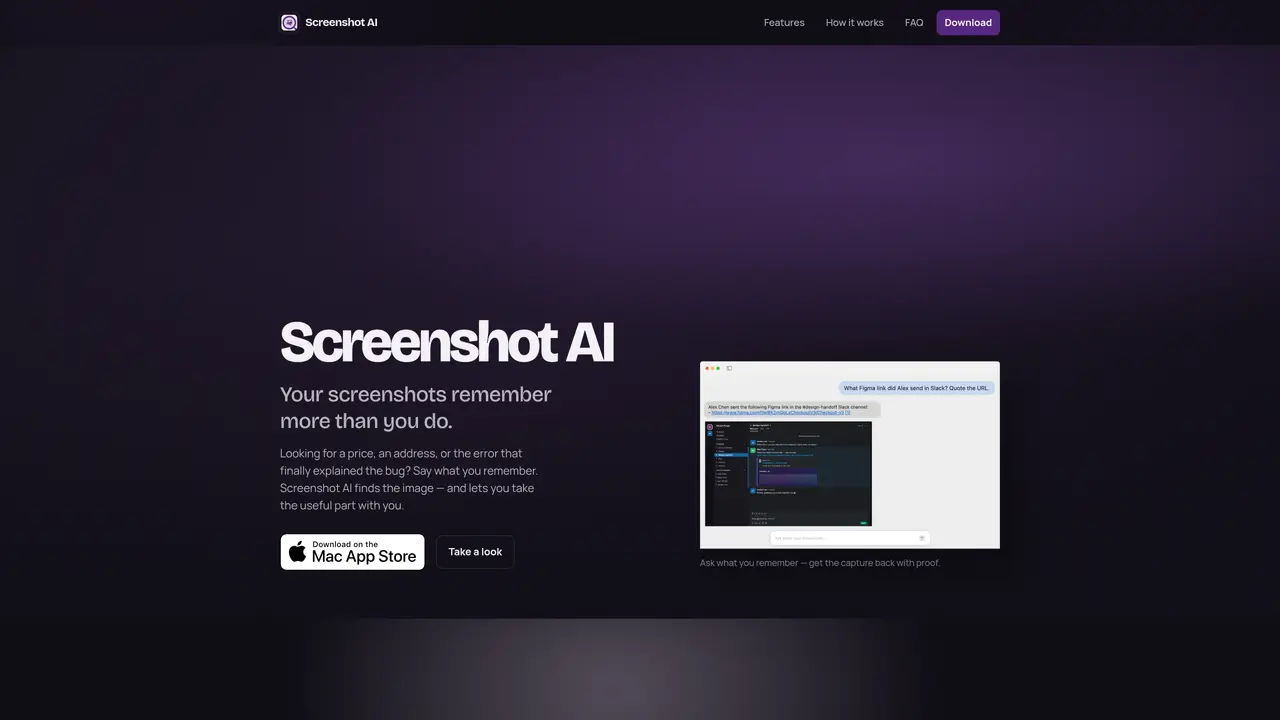
Screenshot AI indexes screenshots and photos stored on a computer so they can be retrieved by describing what is in the image rather than by filename or folder location. Users select a folder during setup and the tool automatically makes new screenshots searchable in the background without requiring manual renaming or sorting. The application performs optical character recognition on images to extract text, allowing users to select and copy information such as confirmation codes, addresses, or error messages directly from the screenshot. It supports plain-language queries like “blue jacket from Zara” or “flight to Lisbon” to surface relevant captures quickly. The tool is designed for retrieving previously saved screenshots when details are needed, such as finding a booking number or a specific chat thread. It does not function as an image editor or markup tool, focusing instead on search and text extraction from existing files. Screenshot AI operates locally on macOS and does not scan the entire disk by default.
Key features
- Search by text descriptions
- Optical character recognition (OCR) for text extraction
- Background indexing of new screenshots
- Plain-language query support
- Direct text selection and copying from images
- Local file indexing without cloud storage
- Folder-based setup for privacy control
- Retrieval of screenshots by content rather than filename
Use cases
- Finding a forgotten screenshot by describing its content
- Extracting confirmation codes or addresses from receipts
- Locating a specific chat thread or error message screenshot
Pros
- Indexes screenshots automatically without manual renaming
- Retrieves images using natural language descriptions
- Extracts and copies text from screenshots via OCR
- Operates locally on macOS without cloud uploads
- Supports background indexing of new captures
Cons
- Requires macOS 14 or later
- Limited to the folder selected during setup
- Not available on Windows or other operating systems
- Does not include image editing or markup features
Frequently asked questions about Screenshot AI
Can I find screenshots by description?
Yes. Users can search for screenshots using plain-language descriptions such as 'a receipt from the grocery store' or 'the hotel address' instead of recalling filenames.
Does it extract text from images?
Yes. The tool performs optical character recognition (OCR) on screenshots, allowing users to select and copy text like numbers, links, or code snippets directly from the image.
Is it a screenshot editor?
No. Screenshot AI is not a markup or drawing tool; it focuses on finding, reading, and reusing text or details from existing screenshots.
Can I use it as a picture organizer?
Yes. It helps retrieve screenshots and photos by their content rather than requiring manual filing into albums or folders.
What gets indexed?
Only the folder selected during setup and any additional sources added later are indexed by default. The tool does not scan the entire disk unless explicitly configured.
Where can I read the privacy policy?
The privacy policy details how indexing, OCR, and chat requests are handled. It can be accessed via the link provided on the website.