Generate content, correct spelling, suggest synonyms to enhance writing.
173M visits/mo+0.1%#1 Productivity & Office

Vertical tab manager with AI copilot that organizes tabs into spaces, groups content, and automates browsing workflows in Chrome and Firefox.
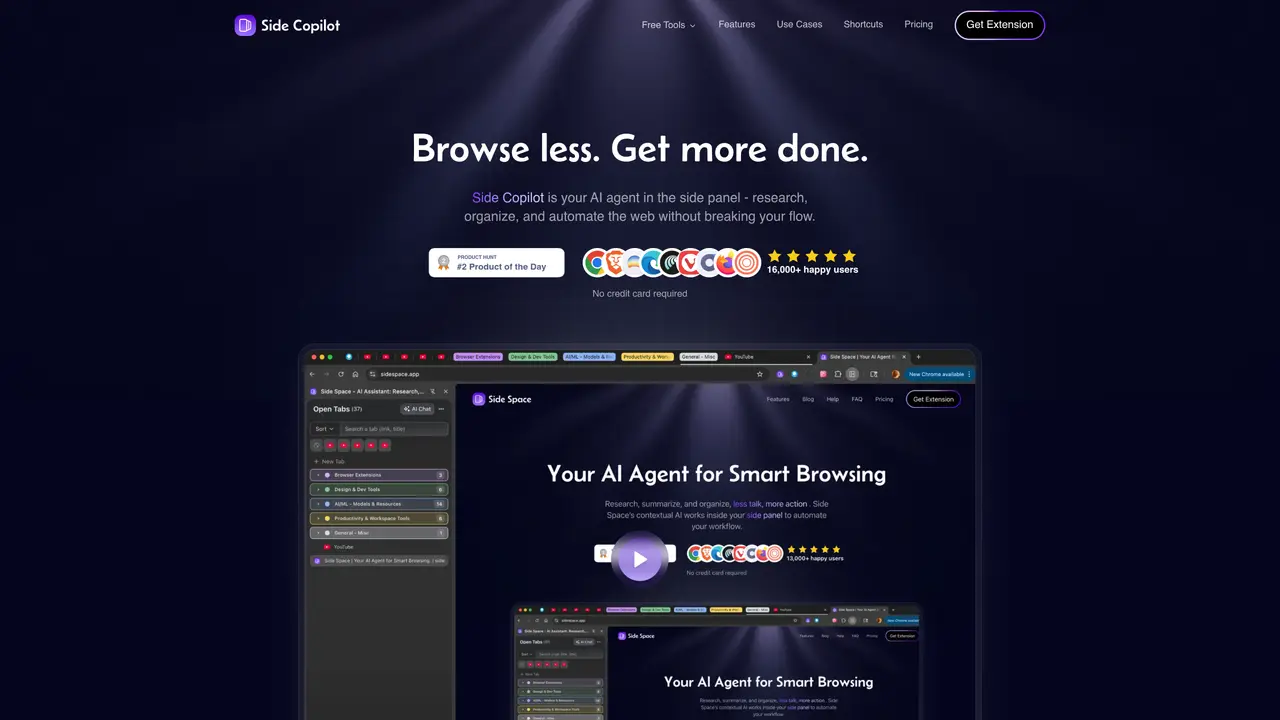
Side Space is a browser extension designed for heavy browser users, students, researchers, developers, and creators who need to manage numerous open tabs efficiently. It replaces the default horizontal tab bar with a vertical sidebar that includes fuzzy search, pinning, multi-select, and drag-and-drop tab and group management. Users can create Spaces to separate different contexts such as work, study, shopping, or hobbies, with customizable theming, renaming, ordering, and a space switcher for quick switching. The Side Copilot AI feature automates tab organization by grouping tabs based on titles, URLs, and page content, and offers chat and automation capabilities like summarizing pages, selecting context from open tabs, researching topics, searching browser history, restoring closed windows, and managing tab groups and windows. Additional tools include performance optimizations such as tab suspension to reduce memory usage, de-duplication of tabs, saving and restoring tab groups, copying all URLs in various formats, and session backup via JSON. The extension supports multiple browsers including Chrome, Edge, Brave, Firefox, and other Chromium-based browsers, with cloud sync available across devices. Side Space operates on a freemium model, offering a free tier with basic features and paid plans that unlock advanced AI capabilities, shortcuts, and additional tools like multi-tab chat, mind maps, YouTube chatting, and file chat.
Side Space is a browser extension that replaces the default horizontal tab bar with a vertical sidebar for managing open tabs. It includes features like fuzzy search, pinning, multi-select, and AI-powered organization through Side Copilot.
Side Space is designed for heavy browser users, students, researchers, developers, and creators who need efficient tab management. It suits anyone juggling multiple tabs across different contexts like work, study, or hobbies.
Side Space supports multiple browsers, including Chrome, Edge, Brave, Firefox, Vivaldi, Sigma, Comet, and Zen. It also offers cloud sync to keep spaces consistent across devices.
Yes, Side Copilot provides AI features such as chat mode for interacting with open tabs and agent mode for automating tasks like grouping tabs, restoring closed windows, or researching topics.
Side Space operates on a freemium model with a free tier offering basic features and paid plans for advanced AI capabilities. The Pro plan includes unlimited spaces, cloud sync, and agent mode, while Pro+ adds more automation tools.
Yes, Side Space offers customizable theming, dark mode, and space management features like renaming, ordering, and pinning tabs for quick access.
sidespace.app · third-party estimates from Similarweb
Last 2 months · grows by one month every month
Traffic figures are third-party estimates, good for scale and trends; they can differ from a company's own numbers. Updated monthly.
We use essential cookies to run aitoolnavio™, and optional cookies to analyze traffic and measure our marketing. You choose what we use — optional cookies stay off unless you turn them on. See our Privacy Policy.
One short email a week: fresh tools worth trying, honest takes and the updates that actually matter. No spam, unsubscribe any time.
Generate content, correct spelling, suggest synonyms to enhance writing.
Turn messy team ideas into actionable plans with Miro's visual workspace.
Leverage analytics, automate tasks, share documents, and coordinate projects.
Integrates AI into Airtable to analyze data, summarize insights, draft content, and automate workflows without prior AI experience.
Cloud accounting software that automates bookkeeping, invoicing, and financial reporting for small and growing businesses.
Streamline teamwork, manage projects, automate tasks efficiently.
Automate code, research, and documents using agents.
AI assistant for safe, reliable productivity with code, collaboration, and integrations.
Create customizable tables, databases, and spreadsheets, share data securely with team members.
Easy-to-use CRM platform that automates lead capturing, prioritizes tasks, and provides sales pipeline analytics for businesses of all sizes.
Transforms thoughts into actions, enhancing productivity and efficiency.
Write & run code in 50+ languages, auto-complete with AI, and code faster with an intuitive interface.
Matched on what this tool does — grouped by the job you would be replacing.
Paid placement · similar tools from listings that support aitoolnavio™
Instant lead response for home-service pros: your phone rings on every new lead, plus 14 days of follow-up
matches Vertical tab sidebar with fuzzy search and drag-and-drop management · Spaces for separating contexts (work, study, shopping, hobbies) · Save and restore tab groups with session backup
matches Side Copilot AI for automatic tab grouping and chat automation · Multi-tab chat and advanced tools like mind maps and YouTube chatting · Copy all URLs in markdown, text, or JSON formats
Browser extension that uses AI to automatically organize and summarize browser tabs, syncing sessions across devices.
AI-powered bookmark manager that automatically organizes links into folders
Automates browsing tasks while remembering context across tabs.
An AI-powered browser that summarizes pages, answers questions, and automates online tasks through natural language commands.
Browser extension AI assistant for in-page summarization, translation, drafting, and cited web search.
AI-powered browser that integrates chat assistance, summarization, and drafting tools directly into your tabs for faster, smarter web browsing.
AI browser extension that summarizes web pages, videos, and PDFs, and organizes bookmarks for faster research and writing.