

Generate content, correct spelling, suggest synonyms to enhance writing.
173M visits/mo+0.1%#1 Productivity & Office
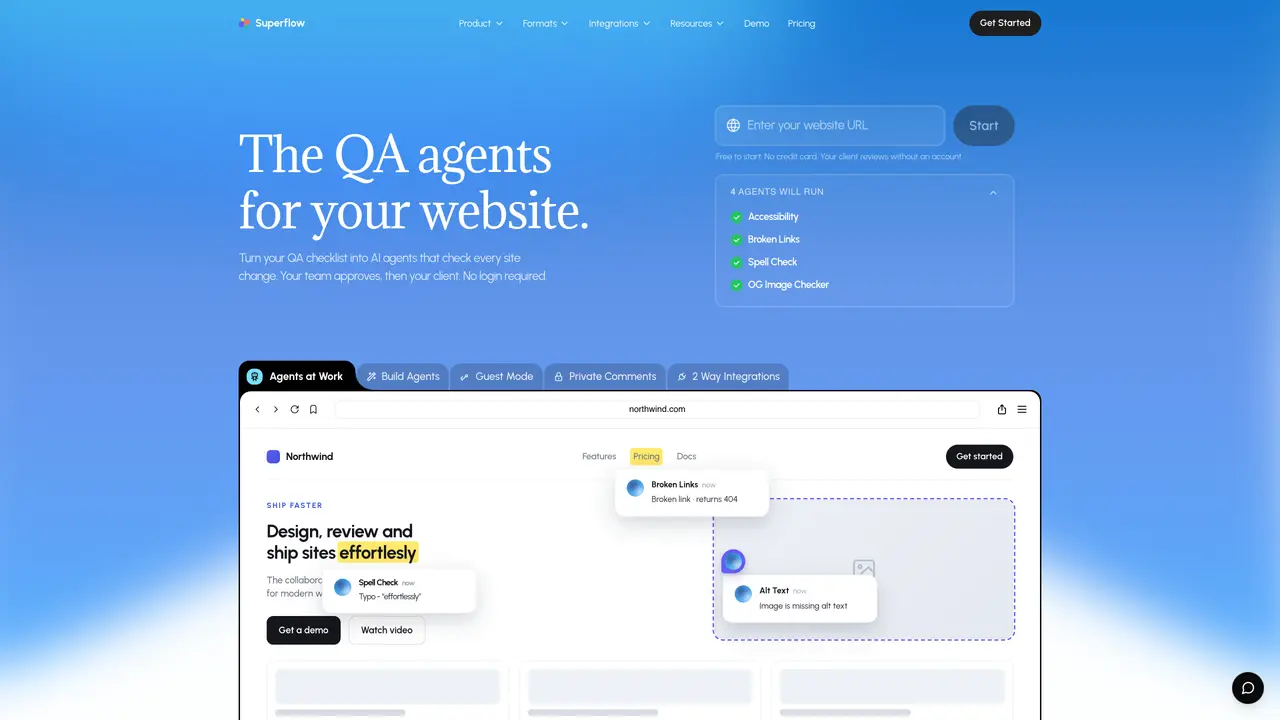
Superflow provides an AI layer for reviewing websites and digital assets through autonomous agents that check against a user-defined checklist. These agents triage reviews, post findings as comments on live pages, and retain memory across projects. The platform supports multiple review formats including website, video, Lottie, PDF, and image reviews. It enables team members and clients to comment, approve, or request changes directly on pages without requiring accounts. Feedback is pinned to specific elements and persists through page changes, with screenshots and recordings attached. The tool integrates with project management systems like Asana, Trello, Monday.com, ClickUp, and Jira, and offers workflow features such as custom statuses and Kanban boards. It also supports authenticated pages, cross-device testing, and white-labeling for agencies.
Superflow provides an AI layer for reviewing websites and digital assets using autonomous agents that check against a user-defined checklist. It triages reviews, posts findings as comments on live pages, and retains memory across projects.
Superflow is designed for web and marketing teams, agencies, and clients who need to streamline the review and approval process for websites and digital assets without requiring accounts for external stakeholders.
Superflow allows clients to review and approve changes directly from a shared link, even behind logins or SSO, without requiring them to create an account or log in.
Superflow supports multiple review formats, including website, video, Lottie, PDF, and image reviews, enabling comprehensive feedback across different asset types.
Yes, Superflow integrates with project management systems such as Asana, Trello, Monday.com, ClickUp, and Jira, allowing tasks and workflows to sync seamlessly.
To get started, you can install Superflow with a one-click process for websites or upload an asset directly. The platform offers a free tier to begin using its features without requiring a credit card.
usesuperflow.ai · third-party estimates from Similarweb
Last 2 months · grows by one month every month
Share of visits by channel
Share of visits · estimated visits
Productivity & Office · Sep 2026
Traffic figures are third-party estimates, good for scale and trends; they can differ from a company's own numbers. Updated monthly.
We use essential cookies to run aitoolnavio™, and optional cookies to analyze traffic and measure our marketing. You choose what we use — optional cookies stay off unless you turn them on. See our Privacy Policy.
One short email a week: fresh tools worth trying, honest takes and the updates that actually matter. No spam, unsubscribe any time.
Generate content, correct spelling, suggest synonyms to enhance writing.
Turn messy team ideas into actionable plans with Miro's visual workspace.
Leverage analytics, automate tasks, share documents, and coordinate projects.
Integrates AI into Airtable to analyze data, summarize insights, draft content, and automate workflows without prior AI experience.
Cloud accounting software that automates bookkeeping, invoicing, and financial reporting for small and growing businesses.
Streamline teamwork, manage projects, automate tasks efficiently.
Automate code, research, and documents using agents.
AI assistant for safe, reliable productivity with code, collaboration, and integrations.
Create customizable tables, databases, and spreadsheets, share data securely with team members.
Easy-to-use CRM platform that automates lead capturing, prioritizes tasks, and provides sales pipeline analytics for businesses of all sizes.
Transforms thoughts into actions, enhancing productivity and efficiency.
Write & run code in 50+ languages, auto-complete with AI, and code faster with an intuitive interface.
Matched on what this tool does — grouped by the job you would be replacing.
Paid placement · similar tools from listings that support aitoolnavio™
Instant lead response for home-service pros: your phone rings on every new lead, plus 14 days of follow-up
matches AI Review Agents · Persistent memory across reviews · Pinned comments with auto-screenshots
matches AI Review Agents · Persistent memory across reviews · Authenticated page review
Collects precise visual feedback on live websites for AI agents to fix
AI-powered review management software to request, monitor, and publish customer reviews across email, SMS, WhatsApp, and in-person channels.
AI agent builds, publishes and hosts websites from chat instructions
AI-powered quality assurance for continuous testing of web and mobile products
Connects AI agents to a Mac's browser, files and accounts for local task completion