Generate content, correct spelling, suggest synonyms to enhance writing.
173M visits/mo+0.1%#1 Productivity & Office
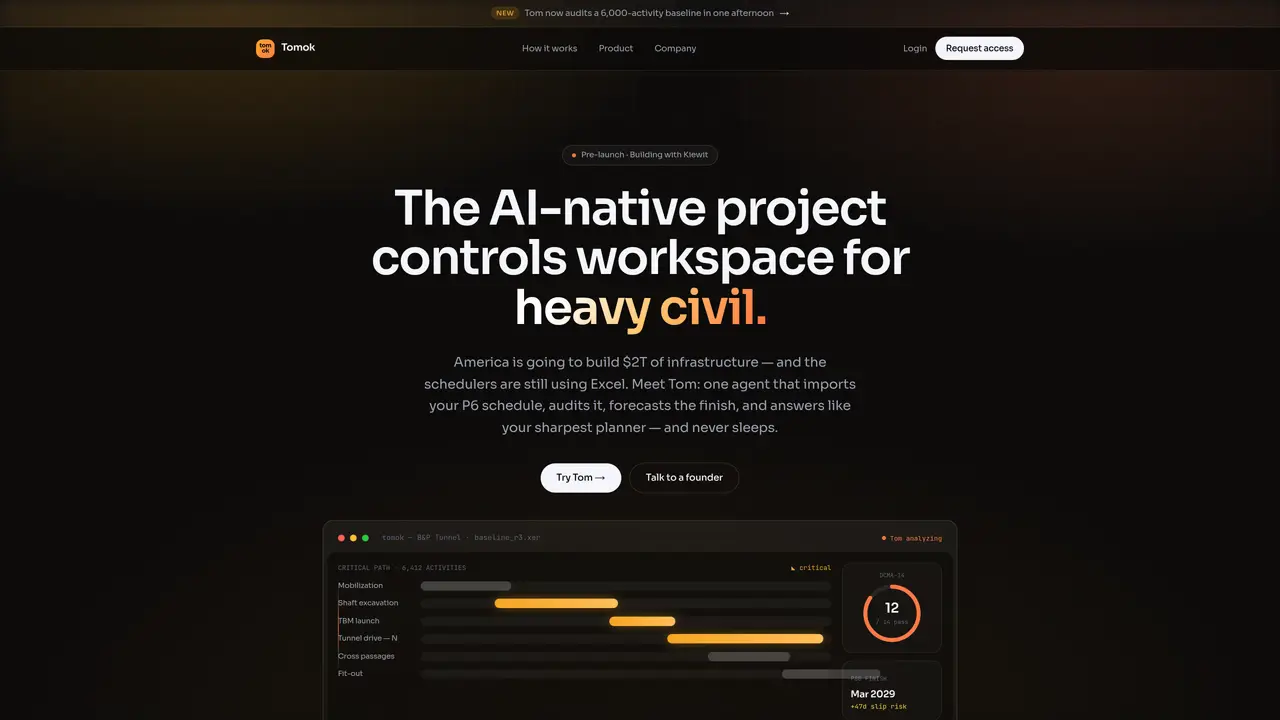
Tomok is an AI-native project controls workspace designed for heavy civil construction projects. It imports schedules from Primavera P6, Microsoft Project, or Asta Powerproject and audits them against DCMA-14 standards in seconds. The tool performs constraint-aware critical path method (CPM) analysis, simulating thousands of sequences to identify risks that manual planners might overlook. Users can query the system in plain English to receive defensible finish dates, slip probabilities, and delay narratives with traceable data links. Tomok also supports probabilistic forecasting using P50 and P80 confidence intervals, incorporating historical data for accuracy. Site verification features convert 360-degree site captures into observed progress metrics, aligning schedules with actual field conditions. The platform is built for schedulers managing large-scale infrastructure projects such as highways, bridges, tunnels, and rail systems.
Tomok is an AI-native project controls workspace designed for heavy civil construction projects. It imports schedules from tools like Primavera P6, Microsoft Project, or Asta Powerproject, audits them against DCMA-14 standards, and performs constraint-aware critical path method (CPM) analysis to identify risks and provide defensible forecasts.
Tomok is built for schedulers and project controls professionals managing large-scale infrastructure projects such as highways, bridges, tunnels, rail systems, and transmission lines. It is particularly suited for heads of schedule overseeing complex, high-stakes projects.
Tomok directly imports schedules from Primavera P6 (XER files), Microsoft Project (XML files), and Asta Powerproject without requiring remapping or cleanup. It also supports DCMA-14 audits, IIJA reporting, and SCC codes as part of its workflow.
Tomok runs DCMA-14 schedule quality audits, performs constraint-aware CPM analysis by simulating thousands of sequences, and provides probabilistic forecasting using P50 and P80 confidence intervals. It also converts 360-degree site captures into observed progress metrics for alignment with field conditions.
Yes, Tomok generates defensible delay narratives with traceable data links, slip probabilities, and the dollar cost of delays. It identifies risks that manual planners might overlook and provides actionable insights for risk management.
To get started, users can request access or contact Tomok directly to onboard as an early design partner. The process involves importing a real schedule to surface risks that traditional methods might miss, serving as a demonstration of the tool's capabilities.
We use essential cookies to run aitoolnavio™, and optional cookies to analyze traffic and measure our marketing. You choose what we use — optional cookies stay off unless you turn them on. See our Privacy Policy.
One short email a week: fresh tools worth trying, honest takes and the updates that actually matter. No spam, unsubscribe any time.
Generate content, correct spelling, suggest synonyms to enhance writing.
Turn messy team ideas into actionable plans with Miro's visual workspace.
Leverage analytics, automate tasks, share documents, and coordinate projects.
Integrates AI into Airtable to analyze data, summarize insights, draft content, and automate workflows without prior AI experience.
Cloud accounting software that automates bookkeeping, invoicing, and financial reporting for small and growing businesses.
Streamline teamwork, manage projects, automate tasks efficiently.
Automate code, research, and documents using agents.
AI assistant for safe, reliable productivity with code, collaboration, and integrations.
Create customizable tables, databases, and spreadsheets, share data securely with team members.
Easy-to-use CRM platform that automates lead capturing, prioritizes tasks, and provides sales pipeline analytics for businesses of all sizes.
Transforms thoughts into actions, enhancing productivity and efficiency.
Write & run code in 50+ languages, auto-complete with AI, and code faster with an intuitive interface.
Matched on what this tool does — grouped by the job you would be replacing.
Paid placement · similar tools from listings that support aitoolnavio™
Instant lead response for home-service pros: your phone rings on every new lead, plus 14 days of follow-up
matches Schedule import from Primavera P6, Microsoft Project, Asta Powerproject · Live DCMA-14 compliance auditing · Defensible delay narratives with traceable data links
matches Constraint-aware critical path method (CPM) analysis · Monte Carlo risk simulation with P50/P80 forecasting · Probabilistic finish date calculations from historicals
matches 360-degree site verification for progress tracking · Plain-English query interface for schedule insights
AI-driven contract review tool for construction professionals.
Desktop tool that audits and compares project schedules locally
Schedule risk management and CCPM software for R&D programs
All-in-one AI trading journal and backtester for manual and automated strategies
AI-powered construction progress tracking using computer vision and 360° site capture to forecast delays and improve delivery for contractors and project teams.
Turns Telegram site updates into structured daily reports for project managers