Generate content, correct spelling, suggest synonyms to enhance writing.
173M visits/mo+0.1%#1 Productivity & Office

VS Code extension that turns coding sessions into AI Standups, surfacing reusable cheatcodes and team adoption metrics to improve AI-assisted development.
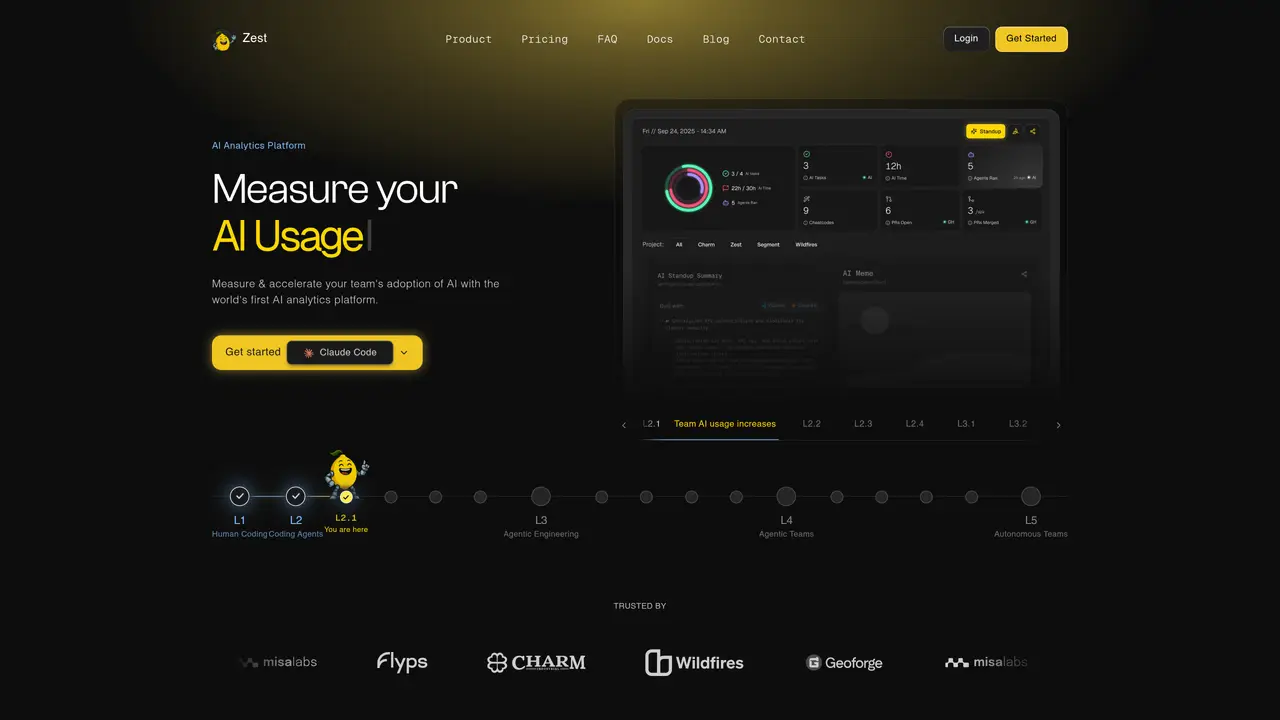
Zest is a VS Code (and Cursor) extension that uses AI to analyze coding sessions and provide actionable insights for developers and engineering teams. It automatically converts coding sessions into AI Standups, highlighting prompt performance, identifying time spent stuck, and surfacing reusable “cheatcodes” extracted from real work. The tool captures and standardizes high-performing prompts while diagnosing failing ones, enabling teams to adopt consistent, efficient AI workflows without altering their existing processes. Zest also provides a Team Leaderboard and adoption analytics, allowing managers to track who is saving time and which strategies are most effective. By offering automated summaries and clear metrics, it helps teams increase AI adoption, reduce bottlenecks, and ship faster. The extension integrates seamlessly into daily workflows, making it suitable for both individual developers and collaborative engineering environments seeking to optimize AI-assisted coding practices.
Connecting your GitHub organization provides team-level AI adoption signals such as PR throughput, review patterns, and Acceleration Reports without requiring additional installations.
No. GitHub alone unlocks the team dashboard. For deeper per-engineer insights like AI stack, skills, and agent activity, engineers can install Zest in Cursor or Claude Code at any time.
The AI Levels Scorecard tracks blockers across tasks and prompts, highlighting working strategies and weak spots to help teams maintain momentum and ship code faster.
Unlike Copilot metrics that focus on usage, Zest measures AI compute impact on PR throughput, code review quality, and agent autonomy levels across multiple coding tools and models.
Adoption charts show who is using AI, how often, and where value is gained, enabling teams and enterprises to drive toward 100% usage and ensure everyone benefits.
Yes. Connecting your GitHub organization grants access to the L2 dashboard with team statistics, AI metrics, and team insights without requiring a credit card.
meetzest.com · third-party estimates from Similarweb
Last 4 months · grows by one month every month
Share of visits by channel
Share of visits · estimated visits
Productivity & Office · Sep 2026
Traffic figures are third-party estimates, good for scale and trends; they can differ from a company's own numbers. Updated monthly.
We use essential cookies to run aitoolnavio™, and optional cookies to analyze traffic and measure our marketing. You choose what we use — optional cookies stay off unless you turn them on. See our Privacy Policy.
One short email a week: fresh tools worth trying, honest takes and the updates that actually matter. No spam, unsubscribe any time.
Generate content, correct spelling, suggest synonyms to enhance writing.
Turn messy team ideas into actionable plans with Miro's visual workspace.
Leverage analytics, automate tasks, share documents, and coordinate projects.
Integrates AI into Airtable to analyze data, summarize insights, draft content, and automate workflows without prior AI experience.
Cloud accounting software that automates bookkeeping, invoicing, and financial reporting for small and growing businesses.
Streamline teamwork, manage projects, automate tasks efficiently.
Automate code, research, and documents using agents.
AI assistant for safe, reliable productivity with code, collaboration, and integrations.
Create customizable tables, databases, and spreadsheets, share data securely with team members.
Easy-to-use CRM platform that automates lead capturing, prioritizes tasks, and provides sales pipeline analytics for businesses of all sizes.
Transforms thoughts into actions, enhancing productivity and efficiency.
Write & run code in 50+ languages, auto-complete with AI, and code faster with an intuitive interface.
Matched on what this tool does — grouped by the job you would be replacing.
Paid placement · similar tools from listings that support aitoolnavio™
Instant lead response for home-service pros: your phone rings on every new lead, plus 14 days of follow-up
matches Converts coding sessions into AI Standups with automated summaries · Analyzes prompts to identify high-performing and failing strategies · Surfaces reusable 'cheatcodes' from real coding sessions
matches Integrates directly into VS Code and Cursor editors
Track engineering work, AI impact, delivery outcomes.
Team-wide analytics for coding agent sessions
Tracks AI usage, spend, and commits for engineering teams with zero workflow change
Open-source AI coding assistant that generates, debugs, and manages code directly in VS Code and JetBrains to save time and reduce errors.
AI coding agent that writes, reviews, and automates code across IDEs, CLI, and team workflows.