Turn messy team ideas into actionable plans with Miro's visual workspace.
30M visits/mo+11.8%#8 Productivity & Office

Kive is the perfect tool for creative professionals looking to streamline their workflow.
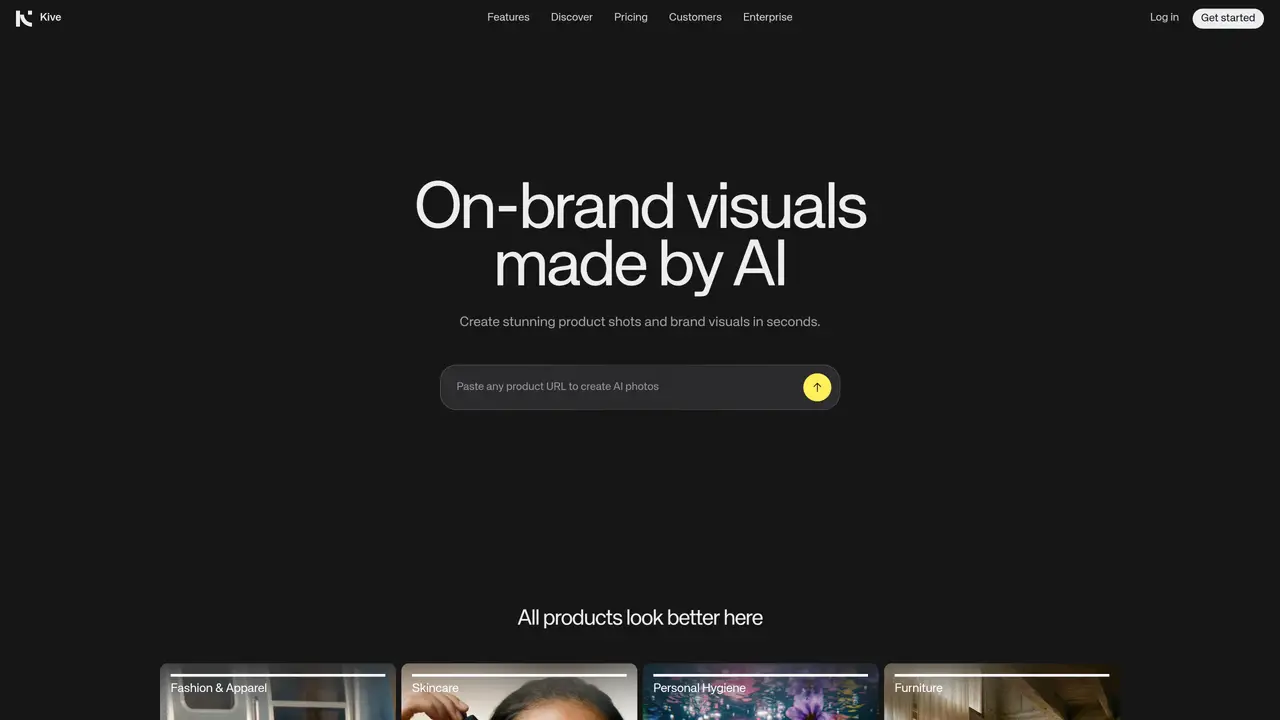
Kive is a task automation tool designed specifically for creative professionals. It provides an AI-powered library and mood board capabilities that make it easy to discover, organize, and share content. With automated tagging, users can quickly find images needed for projects in seconds. Kive also offers a collaborative workspace for teams to work together on projects, as well as access to a thriving community of creatives that can help stay inspired. The tool is ideal for designers, photographers, artists, and other creative professionals who want to streamline their workflow and take their ideas to the next level. Whether you’re working on a new project or trying to find inspiration, Kive’s features make it easy to discover, organize, and share content with your team. With its intuitive interface and powerful tools, Kive is the ultimate tool for creative professionals who want to stay ahead of the curve. By using Kive, users can save time and increase productivity, allowing them to focus on what matters most – creating great work. The tool’s features are designed to be user-friendly, making it easy to get started and see results quickly. Whether you’re a solo artist or part of a large team, Kive has the tools and resources you need to succeed. By leveraging Kive’s AI-powered library and mood board capabilities, users can discover new ideas and inspiration, and stay ahead of the competition. With its collaborative workspace and thriving community, Kive makes it easy to work with others and get feedback on your projects. Whether you’re working on a small project or a large-scale campaign, Kive has the tools and resources you need to succeed. By using Kive, users can save time, increase productivity, and create great work that stands out from the crowd.
Kive is an AI-powered platform designed to generate on-brand product visuals for consumer brands. It allows users to create studio-quality product shots and brand visuals in seconds by entering a product URL.
Kive is tailored for small teams and brands that handle high creative workloads, particularly in industries like fashion, skincare, personal hygiene, and furniture.
Kive uses AI to integrate products into predefined styles or scenes with precision, enabling users to recreate specific aesthetics such as studio clean, editorial drama, or dynamic aerial shots.
Yes, Kive provides a collaborative workspace where users can create, edit, manage, and share visuals in one place, streamlining team workflows.
Kive offers a subscription-based pricing model, with plans designed to accommodate different usage levels and team sizes.
To get started, users can sign up on the Kive website and begin creating product visuals by entering a product URL or exploring available presets and styles.
kive.ai · third-party estimates from Similarweb
Last 4 months · grows by one month every month
Share of visits · estimated visits
Other countries: 36.1%
How people reach this site from other AI tools
452 a month · 0.2% of all visits
Productivity & Office · Sep 2026
Traffic figures are third-party estimates, good for scale and trends; they can differ from a company's own numbers. Updated monthly.
We use essential cookies to run aitoolnavio™, and optional cookies to analyze traffic and measure our marketing. You choose what we use — optional cookies stay off unless you turn them on. See our Privacy Policy.
One short email a week: fresh tools worth trying, honest takes and the updates that actually matter. No spam, unsubscribe any time.
Turn messy team ideas into actionable plans with Miro's visual workspace.
Leverage analytics, automate tasks, share documents, and coordinate projects.
All-in-one project management platform for task management, team collaboration, and workflow visualization with time tracking and reporting.
Organize and track projects, set deadlines, and gain insights with customizable boards and advanced analytics.
Create customizable tables, databases, and spreadsheets, share data securely with team members.
Optimize project management with custom workflows, real-time task assignment, and easy navigation of complex projects.
Cloud-based unified communications platform for secure call, video, messaging, file sharing, and automated call routing.
All-in-one team productivity platform combining chat, docs, video meetings, workflows, and AI tools in one place.
Capture, organize, and share ideas, notes, and documents effortlessly.
Real-time customer support with personalized service, accessible through a mobile app.
Engage audience with interactive polls, quizzes, and surveys, and monitor responses with powerful analytics.
Access files, collaborate, and secure your data with unbeatable customizable system.
Matched on what this tool does — grouped by the job you would be replacing.
matches AI-powered library · Automated tagging for quick image search · Collaborative workspace for teams
Centralize brand assets, automate approvals, and collaborate with external partners in a single digital asset management platform.
AI-powered tool that transforms apparel images into professional e-commerce product photos like ghost mannequin, on-model, and flat lay shots.
AI-powered search engine to find images, videos & graphics, with affordable pricing & wide range of licensing options.
matches Mood board capabilities
matches Intuitive interface
AI platform for upscaling images, enhancing photos, and generating high-quality creative assets with contextual detail.
Generate stunning visuals, create high-quality images, customize designs with AI-assisted tools and premium templates.
Create and edit photorealistic images from text prompts and reference images without technical expertise.
Automate image editing, create stunning visuals, and craft professional-grade designs effortlessly.
Instantly remove backgrounds, generate scene backgrounds, and edit product visuals with an AI-powered editor and templates.